Starting April 1, 2026, paying for iCloud in Russia has become even more difficult. Topping up Apple ID through mobile carriers such as Beeline and MTS is no longer available. Along with this, gift cards for the Russian region are gradually disappearing, since they were previously purchased specifically through mobile payments.
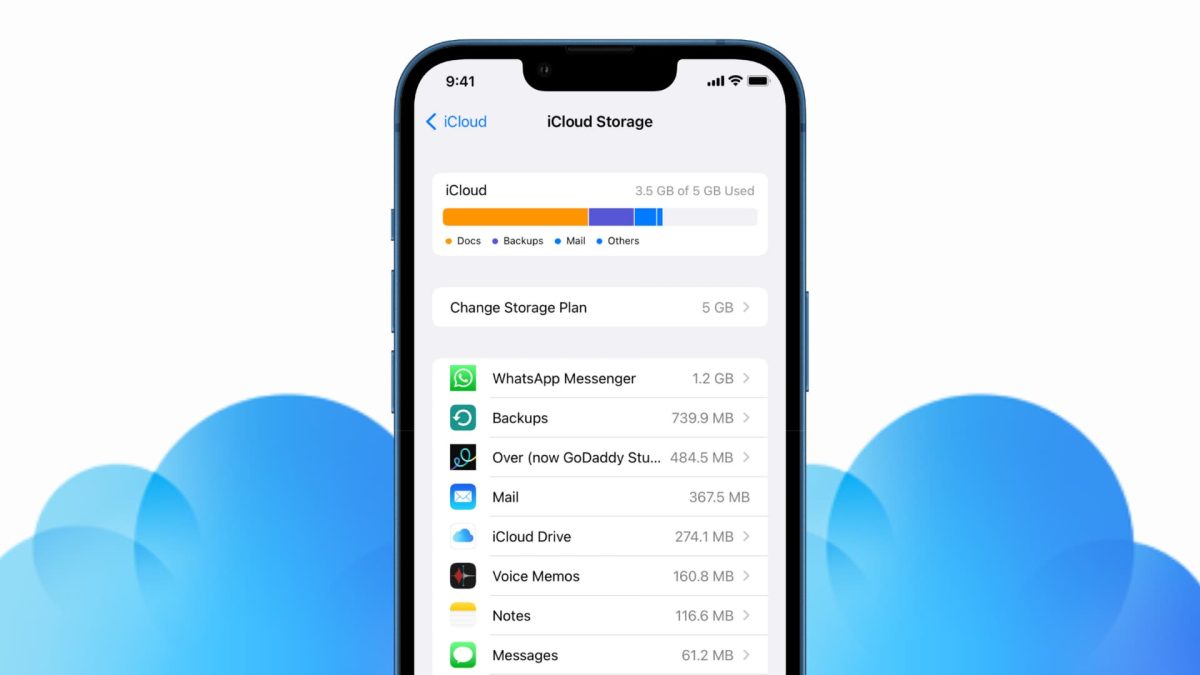
Figuring out how to buy iCloud storage without MTS and Beeline
As a result, users have very few working options left. The most realistic and reliable method is to change your Apple ID region and use gift cards from another region. In some cases, paying with a foreign bank card can also help, if you have one available, but this is a more complicated option.
At first glance, all of this seems confusing, especially if you used to pay for subscriptions the standard way. But in practice, buying iCloud in Russia in 2026 is still possible. The key is to choose the right payment method, the appropriate account region, and follow the steps. Below we’ll go over the main options in more detail.
Ways to Pay for iCloud in Russia in 2026
In 2026, paying for Apple services in Russia has become more difficult due to restrictions on bank cards and mobile carriers. Additionally, gift cards in rubles are no longer being issued. Therefore, to buy iCloud in Russia, you need to change your account region and choose a suitable payment method.
Main options for paying for iCloud:
- Apple gift cards — you can buy them through special services and use them to top up your Apple ID balance;
- Foreign bank cards — if you have access to a foreign card, you can use it to pay for an iCloud subscription.
Each method has its own specifics, so before paying it’s important to choose the option that works best for you.
Which Region to Choose for iCloud Payment
For paying for iCloud in 2026, the most commonly chosen regions are the USA or Turkey. Gift cards are consistently available for these regions, and the iCloud+ subscription terms are generally similar.
The USA is most often recommended. It’s easier to find gift cards for the American region, and the App Store itself is the most universal — it has the largest selection of apps.
iCloud+ Plans in the USA:
- 50 GB — $0.99
- 200 GB — $2.99
- 2 TB — $11.99
- 6 TB — $34.99
- 12 TB — $59.99
iCloud+ Plans in Turkey:
- 50 GB — 39.99 ₺
- 200 GB — 129.99 ₺
- 2 TB — 399.99 ₺
- 6 TB — 1,299.99 ₺
- 12 TB — 2,499.99 ₺
If you want the most convenient option, it’s better to choose the USA.
How to Change Your Apple ID Region on iPhone — Step-by-Step Guide
Changing your Apple ID region is needed not only for paying for iCloud, but also for accessing the international App Store. For example, the American store has apps like ChatGPT, Spotify, and Minecraft.
Already installed apps continue to work, and updates remain available for many of them. For example, Gosuslugi, Moy Nalog, Ozon, and other familiar apps are currently available in the American App Store as well.
Before changing the region, it’s important to do two things:
- Spend the remaining balance on your Apple ID;
- Cancel active subscriptions.
How to zero out your Apple ID balance:
- Make sure there are remaining funds on your balance;
- Call Apple support at 8-800-555-67-34;
- Contact them during business hours: Mon–Fri, 10:00 AM to 6:00 PM (Moscow time);
- Tell the operator that you want to clear the remaining balance from your Apple ID.
How to cancel Apple ID subscriptions:
- Open “Settings” on your iPhone;
- Tap your name at the top of the screen;
- Go to the “Subscriptions” section;
- Select the subscription you want to cancel;
- Tap “Cancel Subscription.”
After cancellation, the subscription doesn’t turn off immediately — it remains active until the end of the paid period. You’ll be able to change the Apple ID region after the subscription fully expires, usually the next day.
If you choose the USA, keep in mind that the American App Store may add tax to the price. To avoid overpaying, choose the states of Delaware, Montana, New Hampshire, or Oregon — they have no state tax.
Instructions on how to change your Apple account region:
- Open “Settings” on your iPhone;
- Tap your name;
- Go to “Media & Purchases” — View;
- Enter your Apple ID password if required;
- Open “Country/Region”;
- Select the desired region and confirm the changes.
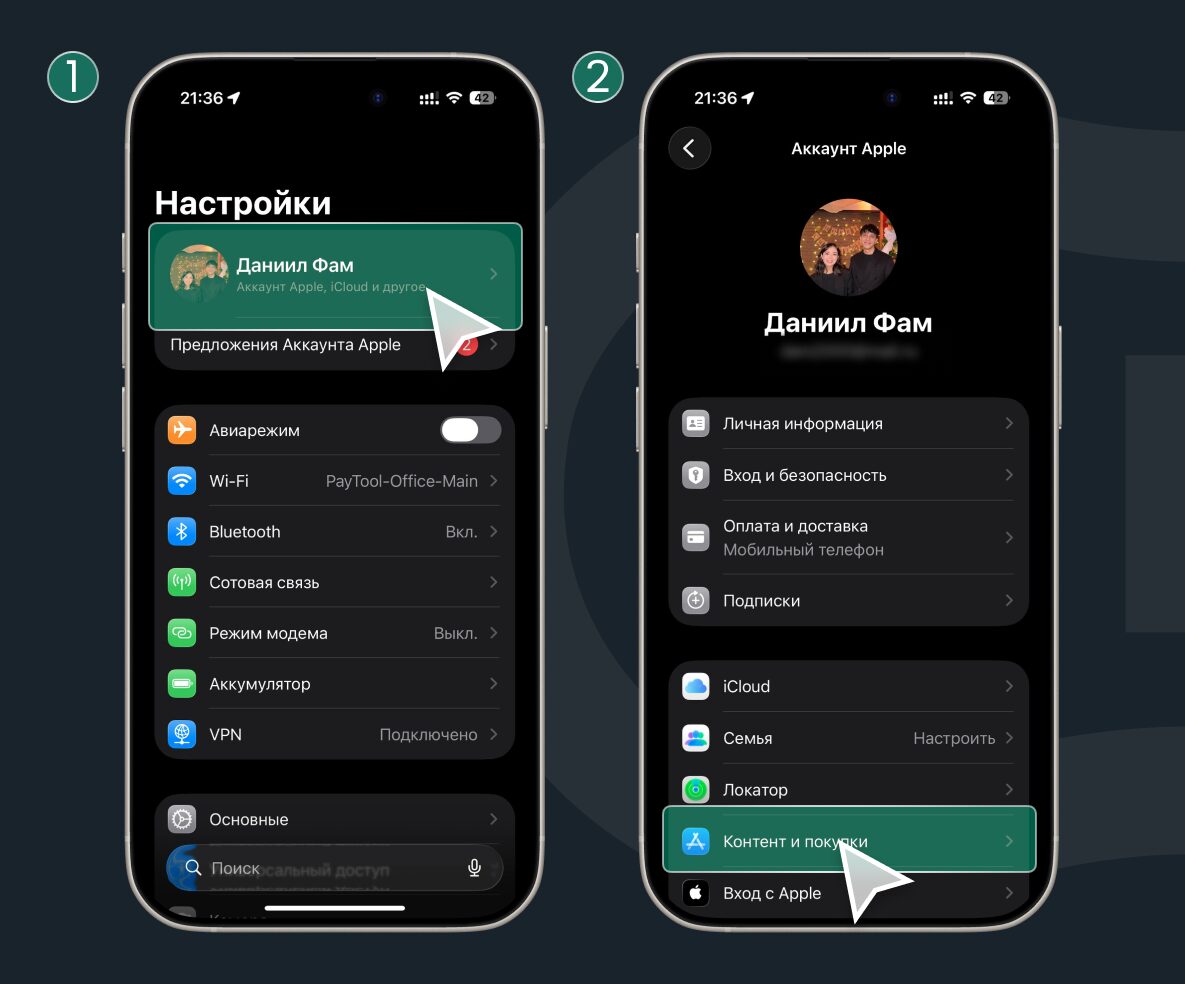
Sign in to your account
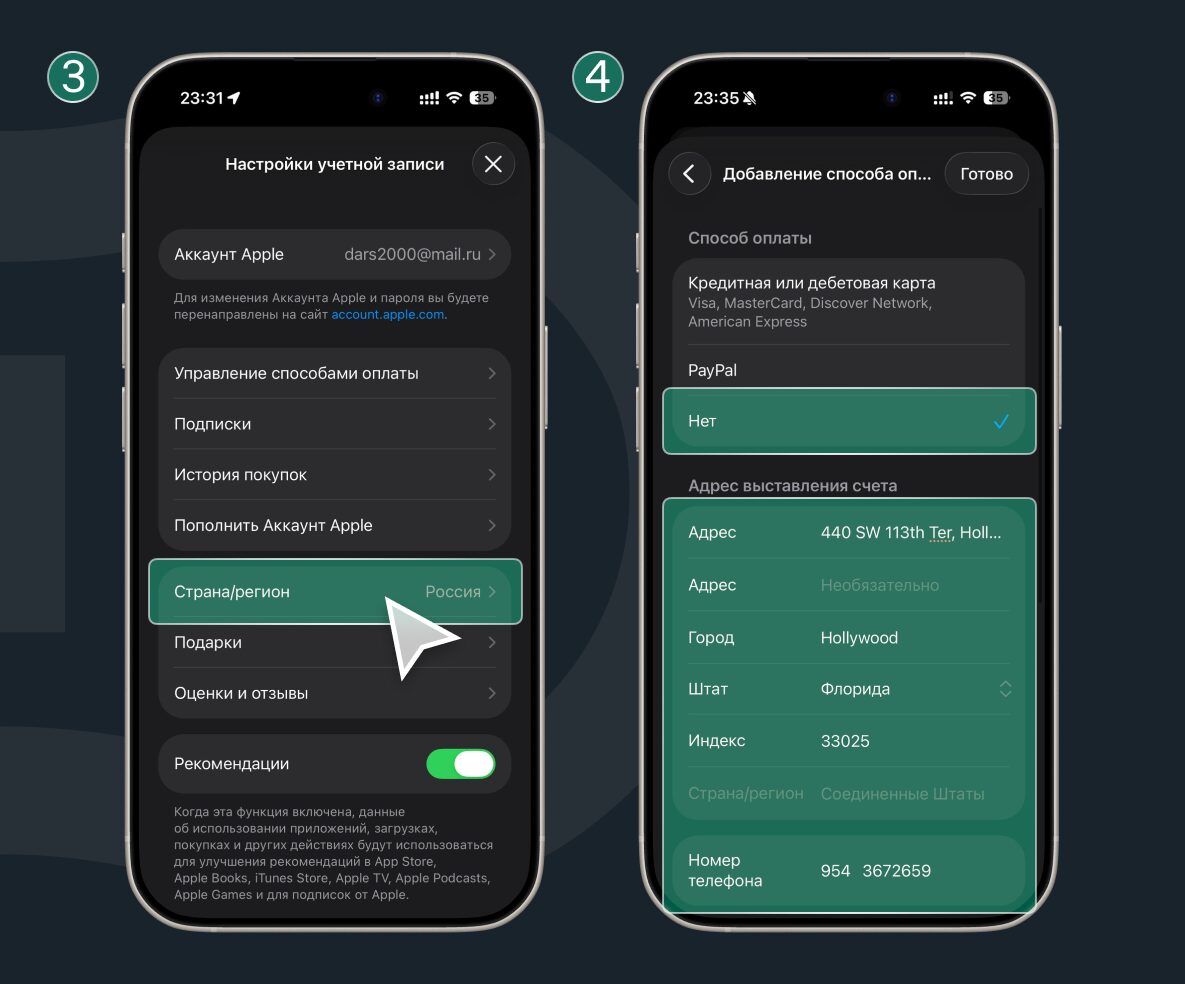
Switch to the desired region
When changing the region, the system will ask for an address — prepare the details for the chosen country in advance. For convenience, you can use an address generator.
Changing the Apple ID region is the main step if you want to pay for iCloud in Russia in 2026. The key is to cancel subscriptions in advance, zero out your balance, and check important apps so you don’t run into unpleasant restrictions later.
How to Activate an Apple Gift Card and Top Up Your Apple ID Balance
After changing your Apple ID region, you’ll be able to top up your account balance using an Apple gift card. This is one of the most convenient ways to pay for iCloud in Russia in 2026. The method is simple: you buy a gift card in the form of a code, activate it in the App Store, and the money is immediately credited to your Apple ID balance. After that, you can use it to pay for iCloud+.
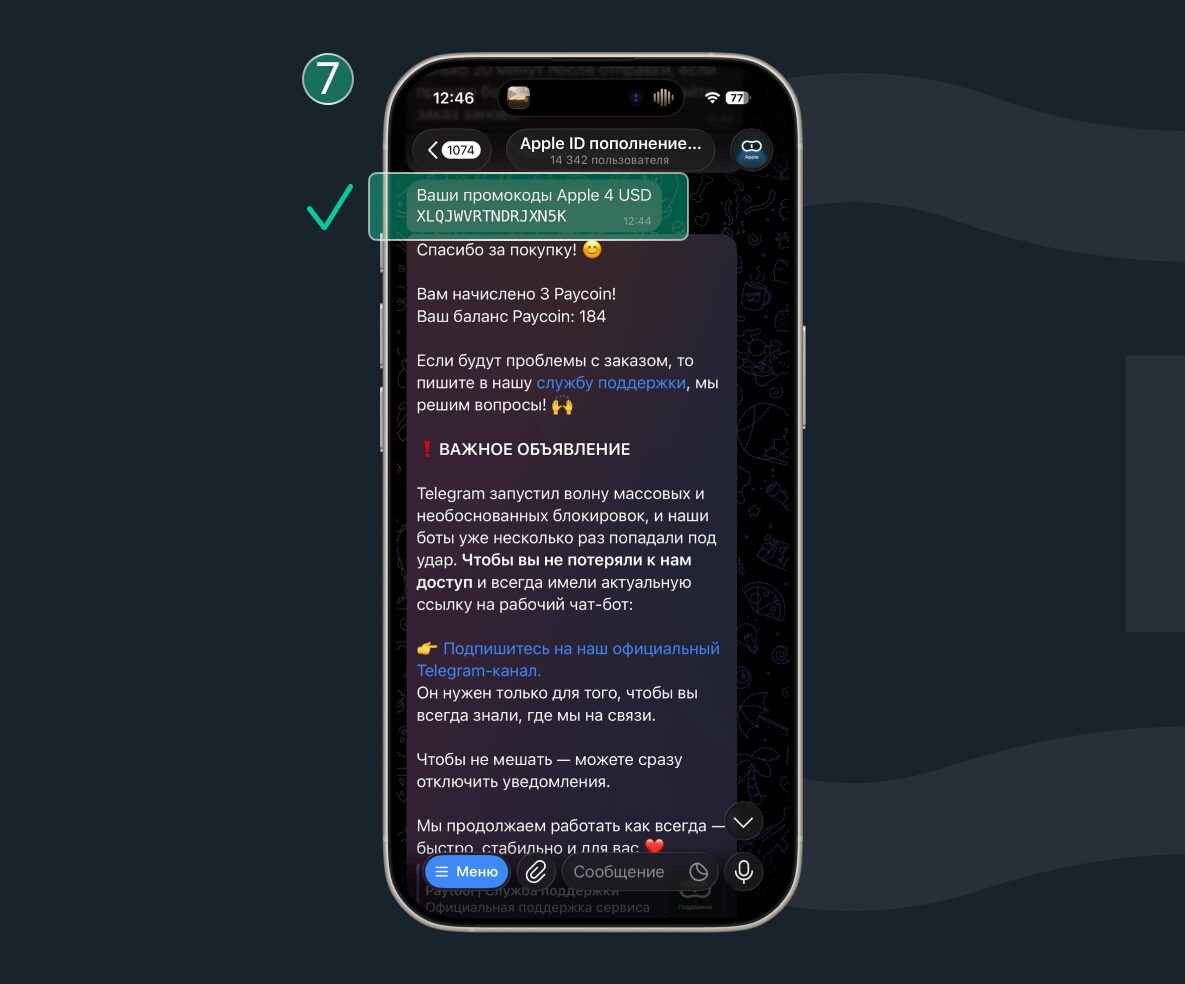
Let’s look at purchasing an App Store gift card using the Paytool service as an example:
- Go to the PayTool Telegram bot;
- Open the “Catalog” section;
- Select your Apple ID region;
- Select the desired gift card denomination;
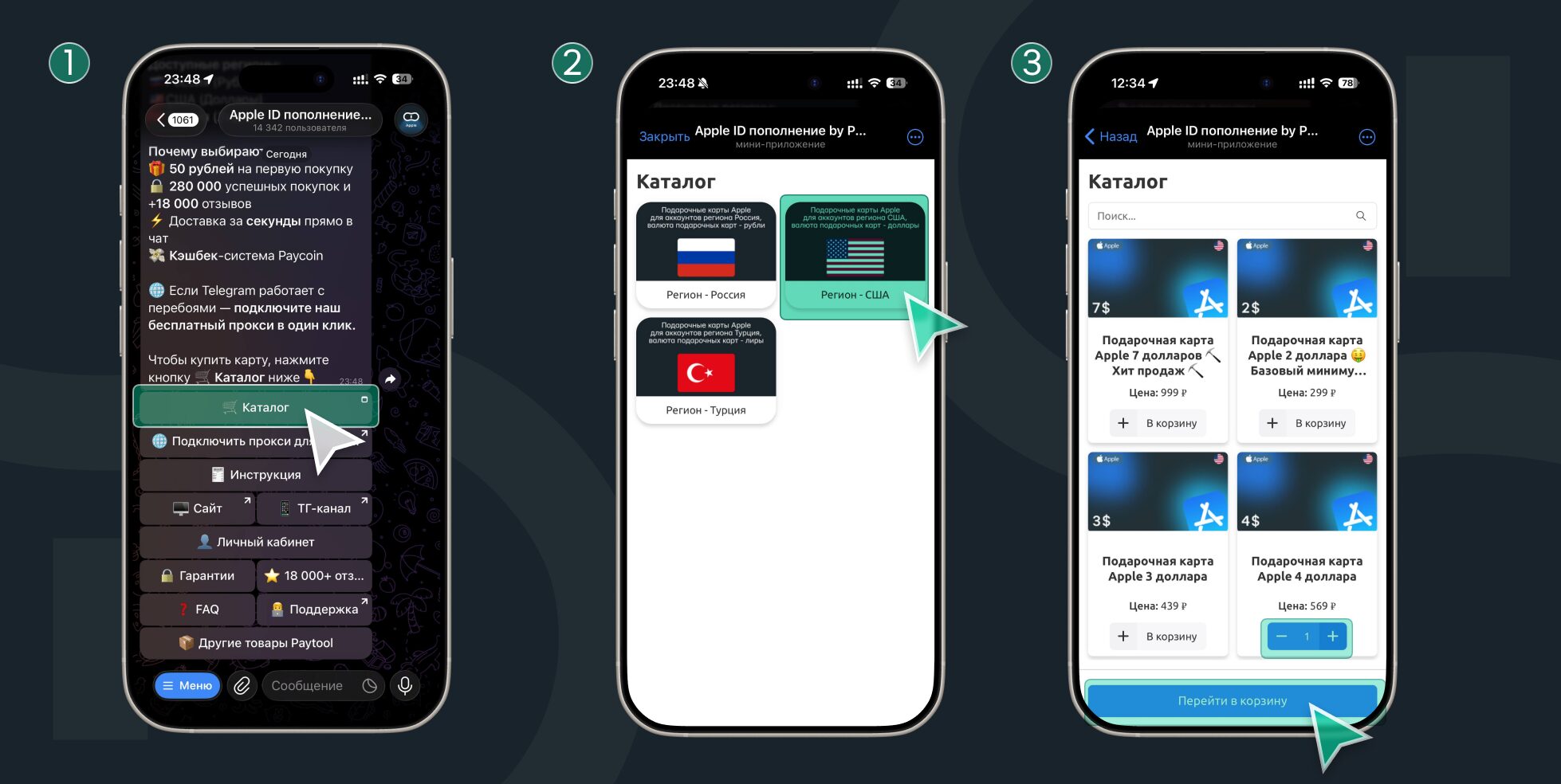
You will need the Telegram messenger
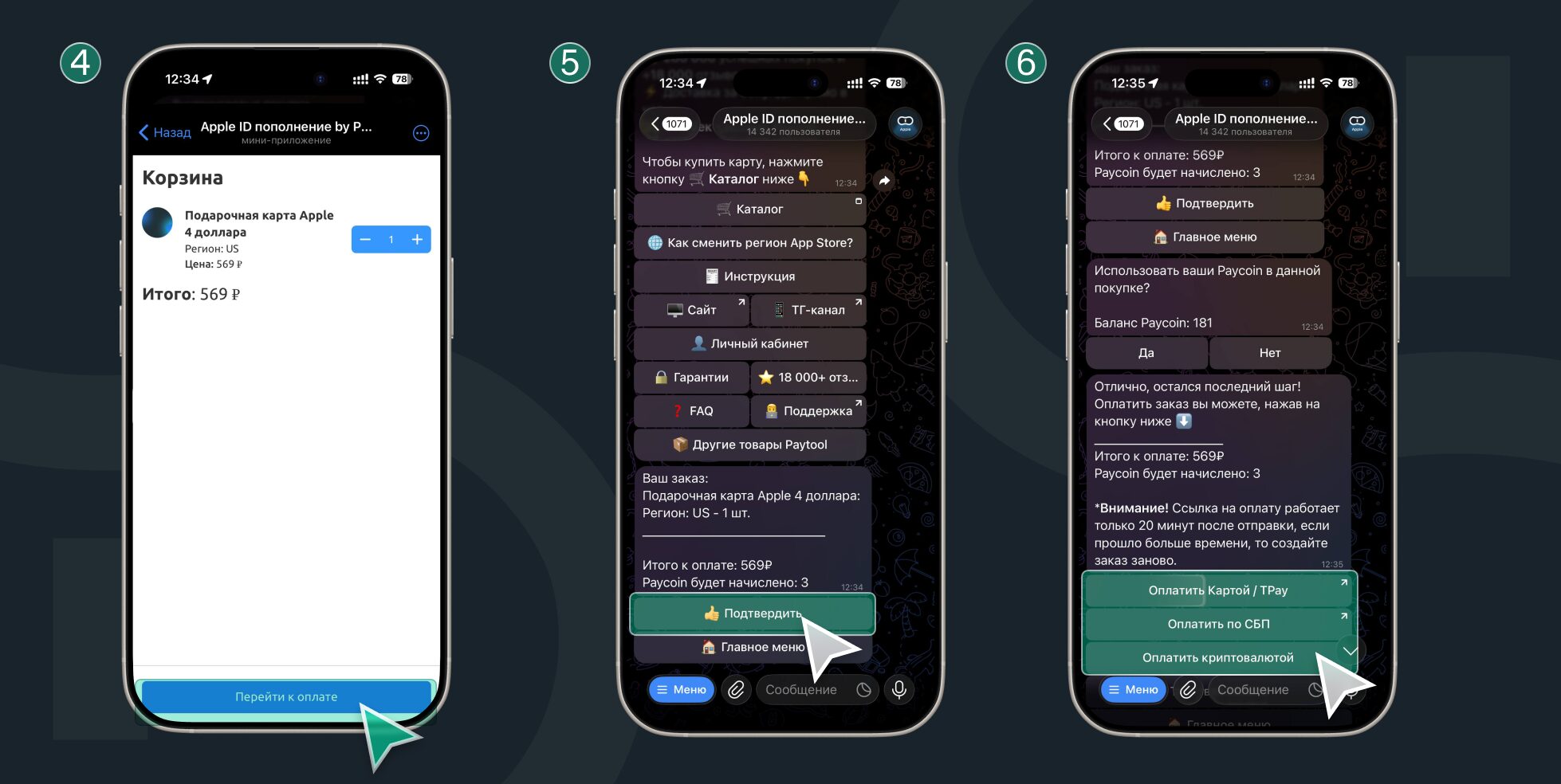
Select the denomination and confirm payment