After the blocking of Speedtest in Russia, many users started looking for other services to check their connection. That’s why we separately discussed various internet speed test services on Android that allow you to check speed without restrictions and work directly from your phone. In this context, Yandex Internetometer was also mentioned, because the service is available in Russia and opens in a regular browser. It allows you to quickly check your connection and understand whether the network is working properly. If you need to run an internet speed test without installing complex programs, this tool is the best choice.
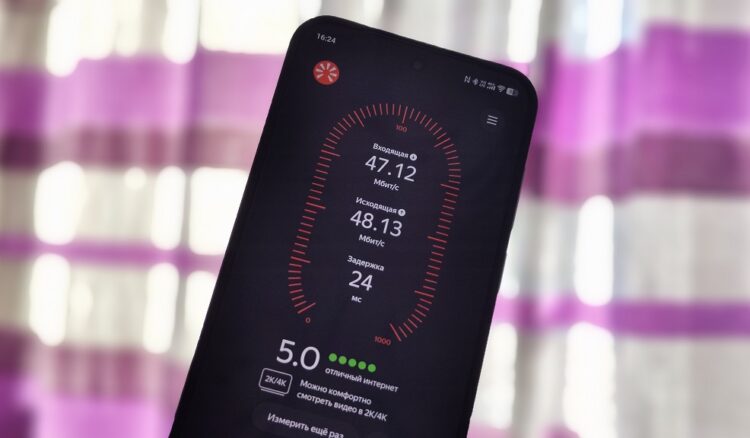
Overview of the Yandex internet speed test
The service allows you to check both Wi-Fi and mobile networks. This is useful if pages load slowly or videos take a long time to buffer. After the check, exact metrics and additional connection information are displayed. You can also find out your IP address and connection region. That’s why speed testing through Internetometer is considered one of the simplest diagnostic methods.
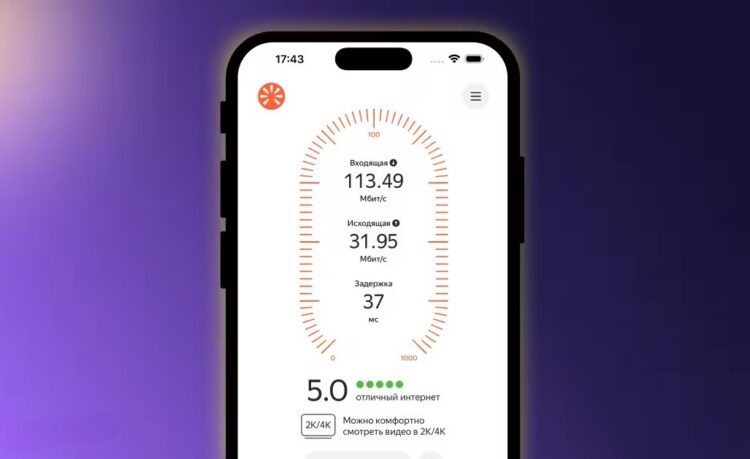
The service is available on the website and in the app
Internetometer doesn’t require registration and launches immediately after opening the page. The check takes a few seconds and works even on low-end devices. Thanks to this, you can quickly understand why your internet is running slowly. It’s especially convenient to use the service on a smartphone when you need to check the network away from home. In such cases, it’s important to know your mobile internet speed to understand whether it’s sufficient for work and video.
How to Measure Speed Using Internetometer
You can check your connection in several ways. The Yandex service works through a website and through a separate app. Both options allow you to quickly measure internet speed and get the test result. The difference lies only in ease of use and launch speed. Below we’ll look at methods that allow you to check internet speed through Yandex Internetometer on your phone.
Yandex Internet Speed Test Online
The simplest way is to use Internetometer online through a browser. This option doesn’t require installation and works on any smartphone. Just open the page yandex.ru/internet and press the test button. This method is convenient when you need to quickly run a check without downloading programs. Through the website, you can measure internet speed even with a weak connection.
Before starting the test, it’s advisable to close unnecessary apps. This is needed to ensure the most accurate result. After that, you can launch the test and wait for the check to complete. Below is how to perform an internet speed measurement through a browser:
- Open the browser on your phone.
- Go to the website https://yandex.ru/internet/.
- Press the “Measure” button.
- Wait for the check to complete.
- View the result.
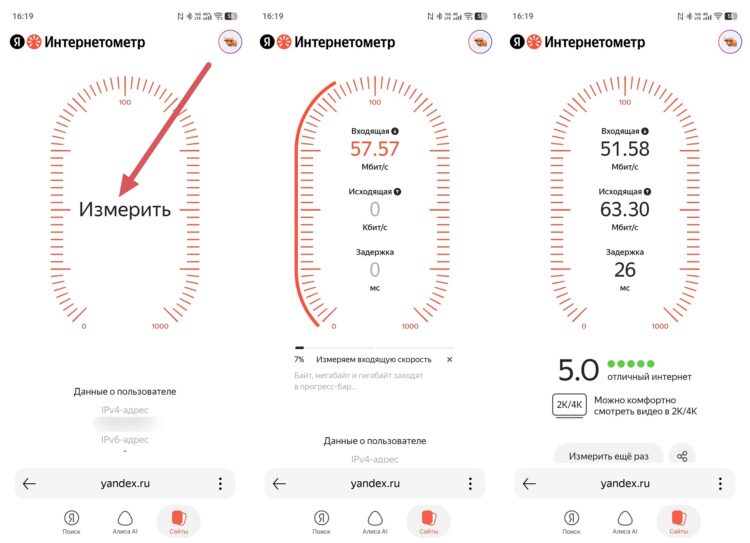
You can check internet speed on the website
After the test is complete, the service will show download and upload speeds. It also displays connection latency and network type. This method is suitable for quick diagnostics without installing programs. If the result seems low, it’s worth repeating the test again. Sometimes speed drops due to network load.
Yandex Internetometer App on Android
You can check your connection through the Internetometer app, which is available for Android both in Google Play and in RuStore. This option is more convenient because the program launches faster and shows results without opening a browser. Through the app, you can regularly check your connection and compare results. To get started, you first need to download Internetometer from the app store.
After installation, you can run a check at any time. This method is convenient if you need to frequently check the internet on your phone. Through the program, it’s easy to run a test and see exact metrics. Below is how to check internet speed on your phone through the app:
- Open Google Play or RuStore.
- Type Internetometer in the search.
- Press “Install.”
- Launch the app.
- Press the test button.
- Wait for the result.
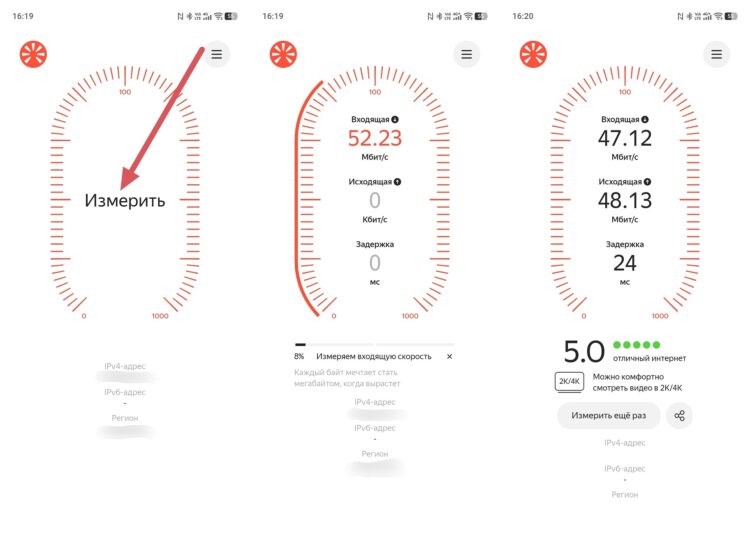
The app is even more convenient
After the test, the program will show download and upload speeds. It also displays latency and connection type. This method is good when you need to regularly run checks. Through the app, you can quickly measure internet speed with Yandex without going to the website. This is especially useful with an unstable network.
What Should Your Internet Speed Be
Normal speed depends on how you use the internet. For browsing websites, a low speed is sufficient. For video and games, a more stable connection is required. Therefore, it’s important to understand what values are considered good. You can check them through the free Internetometer, which shows exact metrics. Examples of normal speeds:
- up to 5 Mbps — only websites and messengers;
- 10–20 Mbps — video and social media;
- 30–50 Mbps — HD video and games;
- 100 Mbps and above — fast internet without limitations.
If the result is below normal, it’s worth checking the connection again. Sometimes restarting the phone or router helps. Speed can also drop due to a weak signal. In that case, it’s better to run the internet speed test again in a different location. This will help determine whether the problem is with the network or the device.


