Sometimes you want to set something truly personal on your iPhone lock screen. Not standard wallpapers from the internet or an unusual photo, but an image that looks like a real illustration from an animated movie. With the development of neural networks, this has become surprisingly easy. I decided to try making a family iPhone wallpaper in Disney / Pixar style. For this, I needed the best image-generating neural network Nano Banana Pro and a bit of improvisation.
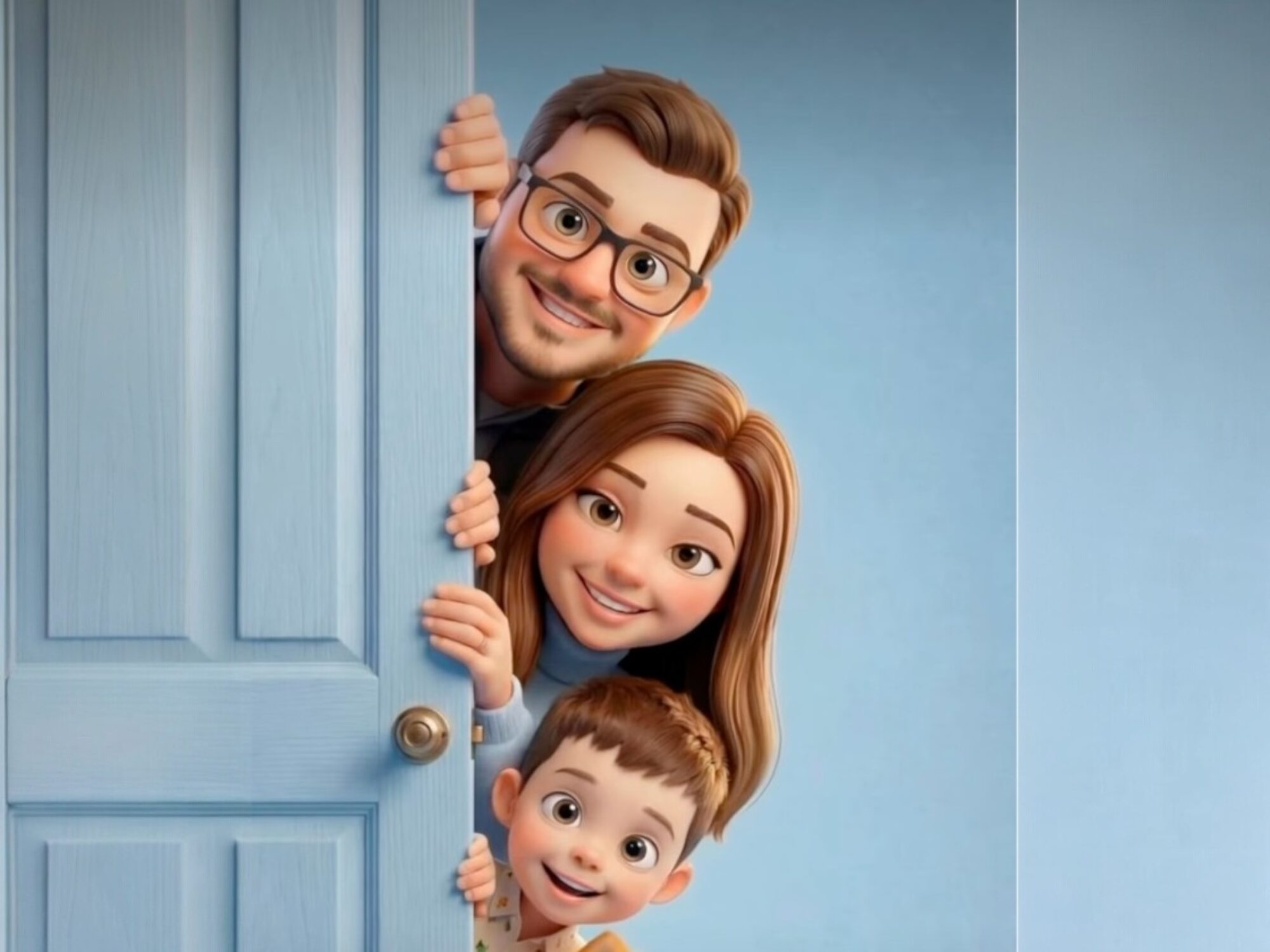
This is the kind of image you can get after a few steps. Image: @jelynka
How to Turn a Photo into a Cartoon Image Using a Neural Network
For the experiment, I took four regular photos: mine, my wife’s, and our two children’s. The main goal was to have the neural network not just draw random cartoon characters, but preserve the real facial features of each person. For generation, I used the Nano Banana Pro neural network, available on the arena.ai website. It works well with reference images and can stylize people in various artistic styles.
I uploaded all four photos and added a text prompt describing the composition, character poses, lighting, and artistic style. It’s the detailed description that allows the neural network to produce a predictable result.
Create a high-quality 3D-stylized cartoon illustration based on uploaded reference photos of a man, a woman, one child-boy, and a second child-girl, peeking from behind a vertical matte wall on the left, with only heads, hands, and upper torsos visible, stacked vertically one under another in a clean aligned vertical line, as if hiding and playfully peeking out; composition with soft textured pastel, sky-blue wall in the foreground on the left and a smooth studio gradient background in sky-blue tone on the right; style should be soft animated premium Pixar / Disney-style with big expressive eyes, smooth flawless skin, subtle blush, enlarged head proportions for a charming cinematic feel, preserving all facial features, hairstyles, and ages from the reference photos; both characters softly hold the wall with their hands and slightly lean forward with curious playful expressions; lighting should be soft studio lighting with warm gentle highlights and no harsh shadows; materials include velvety matte wall texture, soft fabric, and smooth skin; overall mood should feel cozy, be a vertical portrait with centered framing and shallow depth of field; final render should be ultra-clean 4K in Octane / Unreal / Disney CGI style.
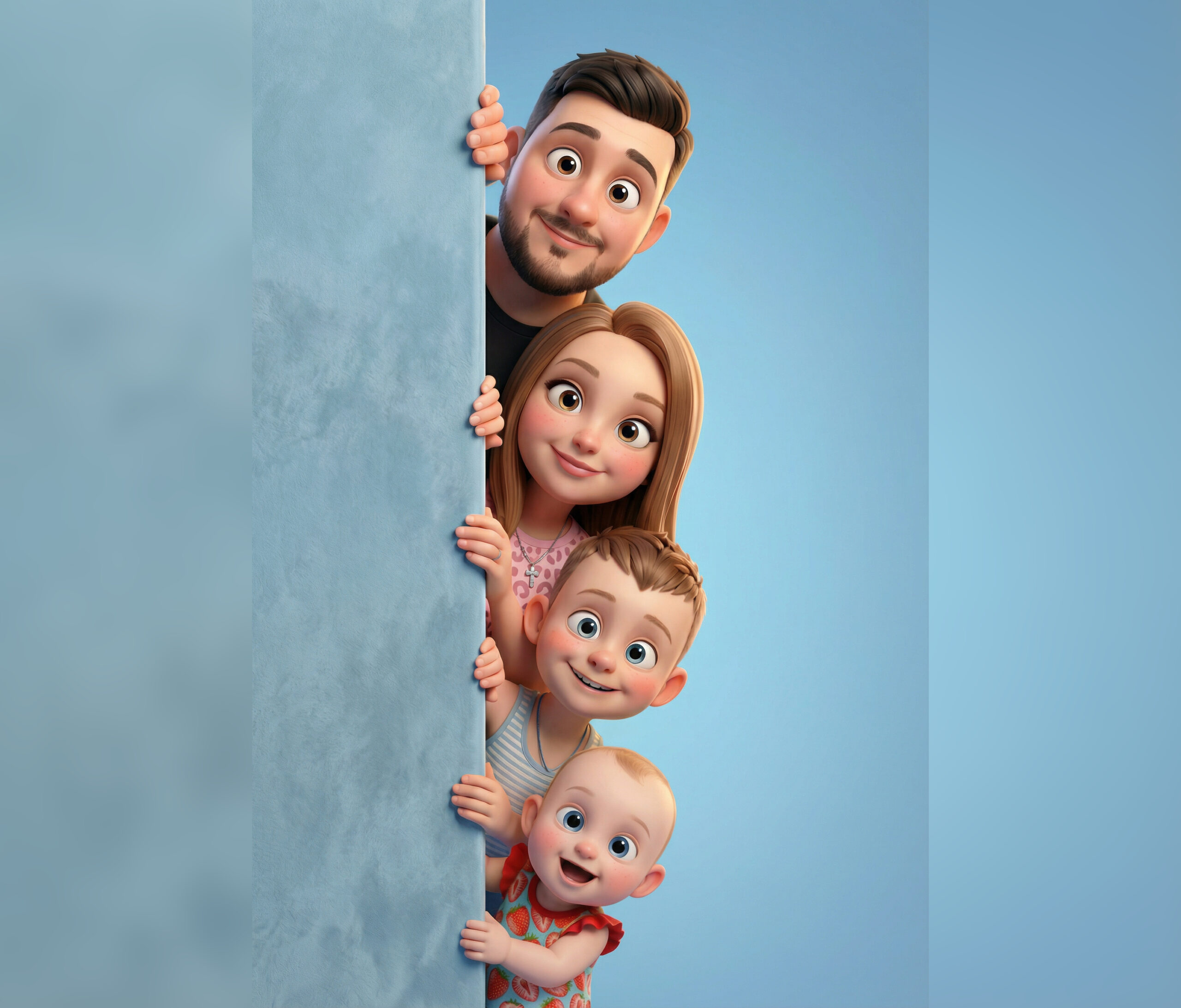
Here’s the result I got. You can edit the family however you like and even add pets
It was precisely thanks to such a detailed scene description that the neural network was able to accurately reproduce the composition and maintain the resemblance to real people. By the way, you can try using the regular Nano Banana without the Pro prefix. It also draws quite well and should handle the task, though perhaps not as precisely. The cartoon style turned out to be unexpectedly perfect for smartphone wallpapers. There are several reasons for this.
First, such images are easier to read on a small screen. Characters have large eyes, simple shapes, and soft colors, so the image looks sharp even on the lock screen. Second, modern generative models create very clean renders. In my case, the image turned out to be almost studio quality — soft light, neat textures, and a pleasant blue background.
Third, this style works perfectly for vertical compositions. Characters peek out one below another, so the image fits perfectly on the vertical iPhone screen. As a result, I got not just a family photo, but a truly personalized cartoon wallpaper that’s impossible to create with a regular camera.
How to Make Disney-Style Wallpaper Using a Neural Network
If you want to replicate this experiment, the process is very simple — even a student could handle it. Just prepare the needed photos in advance so you can upload them to the neural network right away.
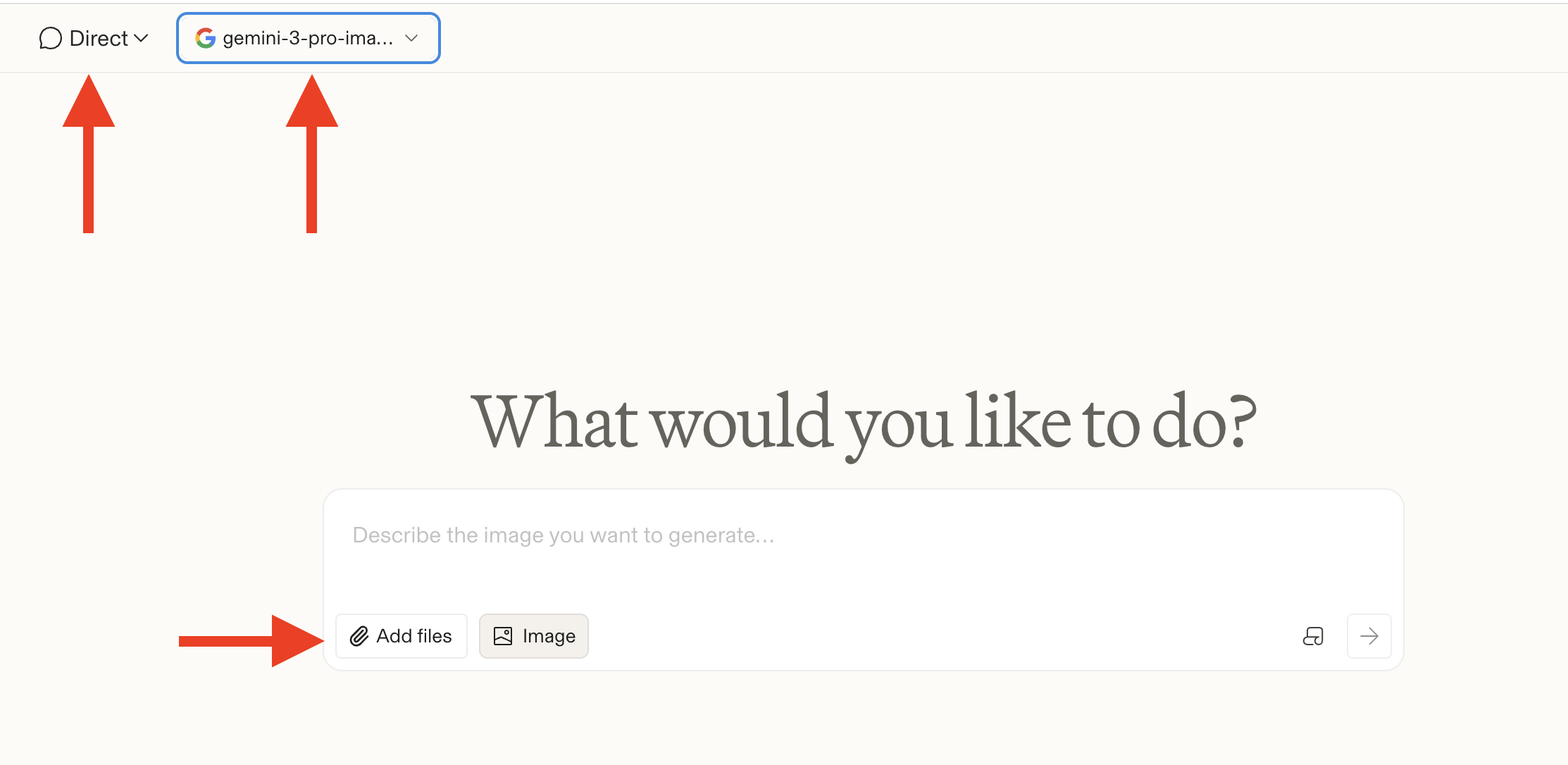
Make sure to check the settings at the top, then upload your photos and paste the prompt
- Go to the arena.ai website and sign in to use the Nano Banana Pro neural network.
- Switch to Direct mode and select: gemini-3-pro-image-preview-2k (nano-banana-pro).
- Paste the prompt and upload your photos.
- Click the arrow to start the process and wait for the result.
It’s best to specify right away that the image should be vertical and high resolution — for example, 4K. Then the image will perfectly suit an iPhone wallpaper. Neural networks today are quite accurate at transferring appearance from photos, so the result is recognizable yet stylized. And the best part — in just a few minutes, you can get a unique illustration of your family that looks as if it were made by Pixar artists.


