The “VTB Online” app has been removed from the App Store, its clones “Vse Prosto” and “Prime Balance” no longer work either, and the bank’s Telegram chatbot has been shut down since June 2025. But you can still use VTB services on iPhone — and you don’t need complicated workarounds involving a computer. Here are the methods that actually work right now.
You can use VTB on iPhone without any problems. Image: vbr.ru
Why the VTB App Disappeared from the App Store
VTB was hit with US blocking sanctions back in early 2022. After that, Apple removed the “VTB Online” app from the App Store along with all related products. The bank tried releasing replacements — first “Balance Online,” then “Prime Balance,” then “Vse Prosto” — but those were removed as well.
Since December 2023, the “Vse Prosto” app has completely stopped working on iOS and redirects users to the web version. The original “VTB Online” app itself prompts for an update upon launch, which is impossible to install since it’s no longer in the App Store.
The situation hasn’t changed in 2026: there is no native VTB app for iOS, and its return to the App Store shouldn’t be expected. However, the bank has developed alternative access methods that cover most everyday banking needs.
VTB Online Web Version via Safari — The Primary Method for iPhone
This is the simplest and most reliable option, recommended by the bank itself. The web version of the personal account is designed to look as close to the app as possible and supports most of its features — transfers, payments, and balance checking. Here’s how to add VTB Online to your home screen:
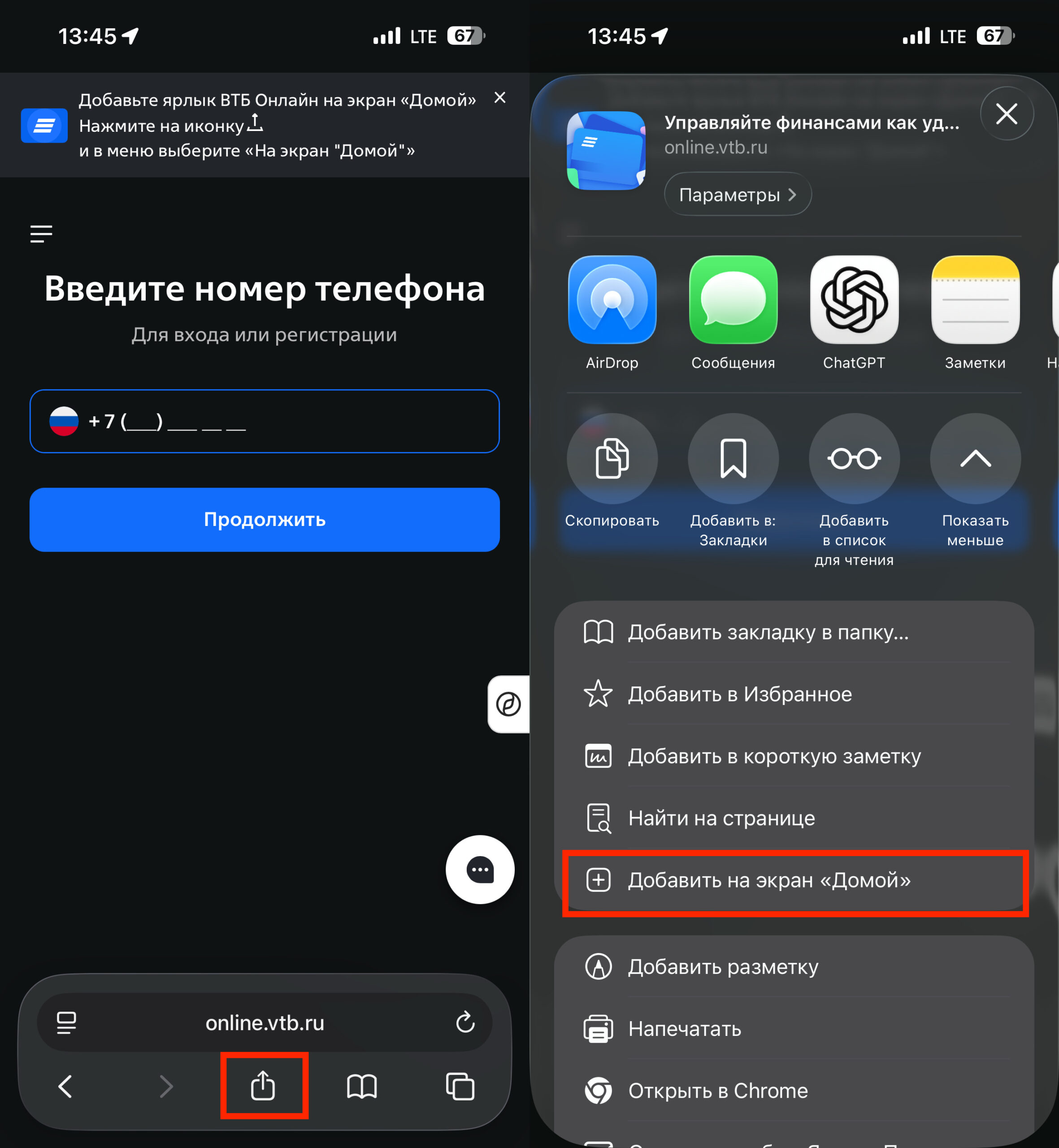
Using PWA is the simplest way to add VTB to your home screen
- Open Safari and go to online.vtb.ru.
- Tap the “Share” icon in the bottom toolbar.
- Select “Add to Home Screen.”
- Name the shortcut “VTB Online” and tap “Add.”
An icon will appear on your home screen that opens the bank without browser frames. On your first login, the system will offer to enable Face ID or Touch ID — accept, as this will speed up subsequent logins. The web version also supports push notifications.
Important note: use your card number to log in, not your username. The bank warns that login by username (UNK) is temporarily disabled. If you don’t have your card handy, you can scan it via NFC directly in the login form.
Luna Browser — An Alternative with Built-in Certificates
If the VTB website won’t open in Safari for some reason, the Russian Luna Browser can help. It’s available in the App Store and includes a built-in Ministry of Digital Development certificate — meaning bank websites will work in it even when standard browsers refuse to load them.
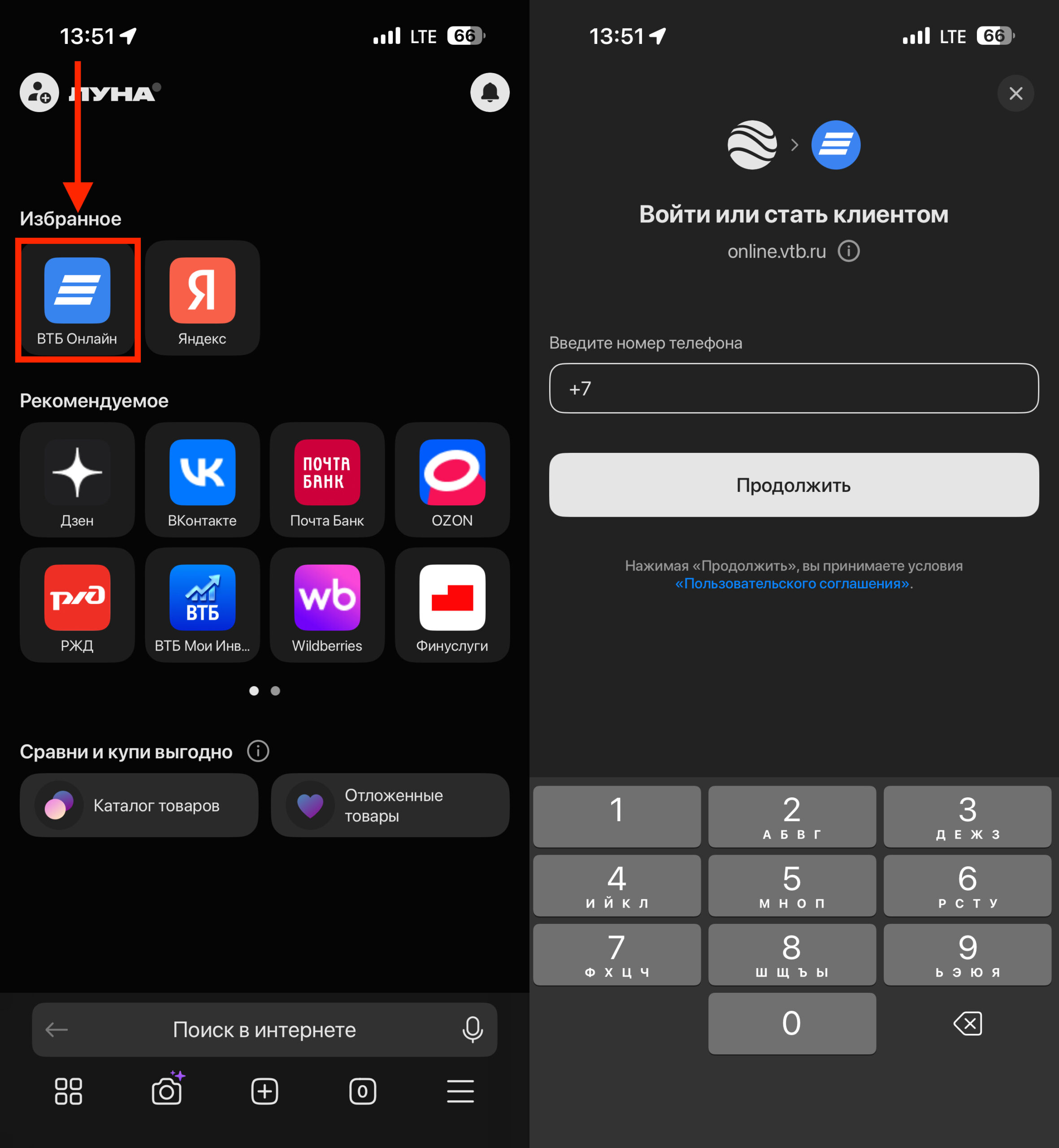
VTB is pre-installed in Luna
After installing Luna, you’ll find that “VTB Online” is already added to favorites — you can open it with a single tap. A bonus — Luna supports push notifications from the bank, and login supports biometrics.
Yandex Browser also supports Russian certificates and push notifications, so it works as an alternative if Luna isn’t to your liking.
VTB Chatbot on VKontakte and Max Messenger
The bank is actively developing bots on Russian messaging platforms. Through the VKontakte bot, you can check your balance, make transfers, and pay bills and purchases. Here’s how to set it up:
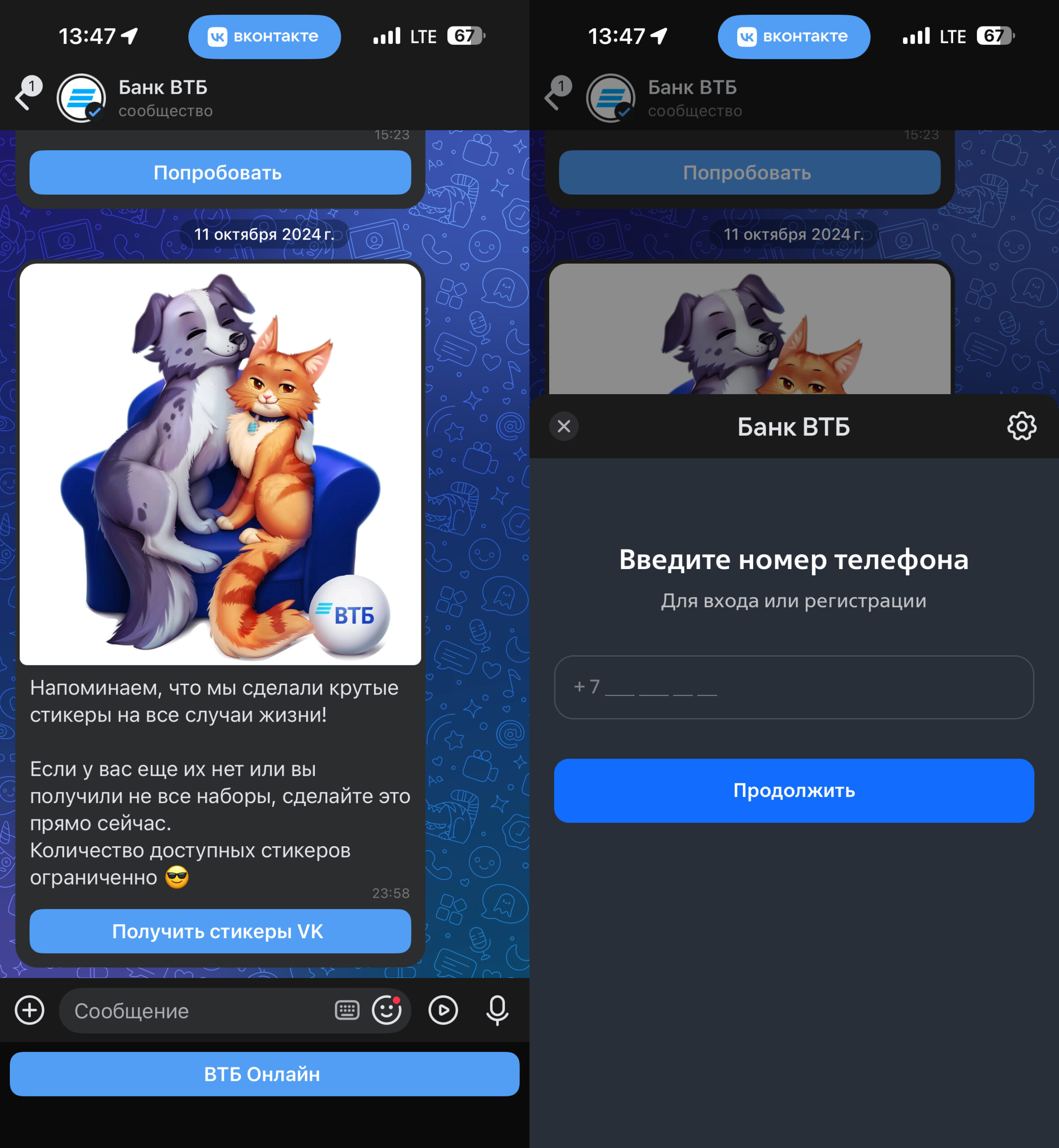
VTB is available right inside VK
- Open the VTB bot dialog in the VK app.
- Log in using your bank credentials.
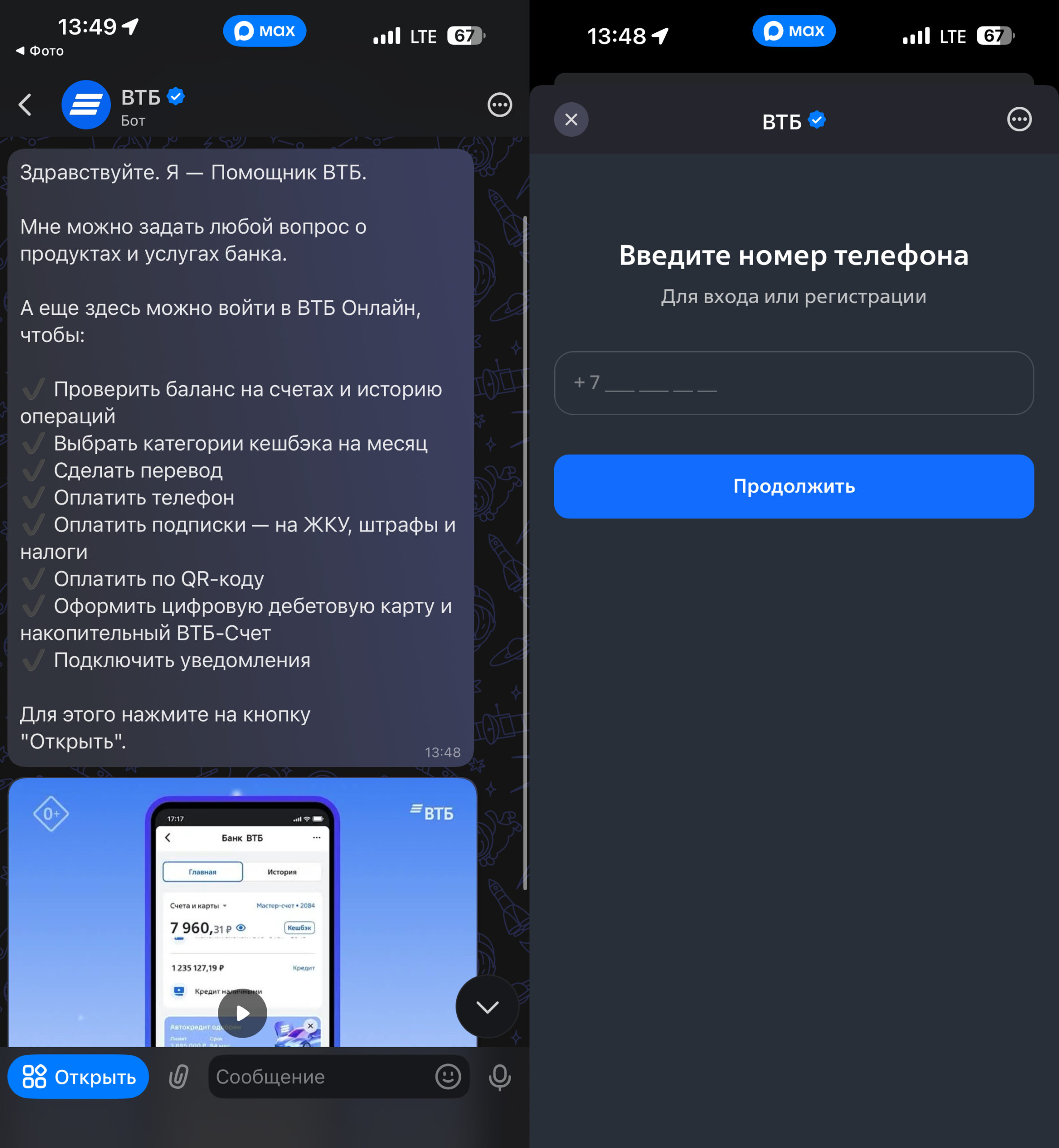
VTB is also available in Max
Additionally, in June 2025 VTB launched a digital bank in the Max messenger. The VTB bot in Max works similarly — you can make payments and transfers through it.
Why the VTB Bot in Telegram No Longer Works
This is an important point that many people miss. As of June 1, 2025, the “VTB Assistant” in Telegram ceased operations. When attempting to launch the bot, a message appears stating that the chatbot no longer serves customers through a foreign messenger due to changes in legislation.
The reason is the enactment of a law prohibiting banks and telecom operators from serving customers through foreign messengers. Telegram, WhatsApp, Viber, and other foreign platforms all fell under the restrictions. If you were still counting on the VTB bot in Telegram — switch to VKontakte or Max.
Can You Download VTB on iPhone via RuStore or iMazing
In short: no, both methods for getting VTB on iPhone currently don’t work.
- RuStore is a Russian app store, but it’s only available on Android. You cannot install RuStore on iPhone. The experimental RuStore Bridge feature, which allows installing apps on iPhone via an Android phone and a cable, currently works with only one bank (PSB), and it’s in test mode.
- iMazing is a computer program that previously allowed transferring the VTB app from one iPhone to another. But this method only works if the app was tied to your Apple ID. And the “VTB Online” app on iOS stopped functioning long ago — even if you manage to install it, it will demand an update upon launch that’s impossible to perform.
iMazing no longer helps with installing a working VTB app on iPhone
Dubious offers to “bring VTB back to the App Store” through special profiles or hacked versions are either scams or a risk of getting your Apple ID blocked.


