Pinterest is one of the largest visual content platforms, but you can’t download videos from it using built-in tools. The “Save” button adds a pin to your collection within the service rather than downloading the file to your device. To save a video to your phone’s gallery or computer, you’ll need to use third-party tools — online services, Telegram bots, or special apps. Below are all the working methods, from the fastest to backup options.

How to Download Videos from Pinterest Without a Watermark — Free and by Link
Why You Can’t Download Videos from Pinterest Directly
Officially, Pinterest does not provide a video download feature. The platform explains this as copyright protection: content is created by users, and reusing it without permission may violate the service’s rules. That’s why the “Save” button on a video pin simply adds it to your board but doesn’t download the file to your device.
This doesn’t mean the video can’t be saved at all. There are several proven workaround methods — from online services to screen recording. All of them work with a regular pin link.
Before moving on to the tools, copy the link to the pin you need. On your phone: open the video, tap “Share” → “Copy Link.” On a computer: simply copy the address from the browser’s address bar. This link will be needed for all the methods below.
Download Pinterest Videos by Link Using Online Services
Online services are the fastest option. You don’t need to install anything, and they work on both phones and computers. The principle is the same for all: paste the pin link, press a button — get the file.
Pinterest Video Downloader — a specialized service specifically for Pinterest. Paste the link into the field on the main page, click “Download,” and wait for the green download button to appear. The video downloads without a watermark.
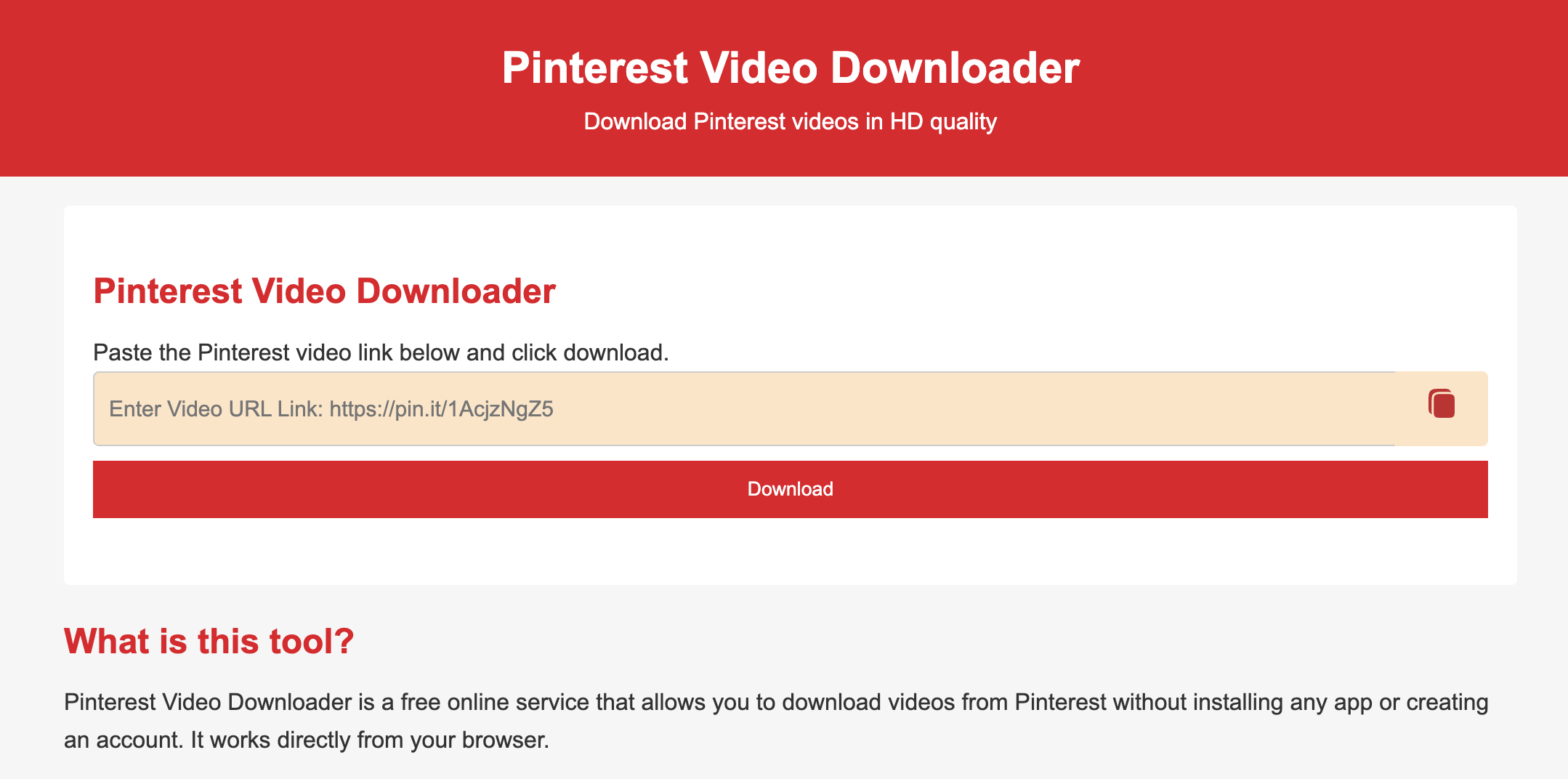
Paste the link and get the file for download
SaveFrom.net — a universal downloader that works with various platforms, including Pinterest. Paste the link, click “Download,” and choose the quality. Note: this site has a lot of ads, so be careful and don’t click on random banners.
Both services are free and don’t require registration. The main thing is to make sure you copied the link to a specific pin, not to a board or profile.
Telegram Bots for Downloading Pinterest Videos Without a Watermark
If you frequently use Telegram, it’s more convenient to download videos right in the messenger — through special bots. You send a link to the chat and receive the file.
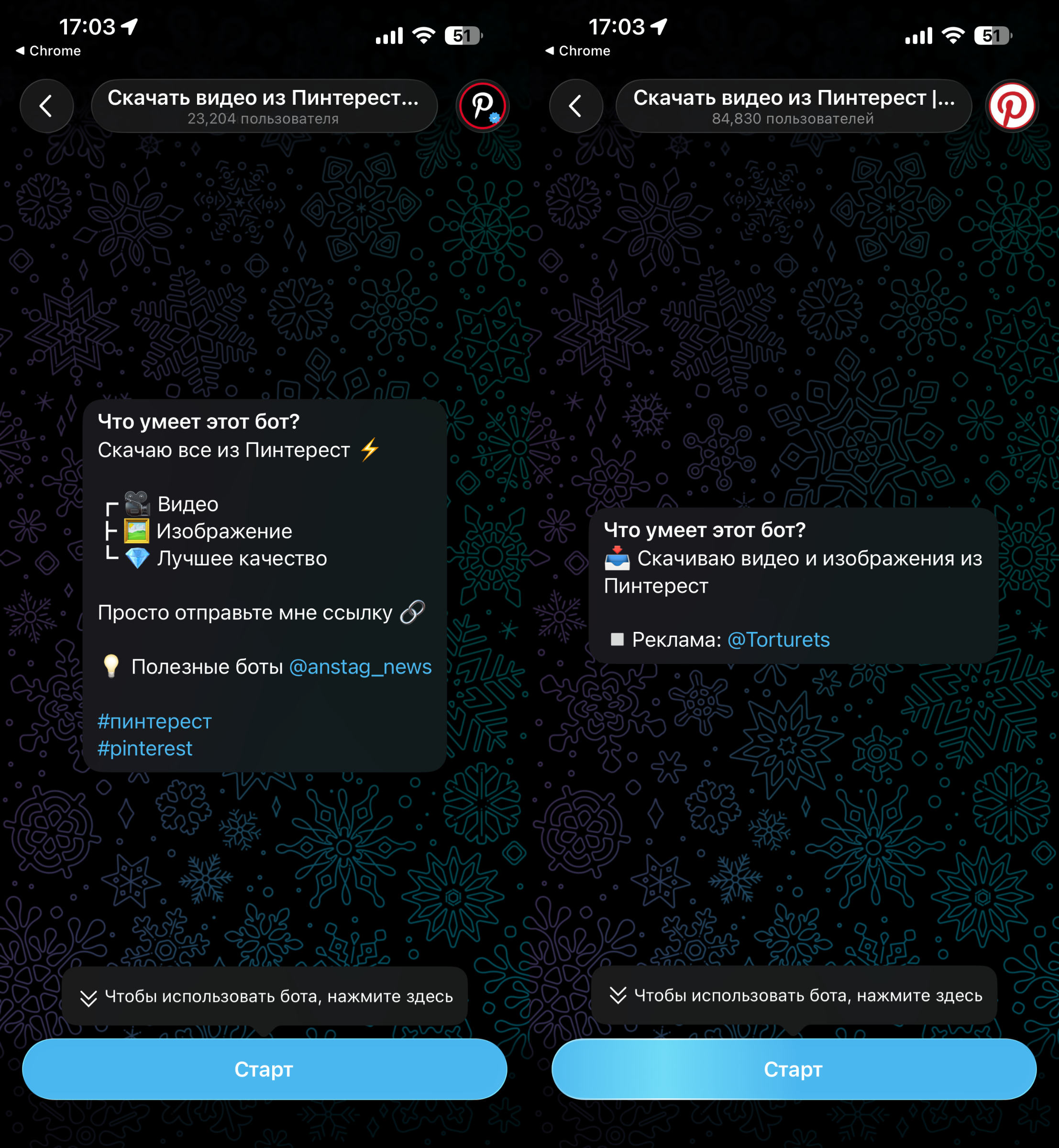
Started the bot, sent the link, and downloaded the video
- @pinDropBot — a bot with Russian language support. To start, it will ask you to subscribe to one channel, after which you can send links. Conveniently, the video arrives in two formats: as a video message and as a file that can be easily forwarded or saved.
- @pintgetbot — a specialized bot for Pinterest. Works the same way: link → file. To activate, you need to subscribe to three channels (you can unsubscribe after downloading the videos you need).
The most convenient option for regular use is @pinDropBot: Russian language, minimal restrictions, and the file goes straight to Telegram.
Save Pinterest Videos to Your Phone — Android and iPhone
If you regularly save content from Pinterest to your smartphone, it’s easier to install a dedicated app. There are different options for Android and iPhone.
For Android:
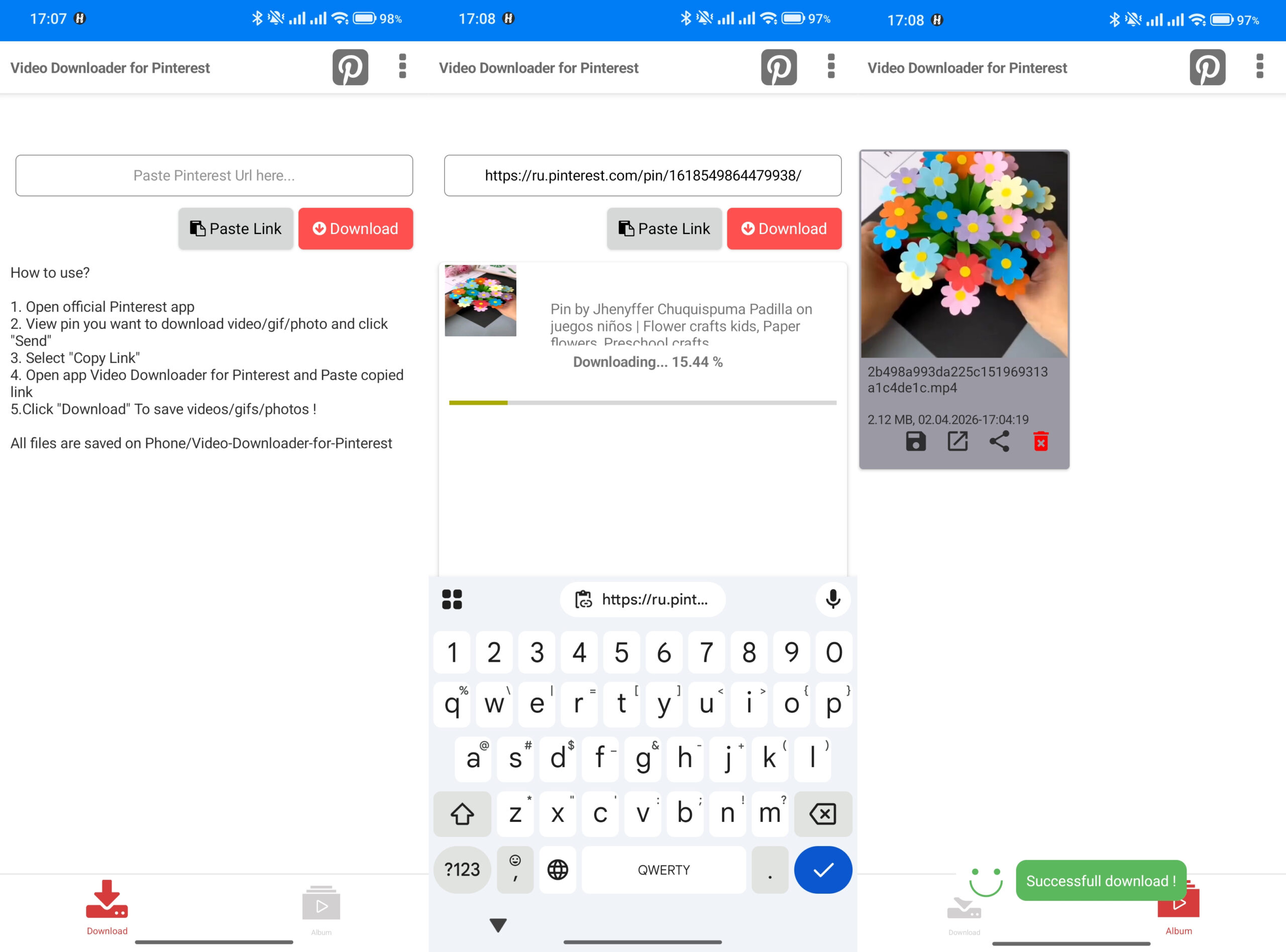
Downloading videos through an app is also very convenient
- Video Downloader for Pinterest — open the app, paste the pin link into the search bar, and tap “Download.” All saved videos are available right in the app.
- PinGet / Pinterest Video Downloader — even more convenient: the app automatically grabs the link from your clipboard. Copy the link in Pinterest — open the app — the video is already ready to download. Videos are stored in a special section where you can view or forward them.
For iPhone:
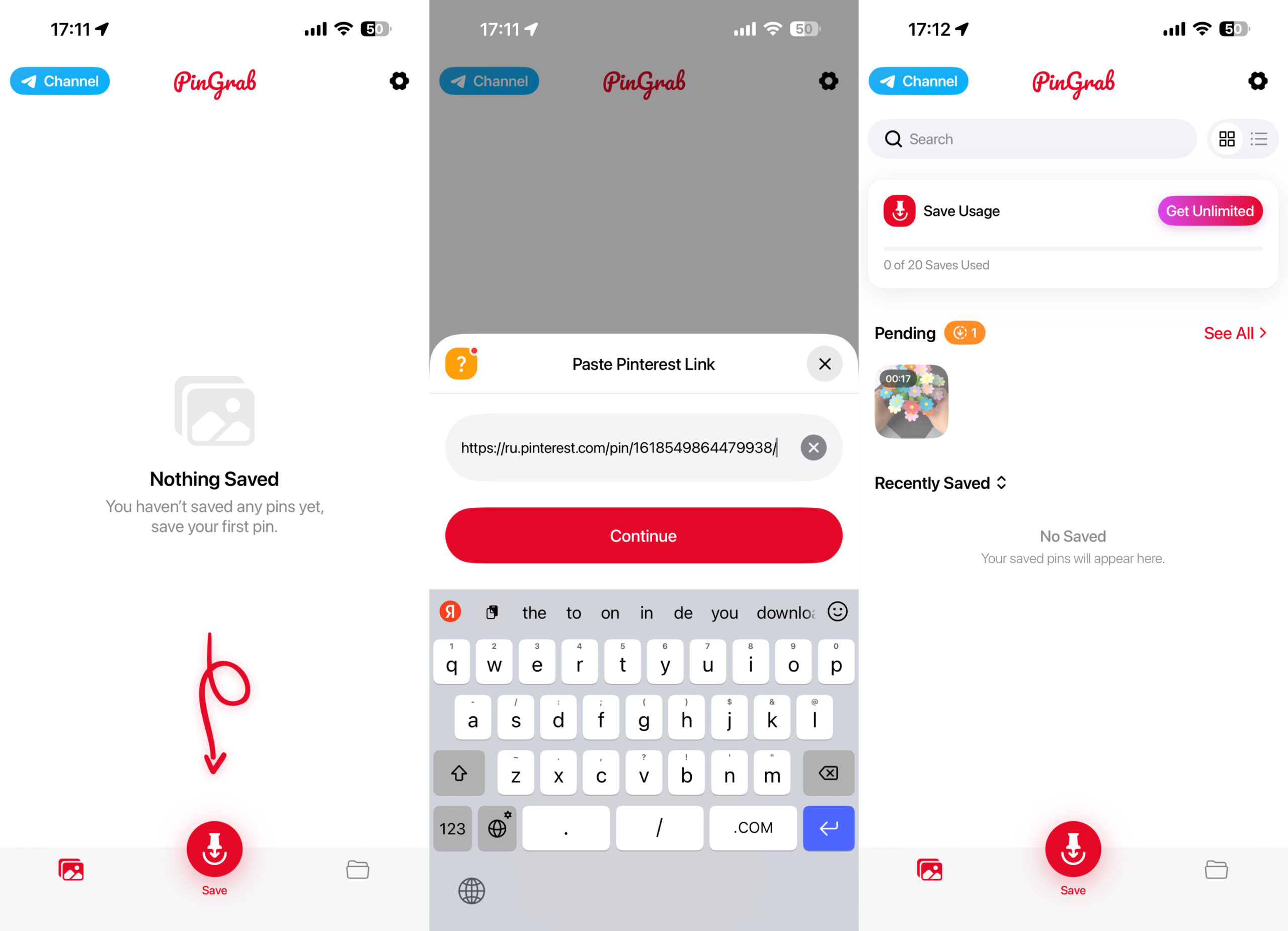
There are convenient download apps for iPhone
- PinGrab — an iOS app with a single purpose: download videos from Pinterest. Paste the link to the video and wait for it to download to your phone’s storage. The app is available on the App Store.
In all cases, the video is saved to the phone’s gallery or within the app, from where you can forward it to a messenger or social network.
Download Pinterest Videos to Your Computer
On a computer, in addition to online services, there are two additional tools — browser extensions and a manual method through the page source code.
Browser Extensions:
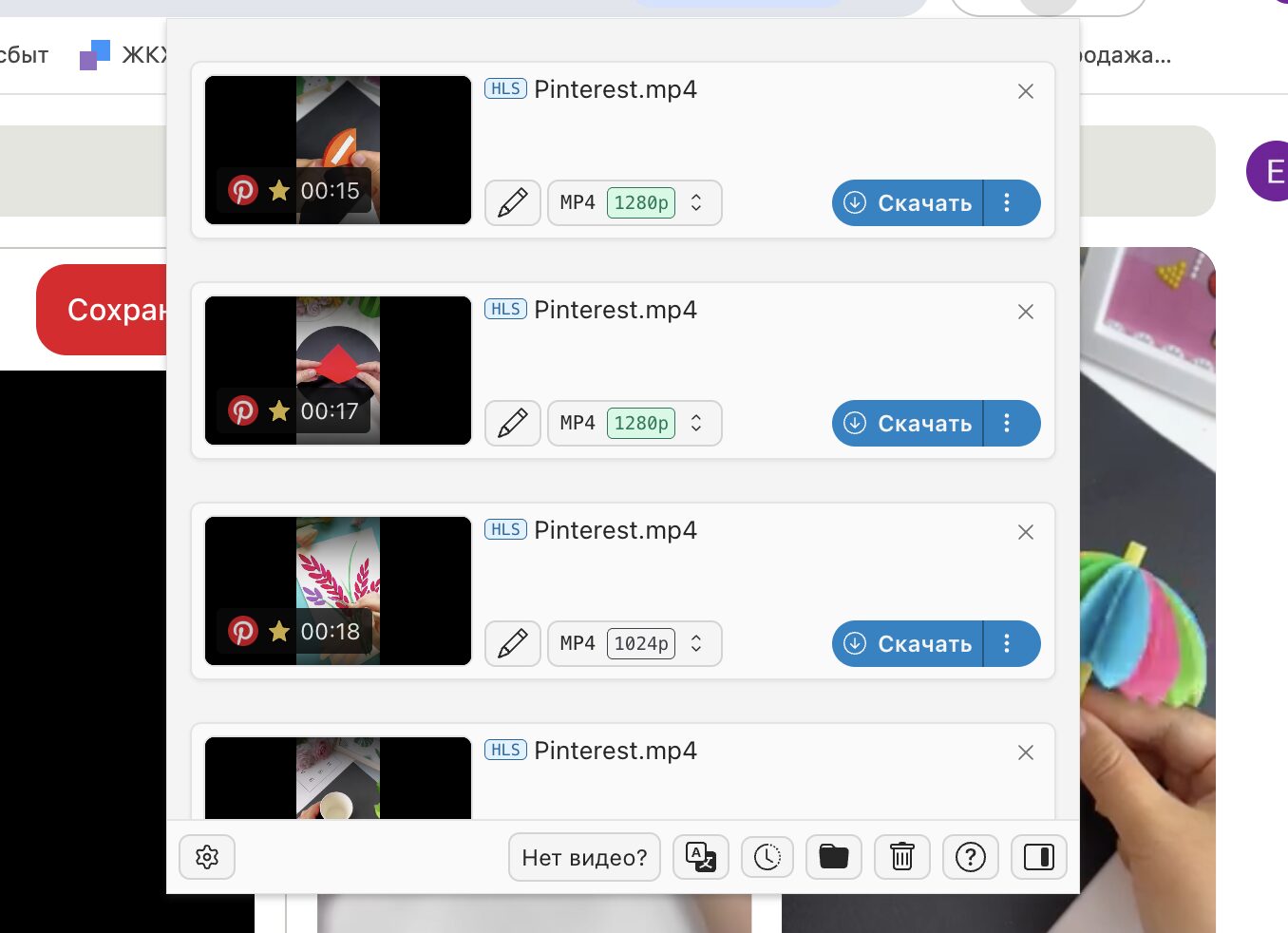
The extension offers several download options right away
- Video DownloadHelper — after installing the extension in Chrome, its icon will appear in the upper right corner. Open the Pinterest page with the video, click the icon, and select the desired resolution. The extension is universal — it works with other websites too.


