Standoff 2 is one of the most popular mobile shooters in Russia and post-Soviet countries. Essentially, it’s Counter-Strike for your smartphone: teams of terrorists and special forces, rounds, weapon purchases, and the goal — eliminate the opposition or complete an objective on the map. Sounds simple, but behind that simplicity lie several hundred hours that quietly disappear into leveling up your Standoff 2 account, hunting for skins, and arguing about who’s to blame for the loss. Consider yourself warned, and remember there are other interesting games for Android out there. But here we’ll break down Standoff 2 specifically: from downloading to optimal control settings.
Learning to play Standoff 2 on Android
What Is Standoff 2 and Why Everyone Is Playing
The essence of Standoff 2 is that it’s a first-person tactical shooter with a round-based system. Two teams of five players, several modes: defusal, deathmatch, capture the flag, “VIP,” and others. Each round starts with purchasing weapons using in-game currency earned during gameplay.
Why Standoff 2 on Android is still popular in 2026:
- free base version (you can fully play without spending money);
- quick matches that are convenient to launch on a smartphone anywhere;
- regular updates and seasons with new content;
- cross-platform community (huge Russian-speaking audience);
- competitive mode for those who want more than just shooting.
Honest take on Standoff 2 reviews: the game generates polarizing opinions. Some praise it for tactical depth and atmosphere. Others complain about cheaters, the aggressive Standoff 2 store with cases, and instances where real money gets spent on skins. Free gold doesn’t officially exist — everything third-party sites promise is a scam. Any Standoff 2 cheats also violate the rules and lead to account bans. You’ve been warned.
How to Download Standoff 2 on Android for Free
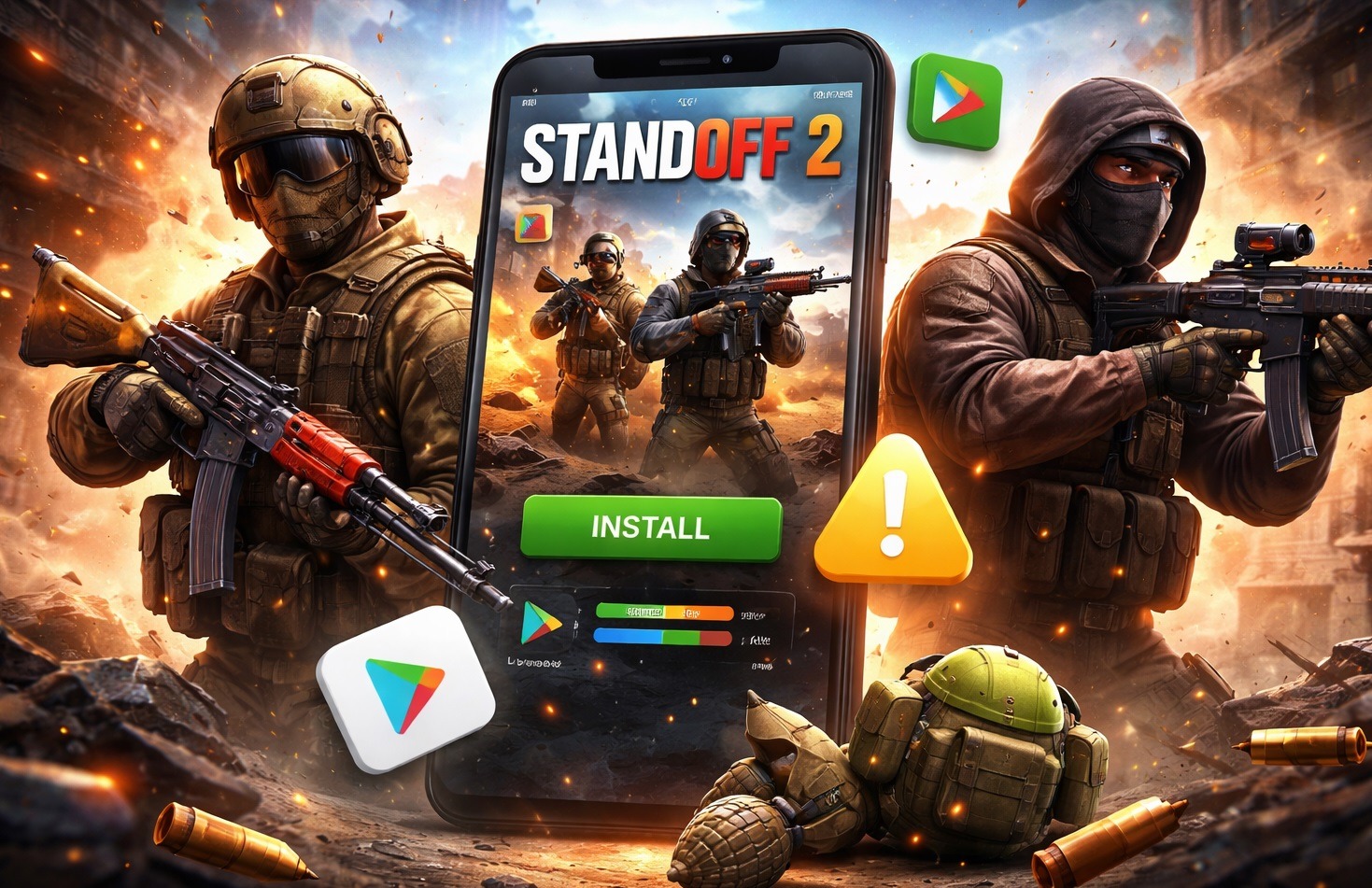
You can download Standoff 2 through two official methods: via the Play Store or through AppGallery — HUAWEI’s app store.
Via Google Play — the main method:
- Open Google Play on your smartphone.
- In the search bar, type “Standoff 2”.
- Select the app by developer Axlebolt.
- Tap “Install” and wait for the download to complete.
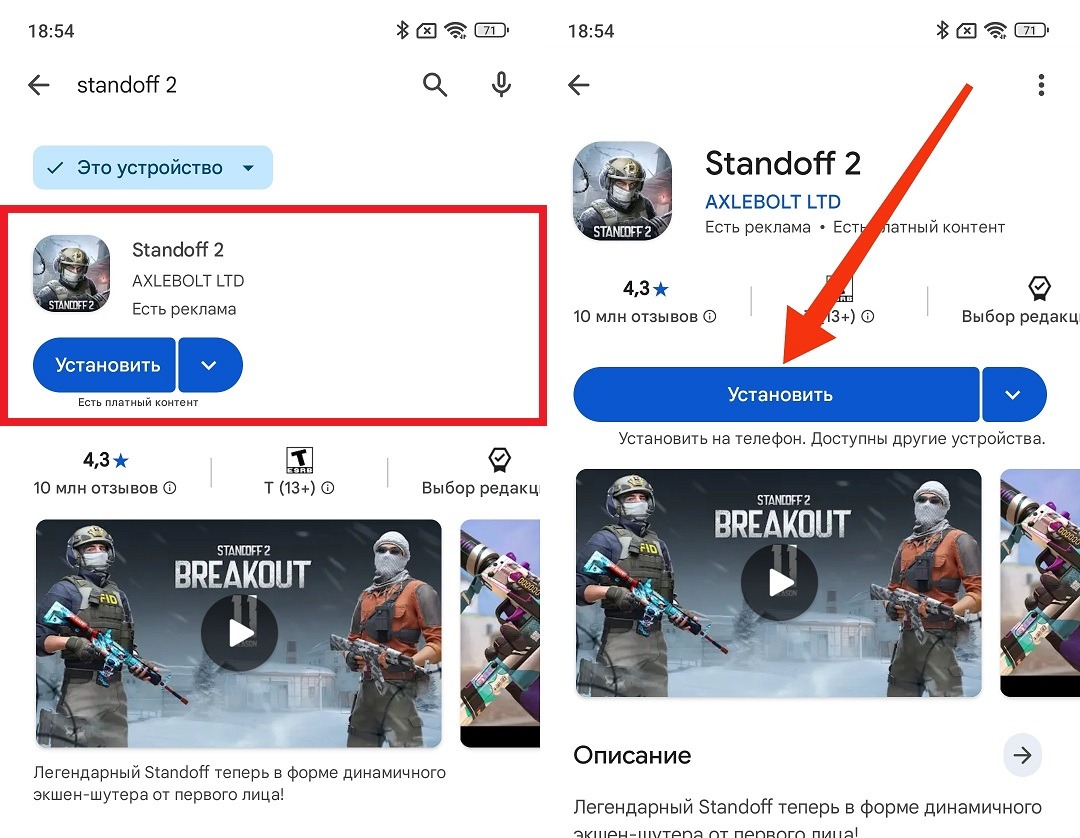
The game is available on Google Play
After installation, on the first launch the game will download additional data of about 1-2 GB. This is a mandatory part — the game won’t start without it. It’s best to do this over Wi-Fi.
Standoff 2 System Requirements for Phone
Standoff 2 on a phone runs on most modern devices, but the requirements have grown over the past few years. Here are the current minimum and recommended specifications.
Minimum requirements:
- Android 7.0 and above;
- 2 GB of RAM;
- 3 GB of free storage space;
- processor with a clock speed of 1.5 GHz or higher.
Recommended requirements for comfortable gameplay:
- Android 10 and above;
- 4 GB of RAM or more;
- 5 GB of free storage space with room for updates;
- processor at the level of Snapdragon 695 or MediaTek Dimensity 700 and above.
On minimum requirements, the game will launch but with frame drops and long loading times. For competitive mode, you need a smartphone from the recommended category.
Standoff 2 Control Settings on Android: How to Play Comfortably
Controls in a mobile shooter are half the battle. The default Standoff 2 settings are designed for the average player, but you should customize them right away.
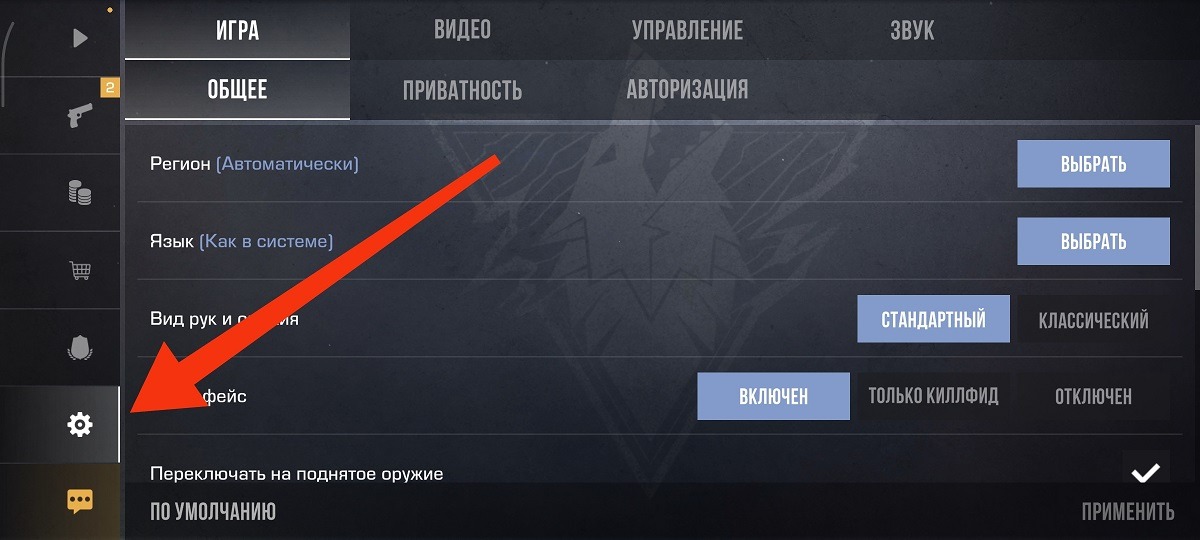
Settings are located here
Aiming sensitivity. By default, sensitivity is usually too high for beginners (the crosshair jerks and it’s hard to keep it on the opponent). I recommend starting with these values:
- general sensitivity: 50-60%;
- aiming sensitivity (ADS): 30-40%;
- gyroscope sensitivity, if you use it: 20-30%.
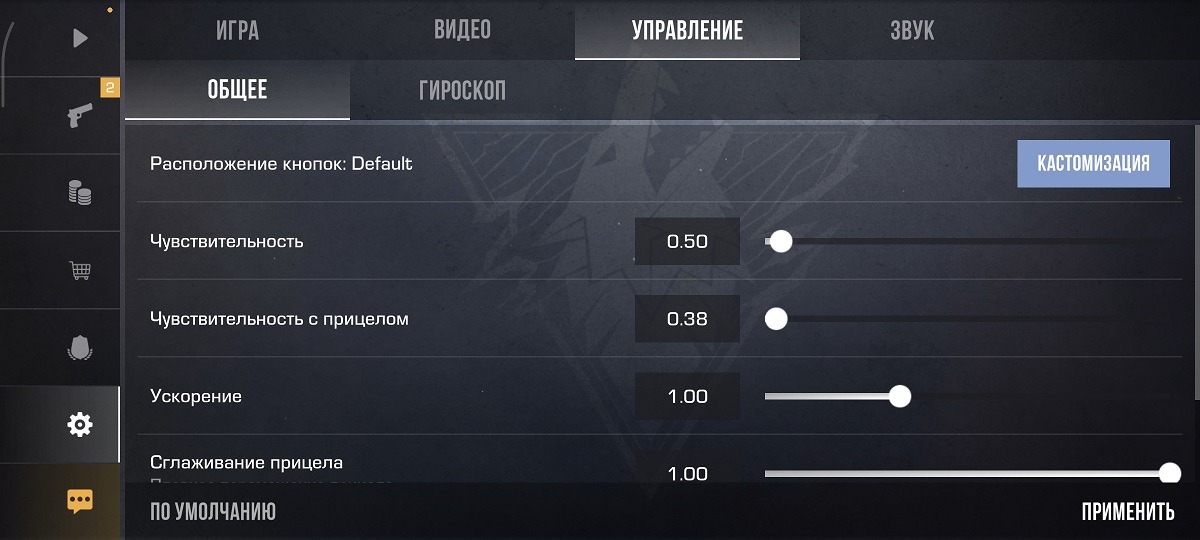
It’s worth lowering the sensitivity at first
After a few hours of gameplay, adjust to your preference: some find higher more comfortable, others prefer lower.
Button layout for beginners. Go to “Settings” — “Controls” and configure button placement:
- Place the shoot button on the right side of the screen so your thumb presses it naturally.
- Move the jump button away from the shoot button (accidental jumps during a firefight will get you killed).
- Place the crouch button near the shoot button for quick access.
- Move the reload button to where your finger won’t accidentally press it in the heat of battle.
- Enable “Auto-pickup weapon” (one fewer thing to think about).
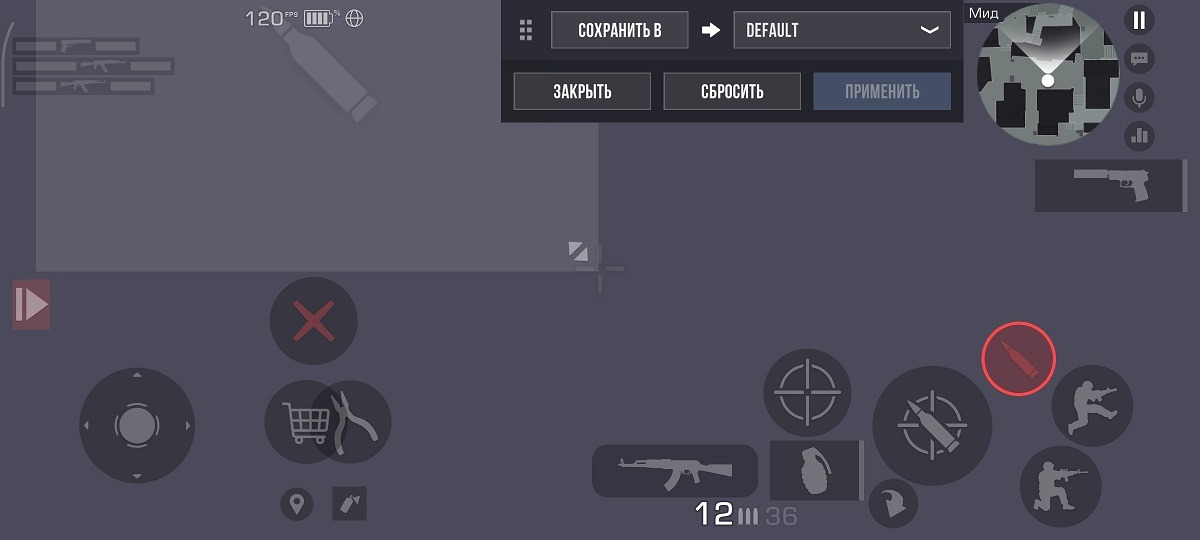
You can change the button layout if you want
The first few matches will feel awkward, and that’s normal. Muscle memory develops after 3-5 hours of gameplay, after which the controls stop distracting you from the game itself.
Standoff 2 Won’t Launch on Phone: What to Do
Typical launch problems and their solutions — in order from simple to complex.
Black screen on launch. Most commonly occurs after a game or system update:
- Close the game through the task manager and launch it again.
- Restart your smartphone.