The ‘RZD Passengers’ app is back on iPhone — but you still can’t download it from the App Store. The only official way to install it is through Apple’s TestFlight testing service. The process takes a bit more time than a regular download, but in the end you get a fully functional app with ticket purchasing, schedules, and loyalty cards. Let’s figure out exactly how to do this and what alternatives are available.
How to Download and Install ‘RZD Passengers’ on iPhone: Step-by-Step Guide
Why the ‘RZD Passengers’ App Is Unavailable in the App Store on iPhone
The ‘RZD Passengers’ app disappeared from the App Store due to US sanctions. Apple is required to comply with American legislation, so a number of Russian apps were removed from the store and have not returned. As of April 2025, the situation hasn’t changed: finding ‘RZD Passengers’ through the App Store search is impossible.
This creates inconveniences for millions of iPhone users in Russia who are accustomed to buying train tickets through the mobile app. However, RZD found a workaround — distribution through TestFlight.
TestFlight is an official Apple program designed for testing apps before they are published in the App Store. It’s usually used by developers, but in this case it’s the only legal way to install ‘RZD Passengers’ on iPhone. The app is free, and its functionality is fully preserved.
How to Install ‘RZD Passengers’ on iPhone via TestFlight: Step-by-Step Guide
The process isn’t complicated, but it requires a bit of patience — the installation link doesn’t arrive instantly, but within 24 hours. Here’s what you need to do:
- Download the TestFlight app from the App Store — it’s free and developed by Apple itself. You can find it by searching for the name in the store.
- Go to the installation request page for ‘RZD Passengers’ — RZD posts the link on its official resources.
- On the request page, enter the email address linked to your Apple Account. No password is required — only the email is requested.
- Wait for an email with the installation link. It will arrive at the specified email address within 24 hours.
- Open the link from the email — it will automatically redirect you to TestFlight. Tap ‘Start Testing’.
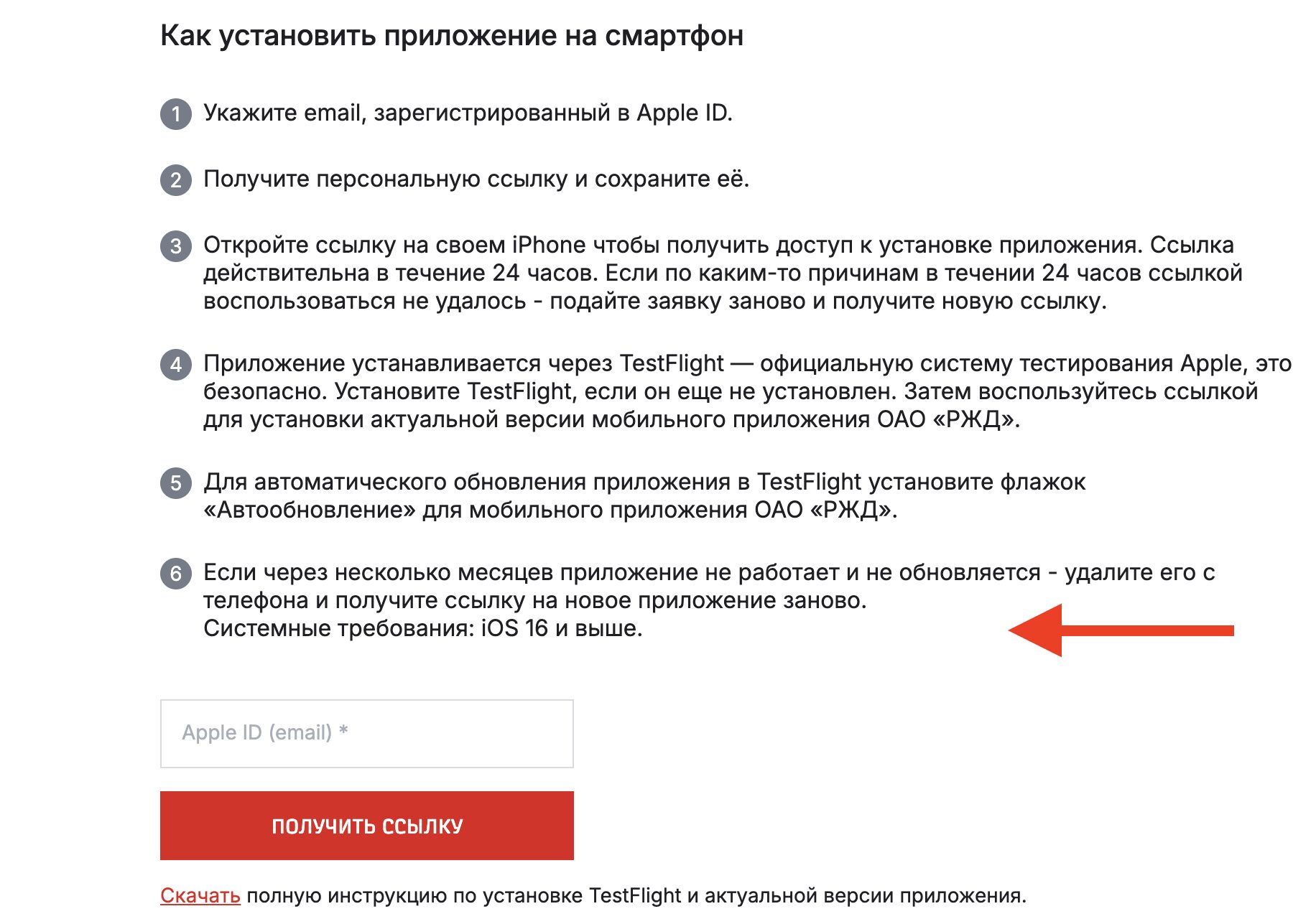
Submit a request for access. Only email is needed
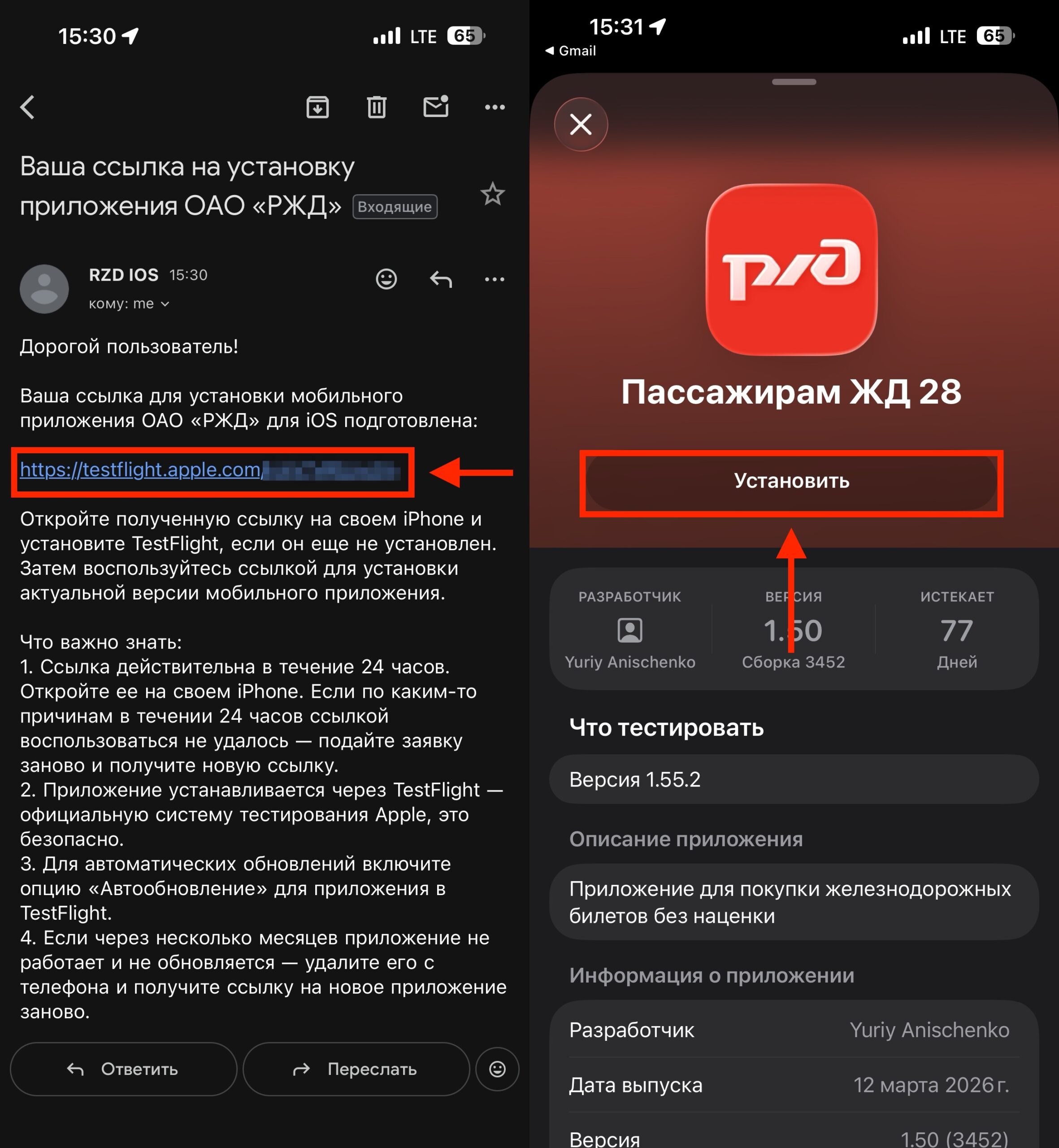
Install RZD using the link from the email
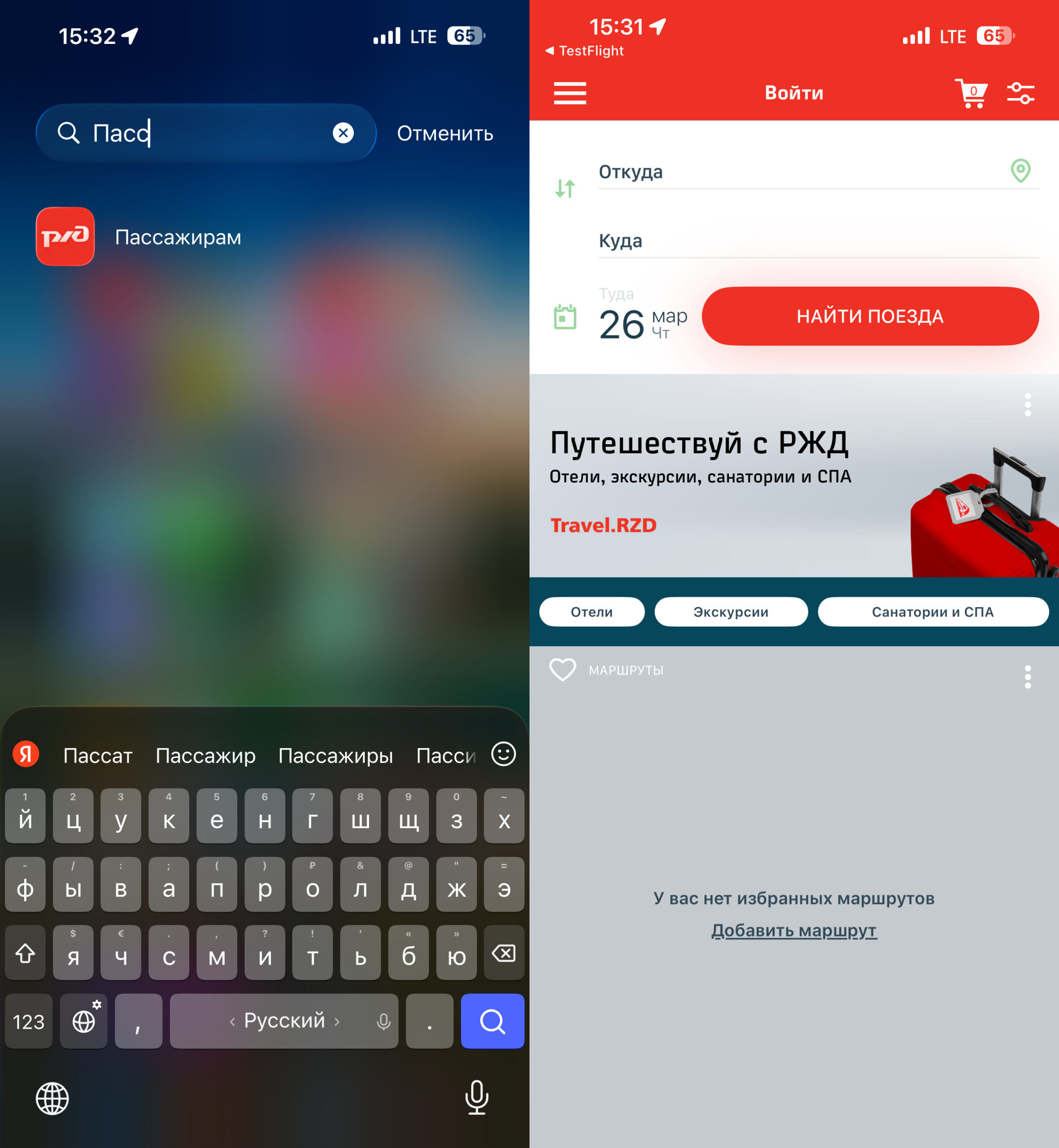
The app is available in the library or on the home screen
After that, the ‘RZD Passengers’ app will appear on your iPhone’s home screen and will work like a regular app.
An important note: apps installed via TestFlight have a limited validity period — usually up to 90 days. After that, reinstallation may be required. Watch for notifications from TestFlight — the program will warn you when the expiration date is approaching.
How to Buy Train Tickets Through ‘RZD Passengers’
After installation, the app works in full capacity. All main features are available:
- Viewing train schedules
- Purchasing tickets for long-distance trains and commuter trains
- Using ‘RZD Bonus’ loyalty cards
- Processing refunds
- Storing electronic tickets
The interface and features are no different from the app that was previously in the App Store. Essentially, it’s the same product — just delivered to your iPhone in a different way.
How to Install the Web Version of ‘RZD Passengers’ on iPhone
If you don’t want to deal with TestFlight or wait for a link, there’s another option — add the RZD website to your iPhone’s home screen as a web app. It’s not a full replacement, but it works fine for buying tickets.
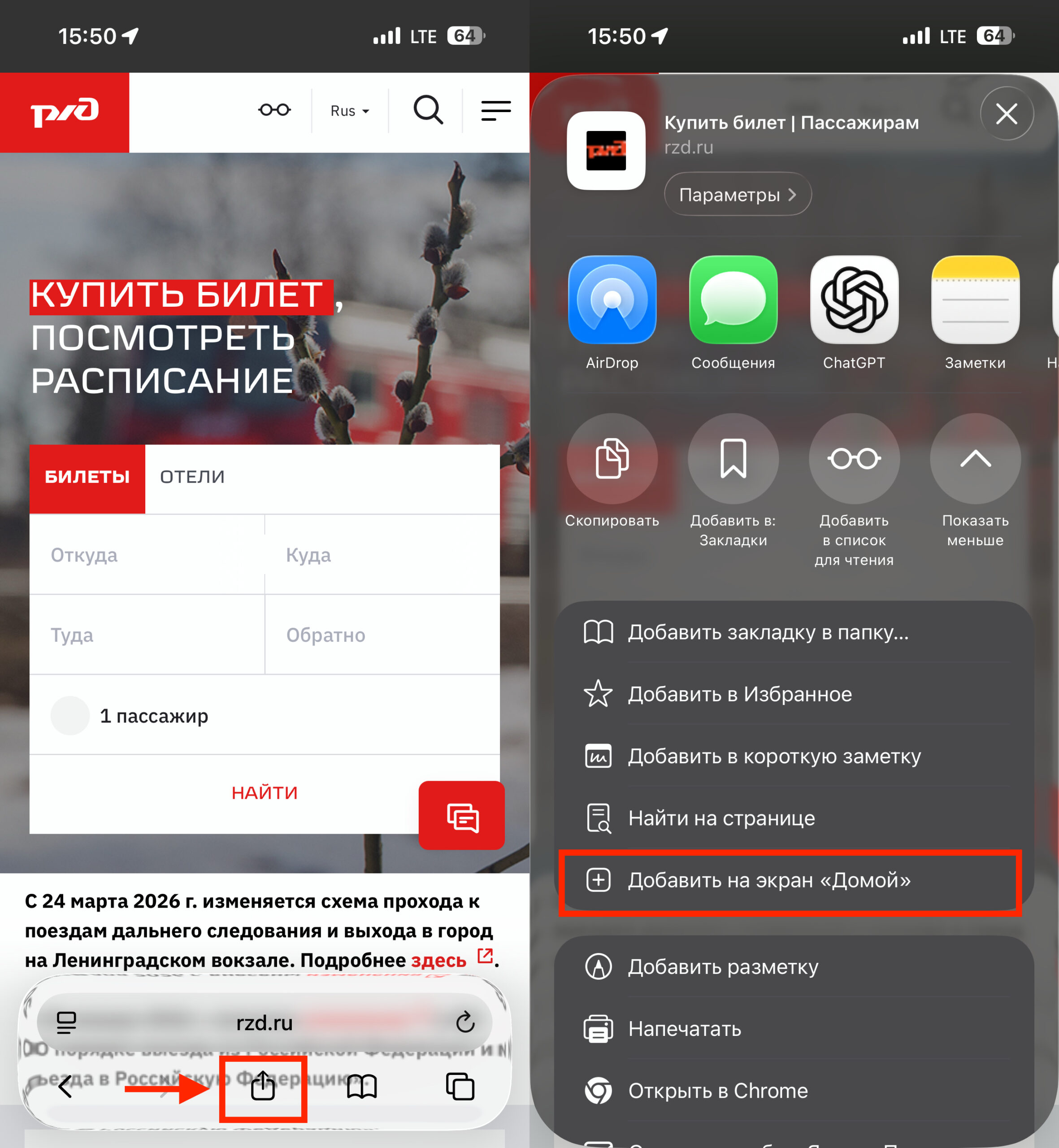
As an option, you can add a PWA
- Open Safari and go to the RZD website
- Tap the ‘Share’ button (square with an upward arrow) at the bottom of the screen
- Select ‘Add to Home Screen’
- Tap ‘Add’
An icon will appear on the home screen that will open the mobile version of the RZD website. This works without TestFlight, without applications, and without waiting. The functionality is a bit more modest than the full app — for example, push notifications about your trip won’t work. But you can buy a ticket, check the schedule, and process a refund through the web version without any problems.
Who Should Install ‘RZD Passengers’ via TestFlight
If you frequently travel by train and are used to buying tickets through the app — installing via TestFlight is worth it. A full-featured interface, push notifications, a loyalty card at your fingertips — all of this is more convenient than the mobile website.
If you only buy train tickets a couple of times a year, the web version via Safari will cover all your needs. Setting up TestFlight for rare trips isn’t necessary.
The main thing to remember is that the app installed via TestFlight may require periodic updates or reinstallation. This is the only real inconvenience compared to a regular App Store download. Otherwise — the full-featured ‘RZD Passengers’ app is available on iPhone again, and you can start using it right now.


