You can check your MegaFon balance in five seconds — if you know the right command. But besides the classic USSD combination, there are several other ways: SMS, the app, your personal account, a voice assistant, and even the SIM menu right in your iPhone settings. Let’s figure out which option is most convenient in each situation — at home, on the road without internet, while roaming, or when you need to check the balance on someone else’s number.

Figuring out how to check your balance if you have MegaFon. Image: vedomosti.ru
How to Check MegaFon Balance via Short Number and USSD Command
USSD command — an old but working method
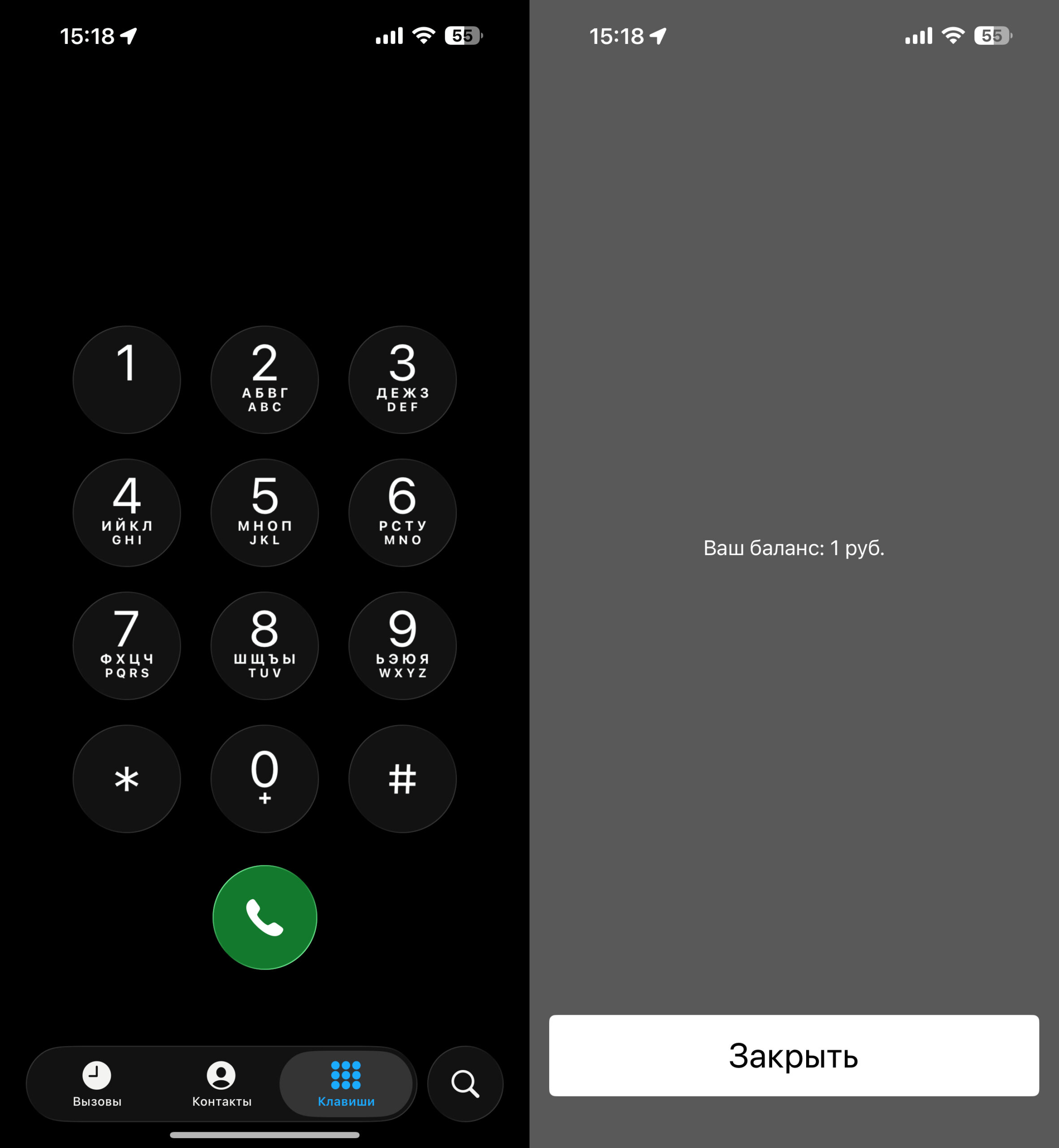
The fastest and free method is a USSD request. Open the Phone app (the standard dialer) on your phone, dial *100#, and press the call button. In a couple of seconds, a pop-up window will appear on screen showing your account balance.
This method works the same on iPhone and Android, doesn’t require internet, and works even with a negative balance. Remember when we all used to check our balance this way? Well, this option still works.
How to Check MegaFon Balance via SMS Request
Send an SMS and receive your balance in response
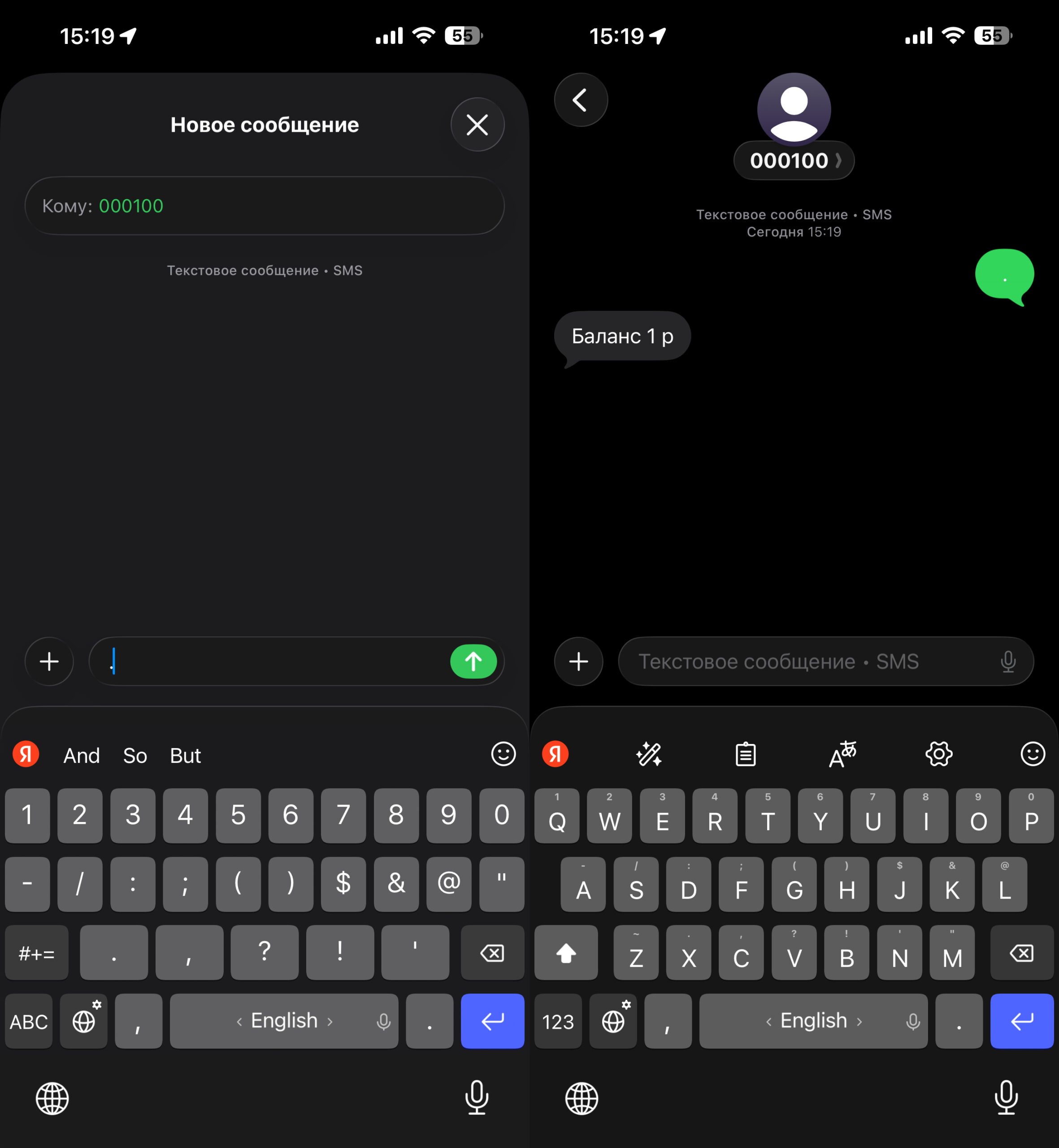
If the USSD command didn’t work for some reason, send an SMS to the free number 000100. The message text can be anything — a space, a period, or even an empty field. You’ll receive a reply SMS with your account balance information.
This method is useful when the phone doesn’t display pop-up USSD responses — this sometimes happens on certain smartphone models or when using two SIM cards.
How to Check MegaFon Balance via Voice Menu
When it’s inconvenient to look at the screen — for example, while driving — you can call a service number and hear your balance by voice. MegaFon has two options:
- 0501 — auto-informer. The robot will immediately tell you the amount on your account. Quick and without extra steps.
- 0500 — virtual assistant. First, you’ll have to listen to a greeting, then ask your question by voice — just say “what’s my balance.” The robot will dictate the remaining amount and duplicate the information via SMS.
Both numbers are free. For a quick check, it’s better to use 0501 — there are no extra steps.
How to Check MegaFon Balance via Personal Account and App
If you need not just to check your balance but also to top up your account or set up auto-payment, it’s more convenient to go to the personal account on the website or use the MegaFon mobile app.
Via the website:
You can log in through the website
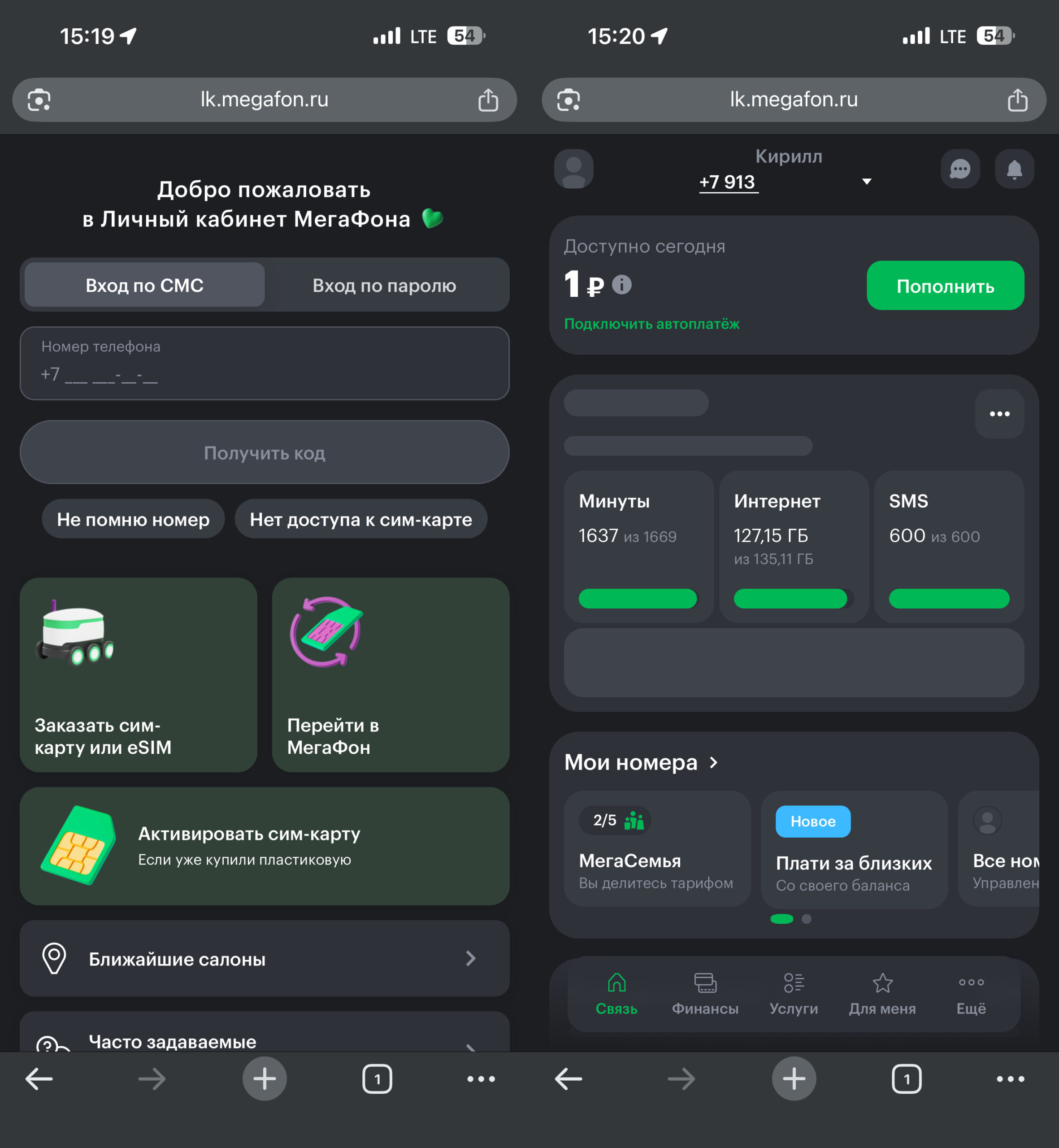
- Open lk.megafon.ru in your browser.
- Enter your phone number and log in using an SMS code or password.
- The balance will be displayed in the upper left corner of the screen.
Via the MegaFon app:
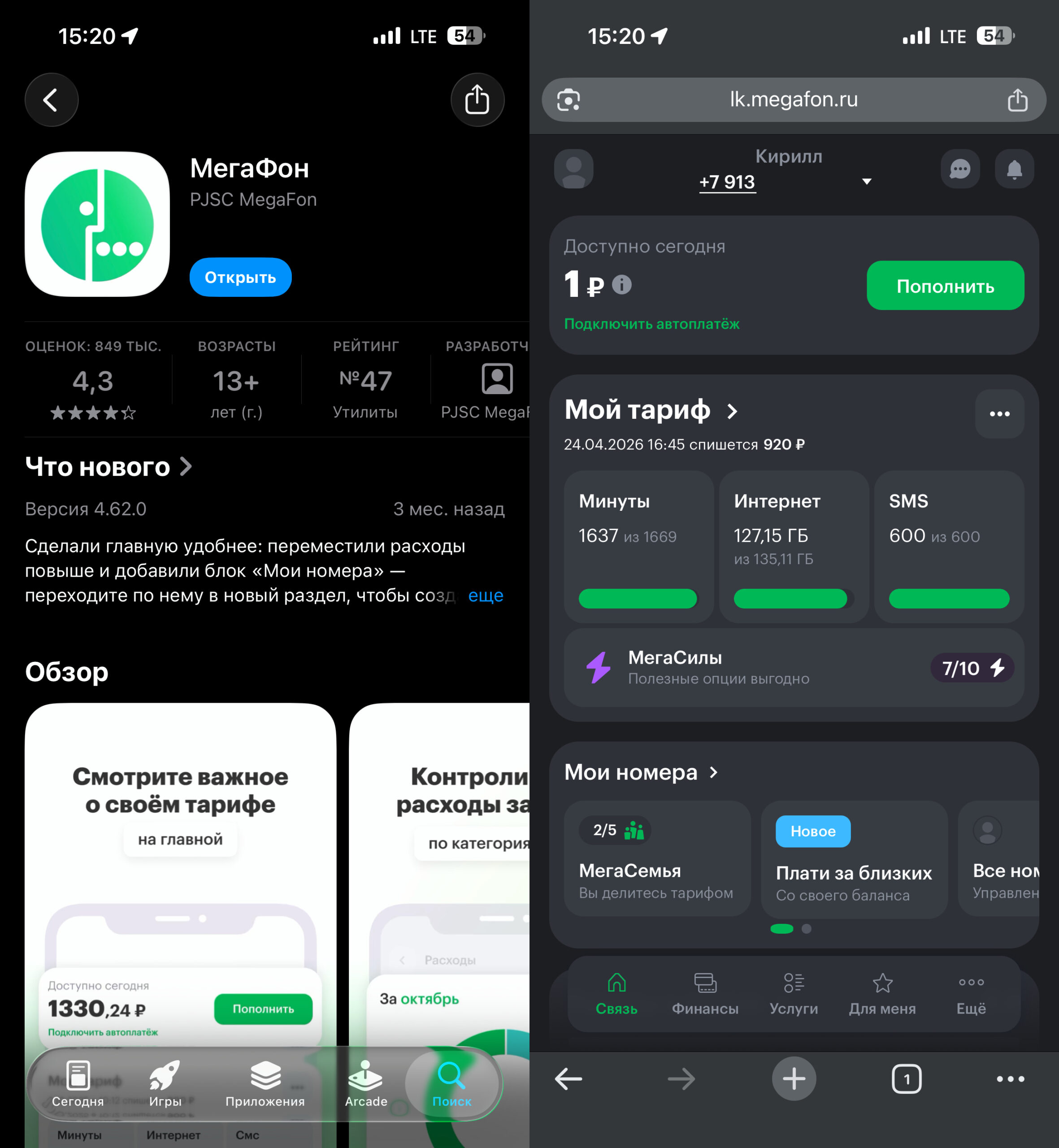
Or you can use the mobile app
- Install the app from App Store or RuStore.
- Log in with your phone number — authorization via SMS code or password.
- The balance is visible right on the app’s main screen — along with remaining minutes, SMS, and data.
An important advantage of the app: it works even with a zero or negative balance and doesn’t use your plan’s data allowance. So even if your data package has run out, the app will still open.
How to Check MegaFon Balance on iPhone with iOS 26
There’s a method on iPhone that many people don’t know about — the SIM menu, built right into the system settings. It works on the latest iOS 26 as well as earlier versions. Here’s how to use it:
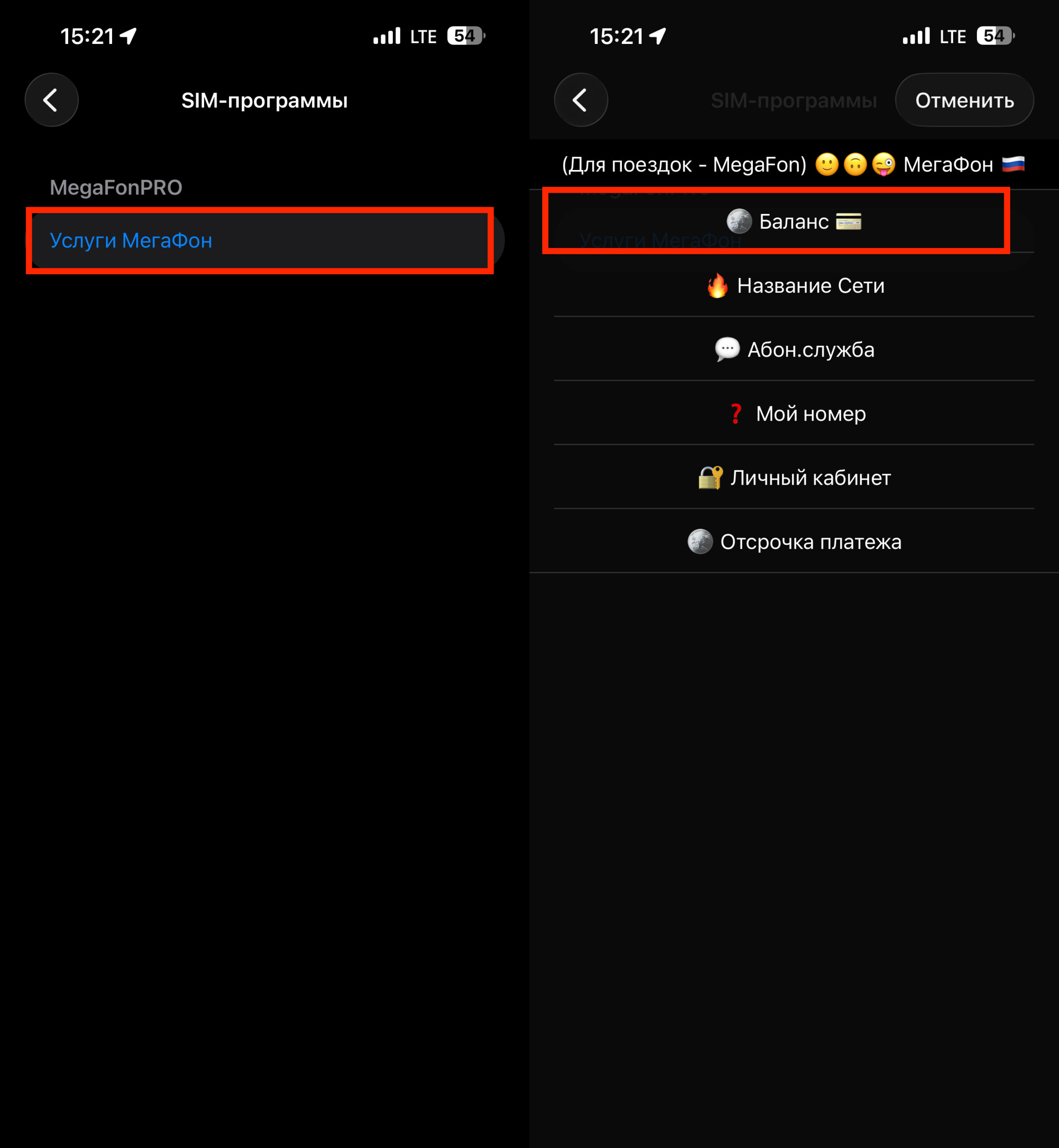
You can request your balance through SIM applications
- Open “Settings” — “Cellular.”
- Tap “SIM Applications” in the MegaFon carrier section.
- Select “MegaFon Services” — “Balance.”
After that, you’ll receive an SMS with your account balance information from the number +000100.
On Android, a similar function is available through the system app “SIM Card Menu” — it’s usually found in the “Tools” folder. On some models, the utility is called MegaFonPro. Inside, you need to select “MegaFon Services” — “Balance.” This method works on Android 17 and older versions. The SIM menu doesn’t require internet and is useful if you don’t want to install a separate carrier app.
How to Check MegaFon Balance on Someone Else’s Number via iPhone
If you need to monitor the balance on a child’s phone, an elderly relative’s, or simply another family member’s, MegaFon has two tools.
“Family Balance” Service
A free option that allows you to check someone else’s balance via a USSD request. However, the owner of the number — the one whose balance will be checked — must activate it themselves. They need to dial the command:
*438*1*checker’s number# (number in 9XXYYYYYYY format, without the eight).
After that, the checker can find out the balance by dialing *100*number#.
You can manage the list of trusted numbers through the command *438# — it opens a menu where you can add or remove numbers. Limitation: balance access can be granted to a maximum of three subscribers at a time. The service doesn’t work on all rate plans.
“Multi-Account” Feature
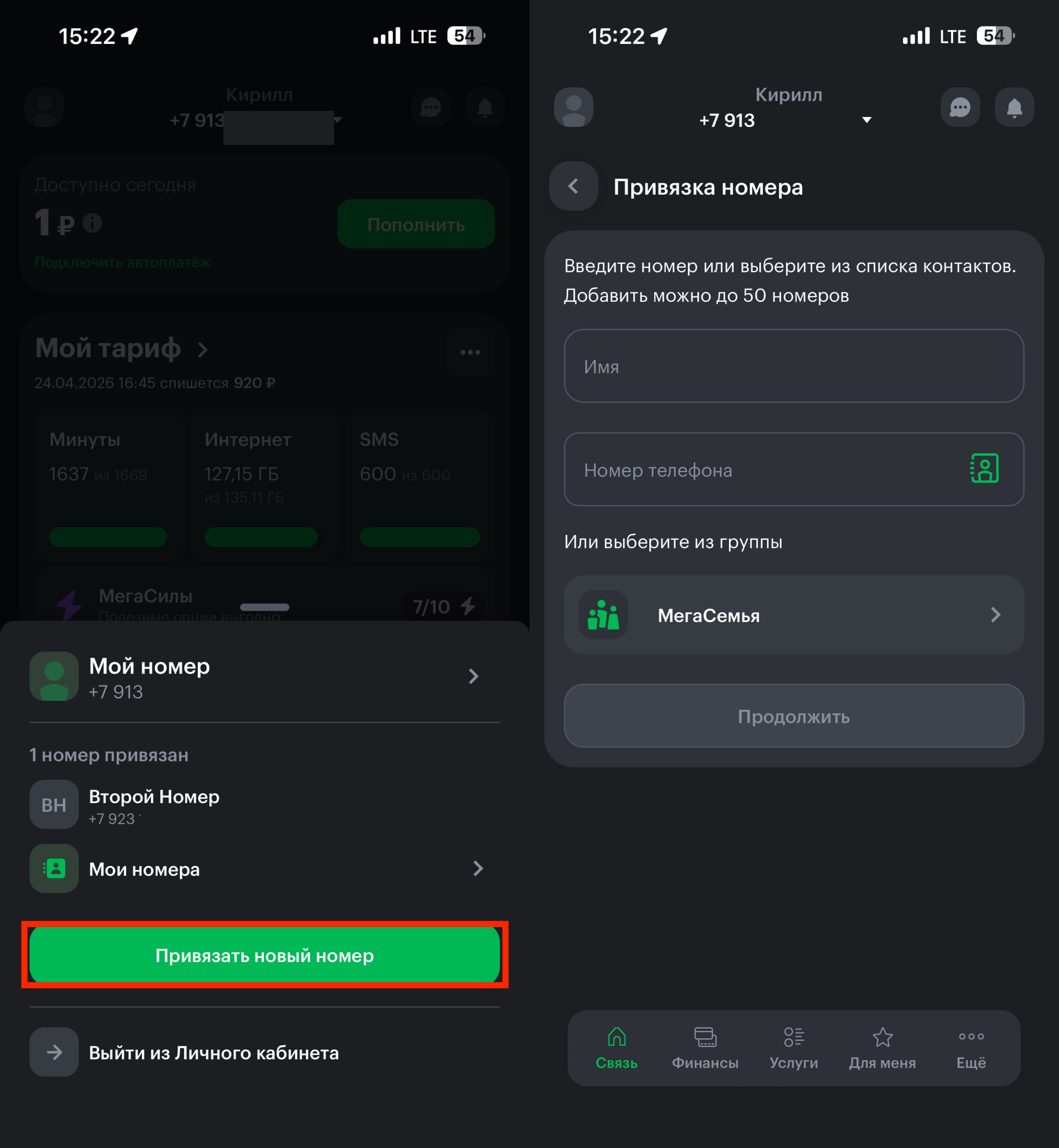
A more advanced option — link other numbers in your personal account or app. You can add up to 50 numbers and switch between them, viewing each one’s balance. To link someone else’s number, confirmation via an SMS code from the number’s owner is required.
How to add a number in your personal account: