After the last payment methods were disabled in the Russian App Store, Apple device owners are left with two options: change their Apple Account region or create a separate account for purchases. Both options work, but each has its own limitations. Let’s figure out how to properly change the country, what you might lose in the process, and when it’s easier to create a second account rather than touching your primary one.
Changing the Apple ID country and figuring out all the pitfalls
What You Need to Do Before Changing Your Apple ID Region
Before changing your Apple ID country — by the way, it’s now possible to do this without a foreign bank card and with an active iCloud subscription — Apple requires several conditions to be met. If even one isn’t satisfied, the system simply won’t let you switch the region.
Here’s what you need to do in advance:
- Dissolve Family Sharing — all family members must be in the same region
- Cancel all active subscriptions and wait for the paid period to end
- Zero out your account balance if you topped it up with gift cards or codes
- Accept that Apple Music playlists won’t be preserved — you can try transferring them through third-party services, but that’s a separate hassle
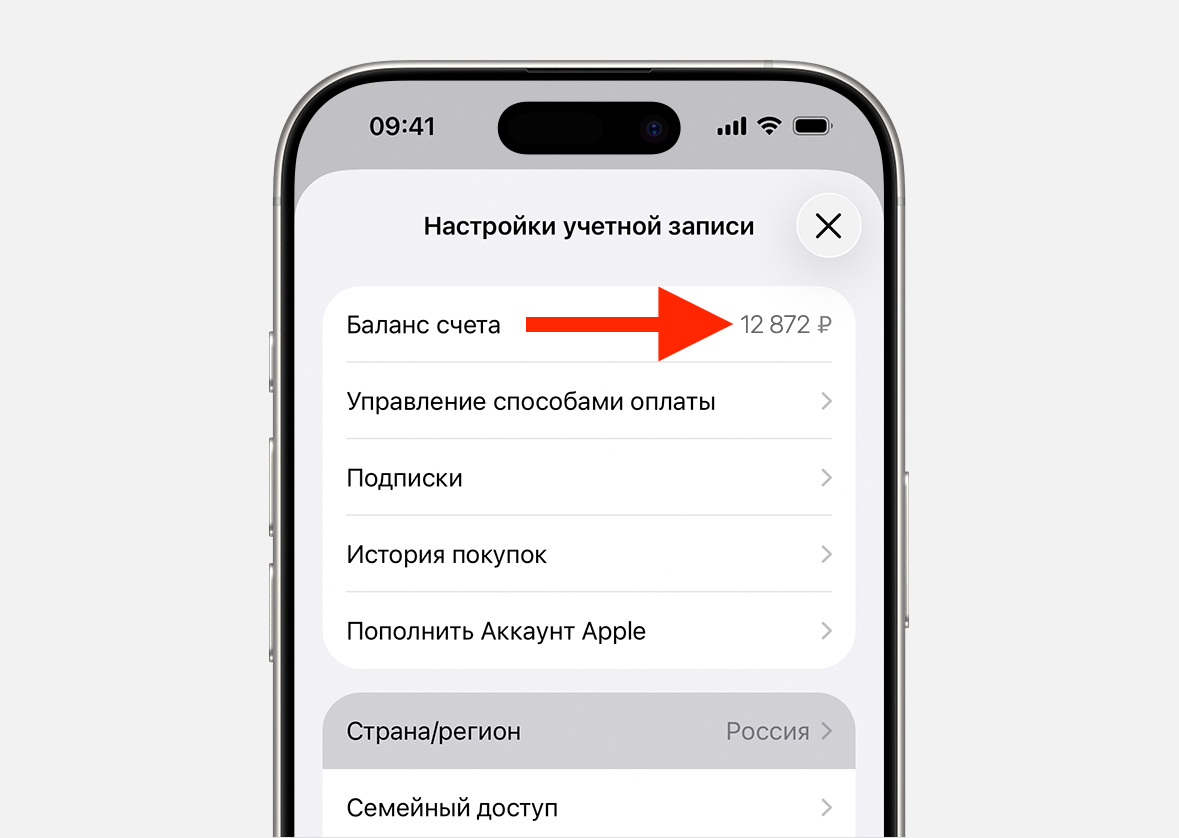
You must zero out the balance
If all of this sounds too complicated, there’s an alternative: create a separate account for the new region and use it only for App Store purchases. Your primary account remains untouched — with iCloud, photos, family, and all your data.
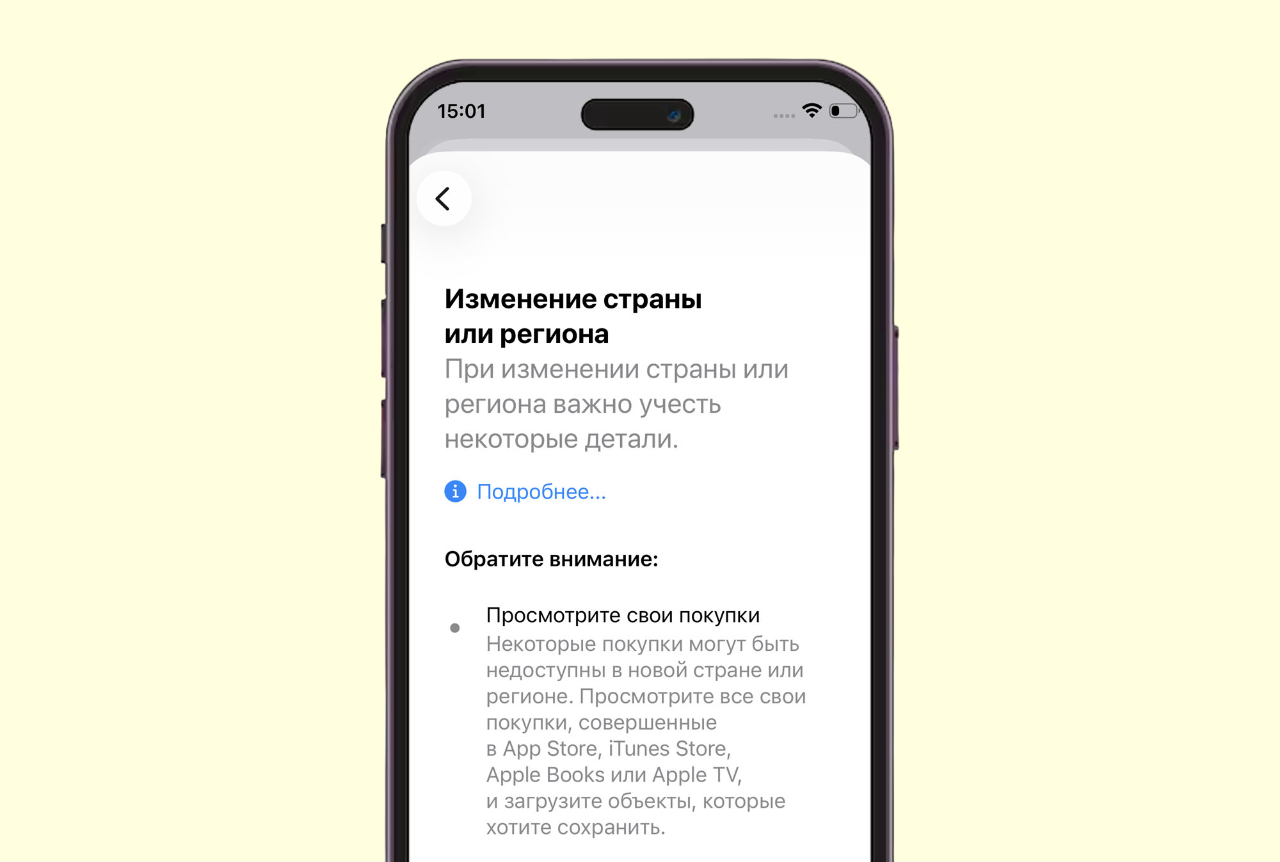
Before the switch, Apple will warn you about what to check
Apple doesn’t prohibit using different accounts: one for iCloud and syncing, another for the App Store. This is the safest option if you have Family Sharing set up or an iCloud+ subscription paid several months in advance.
What Happens After Changing Your Apple ID Country
Changing the region isn’t just flipping a toggle in settings. Here are the specific risks to consider.
Russian bank and government service apps. They’ve long been absent from foreign versions of the App Store. And renamed versions don’t appear there either. This means you’ll have to use the old app or visit the bank in person to install the new version.
Local services. Taxi, delivery, and streaming apps may only be available in the Russian segment. When updating through a different account, errors sometimes occur.
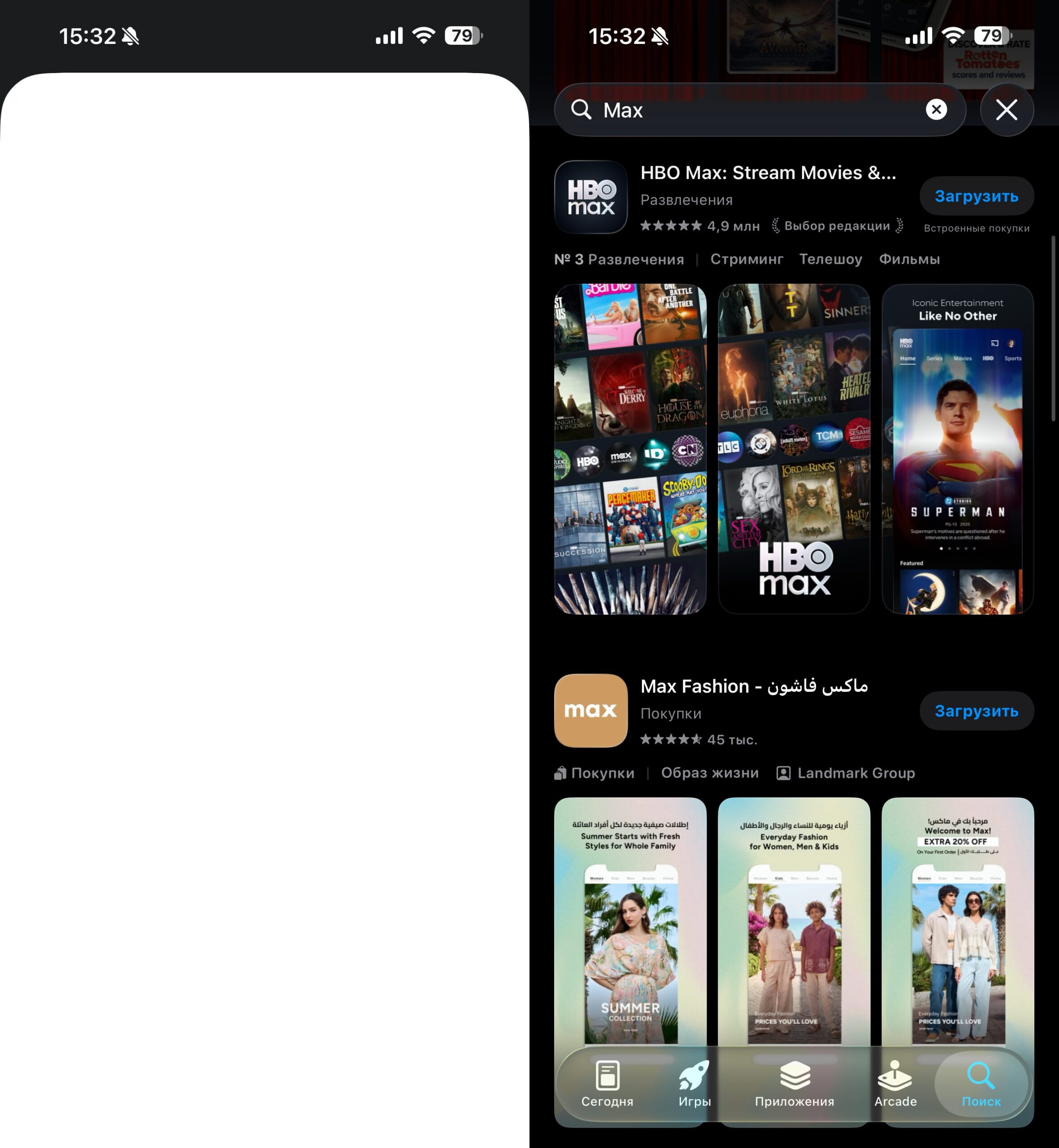
By switching the region to the US, you won’t be able to download a great messenger like MAX. It simply doesn’t exist there
Apple Music library. Some tracks may become grayed out — especially music by Russian artists, if it’s absent from the catalog of the chosen country. On the other hand, you’ll gain access to global releases unavailable in Russia.
Apple TV+ and movie localization. In the American or Indian region, movies often lack Russian dubbing and subtitles. If translation matters, it’s better to consider Kazakhstan or Turkey — the chances of Russian voice-over are higher there.
Updates for old apps. Apps downloaded from the Russian App Store may stop receiving updates. Sometimes the system requires confirmation of payment details for the new region even for free updates. In the worst case, you’ll have to delete the app and download it again — losing local data within the app.
Changing the Apple ID Region on iPhone: Step-by-Step
The process takes a couple of minutes if all conditions are met in advance.
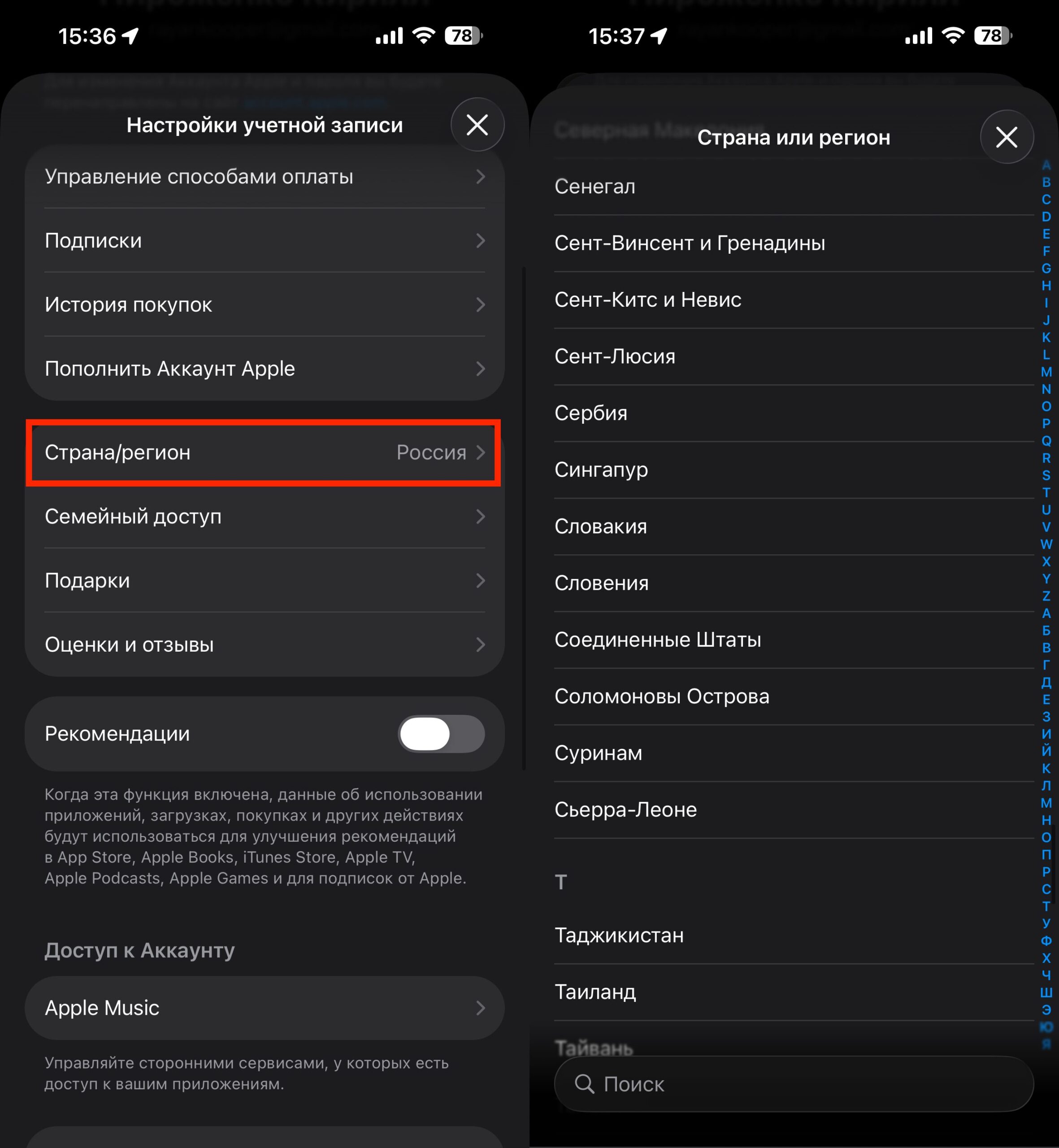
Changing the region is a very quick process
- On your iPhone, go to Settings — Apple Account
- Open Media & Purchases, then tap View Account
- Go to the Country/Region section
- Select the desired country from the list
- Confirm the action — if something is blocking it, the system will indicate the reason
- Accept the user agreement and enter your account password
- For payment method, select None, fill in the address and phone number with details from the chosen country (you can find them online), and write your first and last name in Latin characters
To verify, download any free app from the new store. If everything went successfully, the region has already been changed.
Which country to choose depends on your needs. The choice is ultimately yours.
Why You Can’t Change Your Apple ID Region
If the system won’t let you switch countries, the reason is almost always one of three things.
Active subscription. Go to Settings — Apple Account — Subscriptions and cancel all active ones. After that, either wait for the paid period to end or contact Apple Support. Through the free “Apple Support” app, you can find a phone number under Apple Account — Other Topics — Change Country or Region and ask them to cancel the remaining period.
Remaining balance on the account. If you topped up your account with gift cards, you need to zero out the balance. Spending it down to the last penny is unlikely to work, so once again a call to support will help — support staff can zero out the balance manually.
Family Sharing is set up. As long as you are the organizer or a member of a family group, you cannot change the region. You need to go to Settings — Apple Account — Family and leave the group or dissolve it.
Less commonly, there may be situations with an active pre-order for a movie or a pending refund — in these cases, you need to wait for the process to complete or cancel it through support.
Change the Region or Create a Second Apple ID
Here’s a simple rule: if you have iCloud+ paid, Family Sharing set up, or money in your account — don’t touch your primary account. Create a second account in the desired region and use it only for App Store purchases.
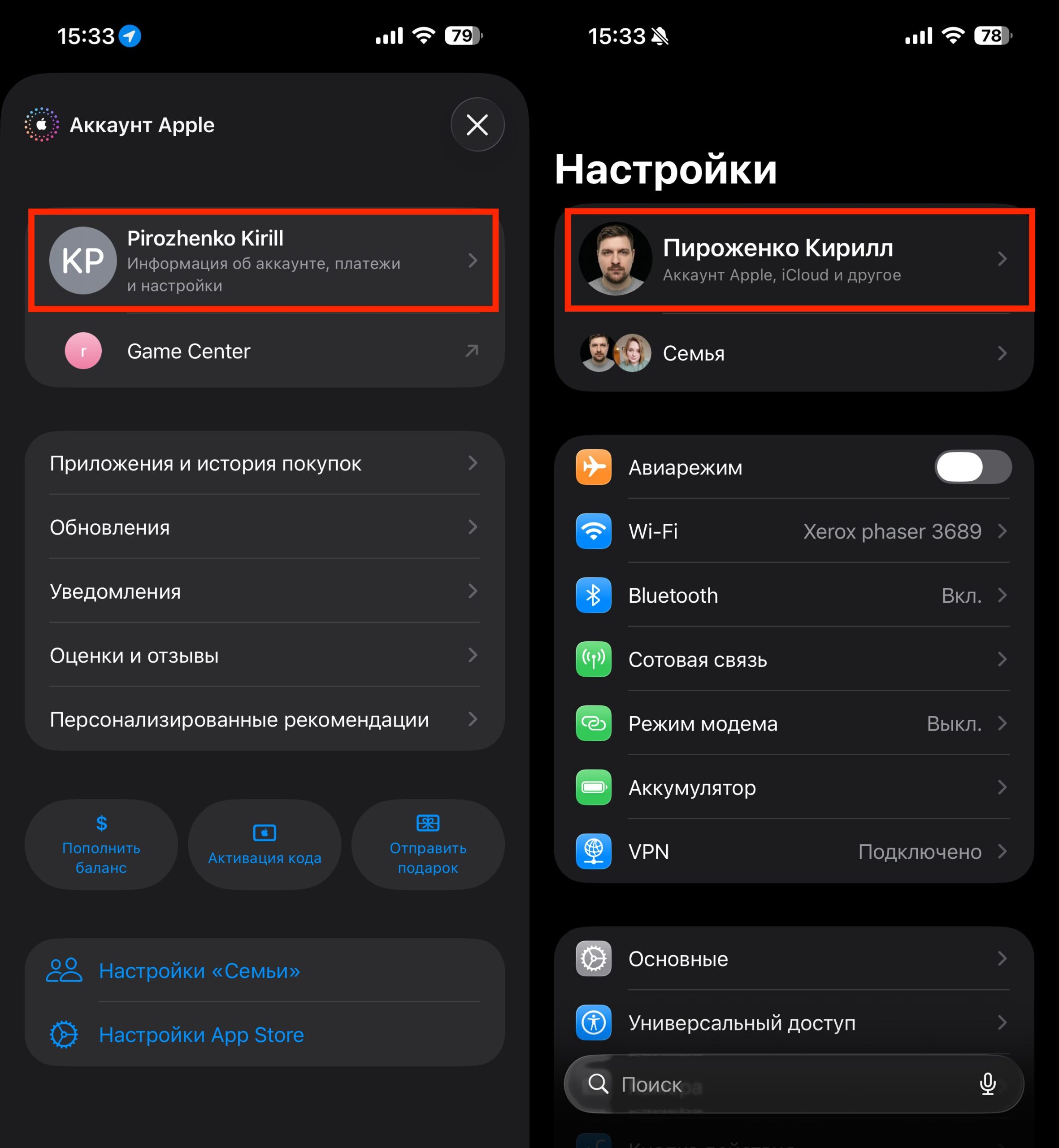
I use two Apple IDs and have no problems. I recommend you do the same


