MAX Messenger works differently from familiar apps like Telegram or WhatsApp. There’s no “Add Contact” button in the usual sense — adding a contact in MAX is done through your smartphone’s phone book or the in-app search. Figuring it out isn’t difficult, but there are enough nuances — especially if you’ve just installed MAX messenger and are getting acquainted with it for the first time. Below, we’ll go through all the methods step by step.

Adding your contacts directly to MAX
How to Sync Phone Contacts with MAX
The simplest way to find people you know in the messenger is to grant the app access to your phone book. After that, contact synchronization in MAX will happen automatically: everyone from your list who is already registered in the messenger will appear in the “Contacts” tab.
If you denied the app access during the first launch, you can fix this through your smartphone’s settings. Here’s how to do it:
- Open Android settings.
- Go to the “Apps” section and find MAX.
- Open the “Permissions” section.
- Grant access to contacts.
- Restart the messenger.
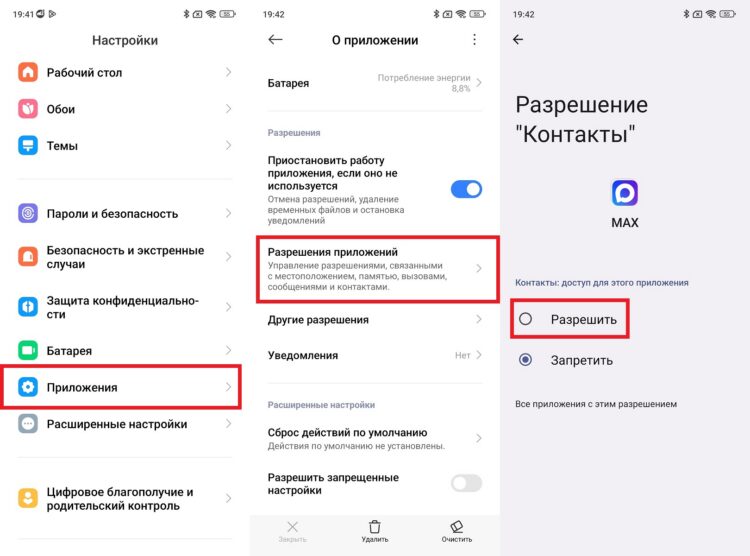
You need to grant access to contacts so they appear in a separate MAX tab
After that, access to contacts in MAX will be enabled and the app will pull in all the necessary people from your phone book. An important note: synchronization works in one direction only. This means MAX can see your contacts, but it doesn’t add new entries to your smartphone’s phone book.
How to Find a Contact in MAX by Phone Number
If a person is in your phone book and is registered in the messenger, they will appear in the “Contacts” tab automatically after synchronization. But what if they’re not there? In that case, search will help. Here’s how to find a contact in MAX manually:
- Launch MAX.
- Tap the search icon in the upper right corner.
- Enter the person’s phone number in +7 format.
- Tap “Find by number.”
- If the user is registered in the messenger, their profile will appear in the results.
- Tap the profile and send a message — after that, the person will appear in your chats.
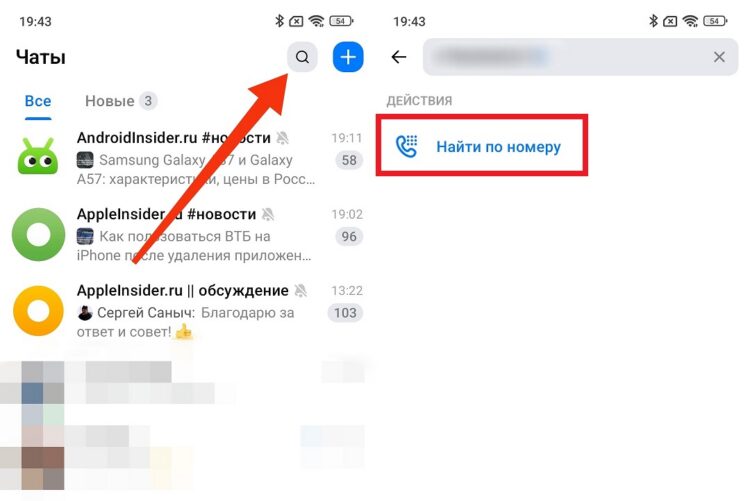
You can search by number from the main page
It’s worth noting that phone numbers in MAX are linked to numbers from a limited number of countries. You’re unlikely to find a user with a foreign number through search — the messenger simply doesn’t support accounts from many countries.
How to Add a Contact in MAX via Link or QR Code
This is a convenient method for situations when you meet someone in person or communicate through another messenger. Every new user in MAX has a personal profile link and QR code. Ask the person to share their link or show their QR code, and you’ll immediately get to their page.
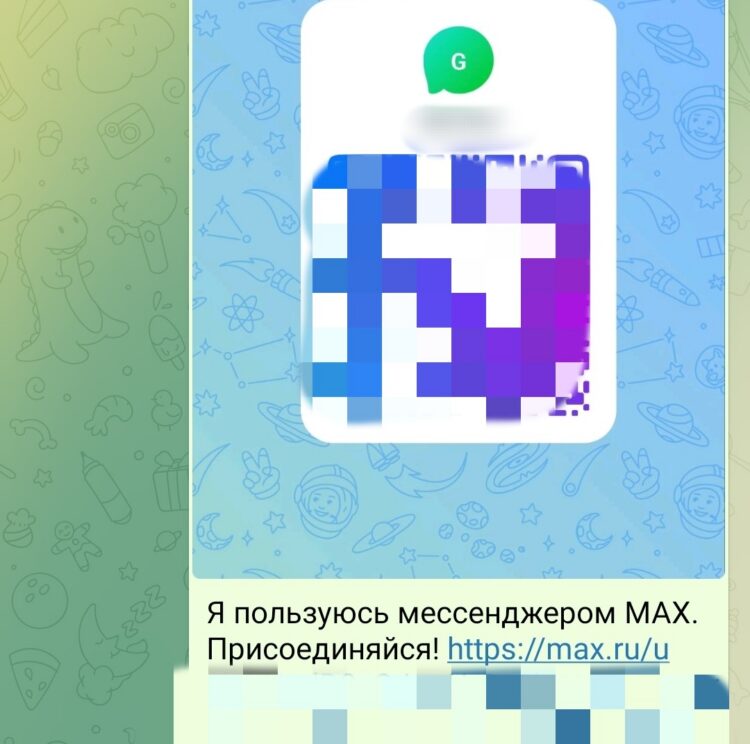
This is what a MAX invitation link looks like
A contact link in MAX looks like an invitation with the text “I’m using MAX messenger. Join me!” To open it, simply tap the link in any app — the messenger will automatically launch and open the desired profile. You can scan a QR code directly from the app: tap the scanner icon in the search bar in the “Contacts” tab, point your camera at the code — and you’re done.
Why MAX Doesn’t See Phone Contacts
This is one of the most common complaints from new users. If MAX doesn’t see contacts from your phone book, there could be several reasons:
- No access permission. Check the app settings and make sure contacts access has been granted. Without it, synchronization is impossible in principle.
- The person is not registered in MAX. The messenger only shows those who have already created an account. If someone isn’t on the list — most likely, they simply don’t use the app.
- The contact is saved incorrectly. MAX searches for matches by phone number. If the number is saved without a country code or in the wrong format, synchronization may not work. Make sure the number starts with +7.
- The app hasn’t updated. Sometimes phone contacts aren’t visible in MAX due to a temporary glitch. Try closing the app and reopening it, or updating to the latest version.
If none of these points helped, try logging out of your account and logging back in — this often resolves the issue with the contact list display.
Why a Contact Doesn’t Show Up in MAX
There’s also this situation: a person definitely uses MAX, you entered their number in the search, but a contact can’t be added in MAX and the profile isn’t found. This is usually due to privacy settings. The messenger has the ability to limit the circle of people who can find you by number. If a person has set such a restriction, the contact won’t show up in MAX even with a correctly entered number.
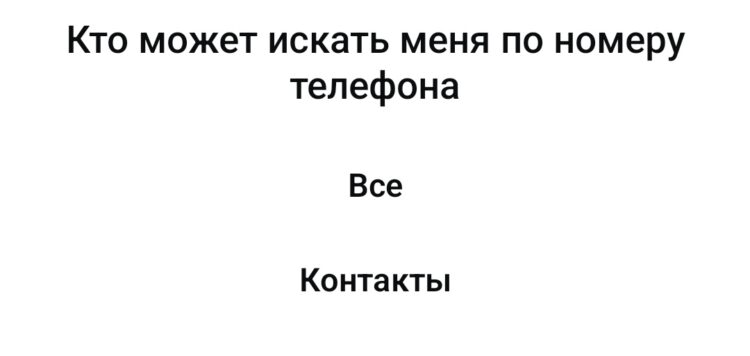
Many people hide their number in MAX
There’s only one solution: ask the person to message you first. After they start a conversation, their profile will automatically appear in the “Chats” section and you can continue communicating. You can also find out their username in MAX and search by nickname instead of by number — privacy settings don’t affect that.
Why a Person from Contacts Isn’t Visible in MAX
If a person isn’t visible in MAX whom you definitely saw before, there are three possible reasons. The first — the person deleted their account. In this case, their profile disappears from all lists without any notifications. The second — they blocked you: after being blocked in MAX, the user disappears from search and from the “Contacts” tab.


