When you buy a new flagship smartphone, it seems like there will be more than enough storage. For example, the Galaxy S26 now comes with a 256 GB storage by default, whereas Samsung flagships previously had 128 GB as the base version. But even this amount doesn’t mean all the space will be available to the user. A significant portion of the storage is occupied by the system and pre-installed apps even before the device is turned on for the first time. As a result, the available space may be noticeably less than expected, which is why many users eventually start wondering how to free up storage on an Android phone when it runs out quickly.
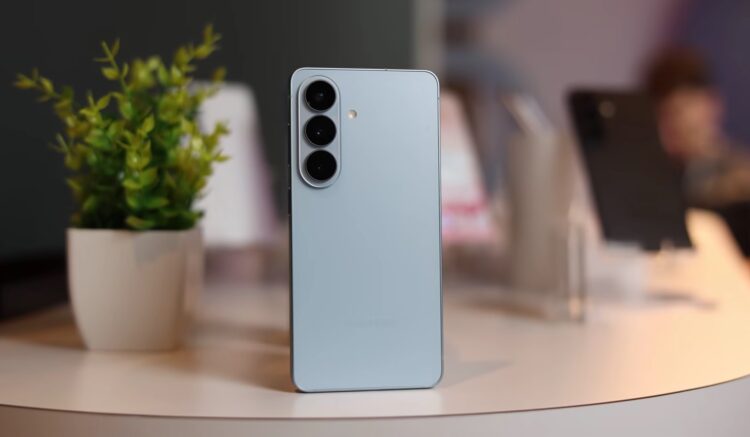
Bloggers checked the storage on the Galaxy S26. Image: Mike O’Brien
That’s why manufacturers are gradually increasing the minimum storage capacity. Otherwise, users would run out of free space too quickly.
What Apps Are Already Installed on the Galaxy S26
In addition to the system itself, a large number of apps are pre-installed on the smartphone. These include Samsung services, as well as apps from Google and third-party companies.
Samsung Apps:
- Samsung Shop;
- SmartThings;
- Voice Recorder;
- My Files;
- Samsung Internet (Browser);
- Samsung Health;
- Galaxy Wearable;
- Samsung Wallet;
- PENUP;
- Find;
- Samsung TV;
- Smart Tutor;
- Samsung Members;
- Galaxy Store;
- Bixby;
- Messages;
- Camera;
- Gallery;
- Clock;
- Contacts;
- Settings;
- Calendar;
- Calculator;
- Samsung Notes;
- Gaming Hub;
- Tips;
- My Galaxy;
- Creative Studio;
- Smart Switch.
Google Apps:
- Google;
- Chrome;
- Gmail;
- Maps;
- YouTube;
- Drive;
- Google TV;
- Meet;
- Photos;
- Gemini;
- Play Store;
- YouTube Music.
Microsoft Apps:
- Microsoft 365 Copilot;
- OneDrive;
- LinkedIn;
- Outlook.
Other Apps:
- Facebook;
- Instagram;
- Spotify;
- Global Goals;
- News;
- Phone.
Some of these apps can be removed, but some services are system-level and remain in the device’s storage.
Why Samsung Has Little Free Space
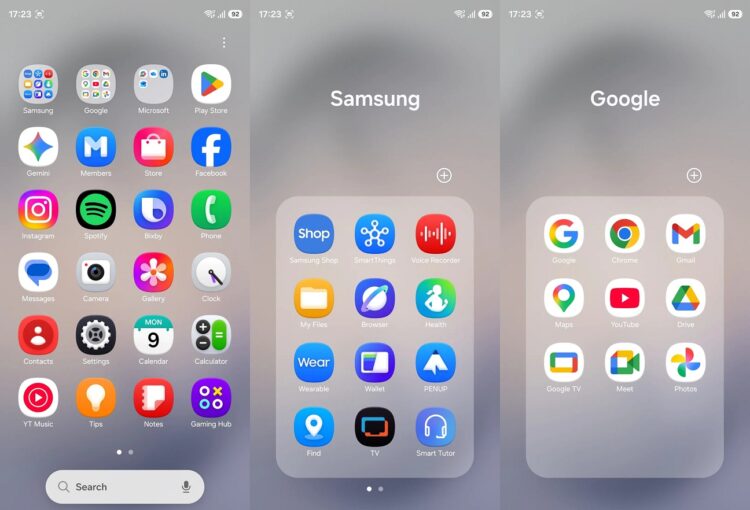
By default, Samsung really does have a lot of apps installed
Just a few years ago, smartphones could get by with much less storage. But along with the development of devices, the system size has also grown. Today, a smartphone includes by default:
- cloud services;
- security tools;
- photo and video processing algorithms;
- artificial intelligence features;
- smart home services.
Additionally, some apps appear due to partnership agreements. Smartphone manufacturers pre-install services from popular companies so that users can start using them right after purchase.
Over time, the apps themselves also start taking up space. They accumulate cache, downloaded files, and data, which is why users often notice that Android apps can take up significantly more storage over time.
How Much Storage the Galaxy S26 Has
The system and pre-installed apps on the Galaxy S26 take up more than 40 GB of storage. This is quite a large amount, especially considering that just a few years ago, the entire Android system could take up several times less space.
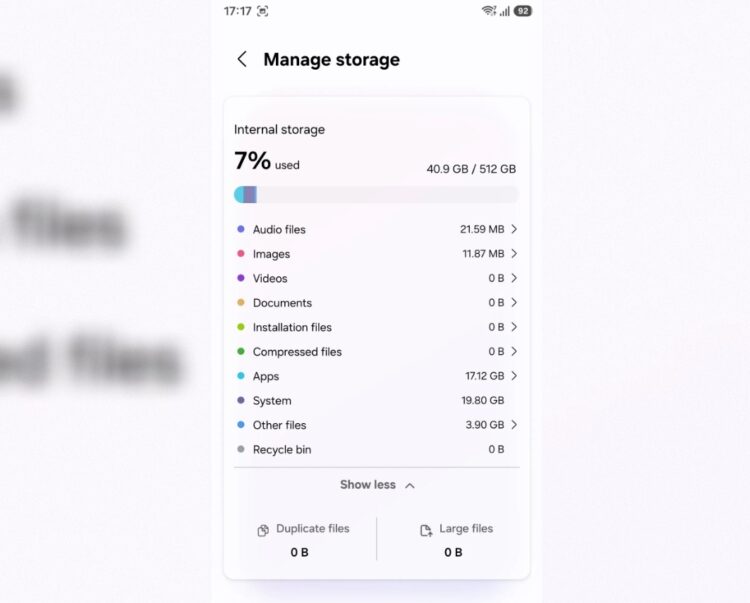
Together with built-in apps, the system weighs 40 GB
The reason is that modern Android has become significantly more complex. The system includes additional security tools, photo and video processing algorithms, artificial intelligence features, and numerous background services.
Additionally, on top of Android runs Samsung’s proprietary One UI skin, which adds its own Samsung apps and services.