When it comes to subscribing to ChatGPT Plus from Russia, the problem boils down to payment. You can create an account with the OpenAI neural network with literally one button, but directly paying for the subscription with a Russian card doesn’t work right now due to the lack of support for Mir cards and other Russian payment instruments. So, should you give up on modern technology just because you can’t pay for a subscription?
You can pay for ChatGPT even if you don’t have a foreign bank card. Image: hyperight.com
I fundamentally disagree with giving up, and I found an interesting option for how to pay for ChatGPT via SBP. You won’t need to give anyone access to your account or share your passwords. Everything is done as simply and quickly as possible, and I’ll teach you how right now. Essentially, this is the most straightforward scenario for those who just want to subscribe to ChatGPT Plus without figuring out a dozen workaround methods.
Why ChatGPT Can’t Be Paid for with a Russian Card
The main reason is that the standard ChatGPT subscription payment relies on supported payment instruments and international card infrastructure. Russian VISA and MasterCard cards don’t work in this scheme, and Mir cards are simply not supported for this type of payment. So even if your ChatGPT account opens and works fine, at the subscription stage everything usually stops precisely at the payment step.
This is why services have appeared that handle the intermediary step. In the case of MTS Pay, everything is arranged quite simply: you pay the subscription cost through a Russian service, and then receive the details of a prepaid foreign bank card with a balance equal to the amount needed for the subscription you chose. This allows you to complete the ChatGPT Plus activation in just a couple of clicks on the chatgpt.com website.
How to Subscribe to ChatGPT Plus in Russia
The process itself isn’t as complicated as it might seem at first. The key here is not to rush and to go through all the steps sequentially. Essentially, the scheme comes down to two parts. First, you get access to the card details, and then you use them on the ChatGPT Plus checkout page. If everything is done in the right order, the subscription usually activates without any extra issues.
- Go to the MTS Pay page for topping up ChatGPT.
- Select the desired subscription and enter the email address where the activation instructions will be sent. Note that ChatGPT Go is not on the list, so you’ll need to choose the Plus or Pro version.
- Click the “Pay” button and scan the QR code that appears with your bank’s app.
- Confirm the payment via SBP.
- Wait for the order to be processed and receive the bank card details at the specified email.
- Go to the chatgpt.com website with the US region (MTS recommends using this specific virtual location).
- Log into your account. You can use your Apple or Google account for this.
- At the top of the screen, click “Upgrade to Plus.”
- Select the “Plus” plan and at the bottom of the screen make sure the region is set to “United States.” If not, switch to it.
- Click the “Upgrade to Plus” button.
- Enter the card details you received via email.
- In the “Name” field, enter your real name and surname.
- In the address field, enter: 7429 NW Maple Drive.
- In the city field, enter: Salem.
- In the state field, enter: Oregon.
- In the “Zip code” field, enter: 97304.
- As the country, select United States.
- Click the Subscribe button and wait for the payment confirmation.
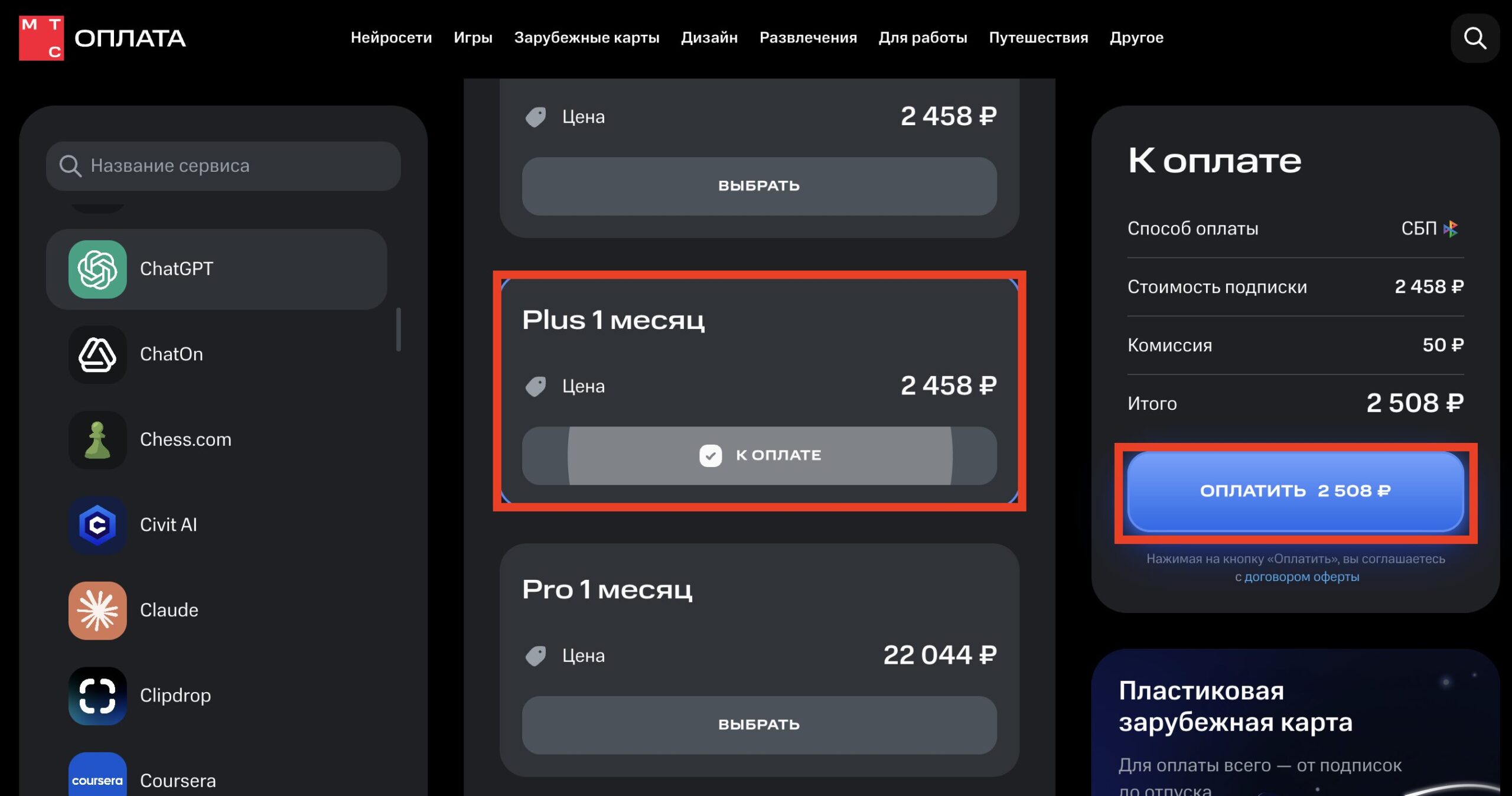
The full subscription price is visible on the right
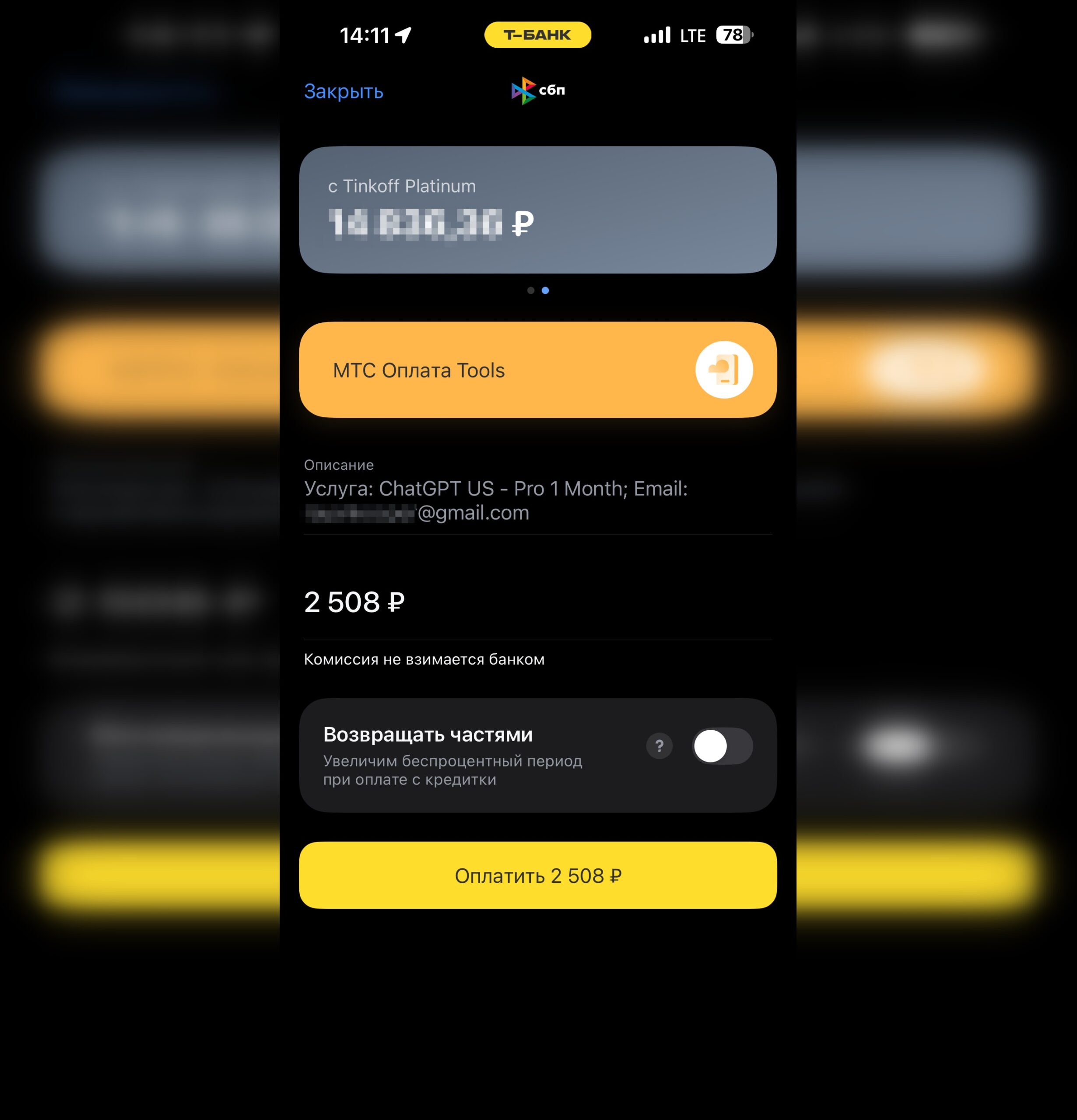
Pay for the subscription via SBP
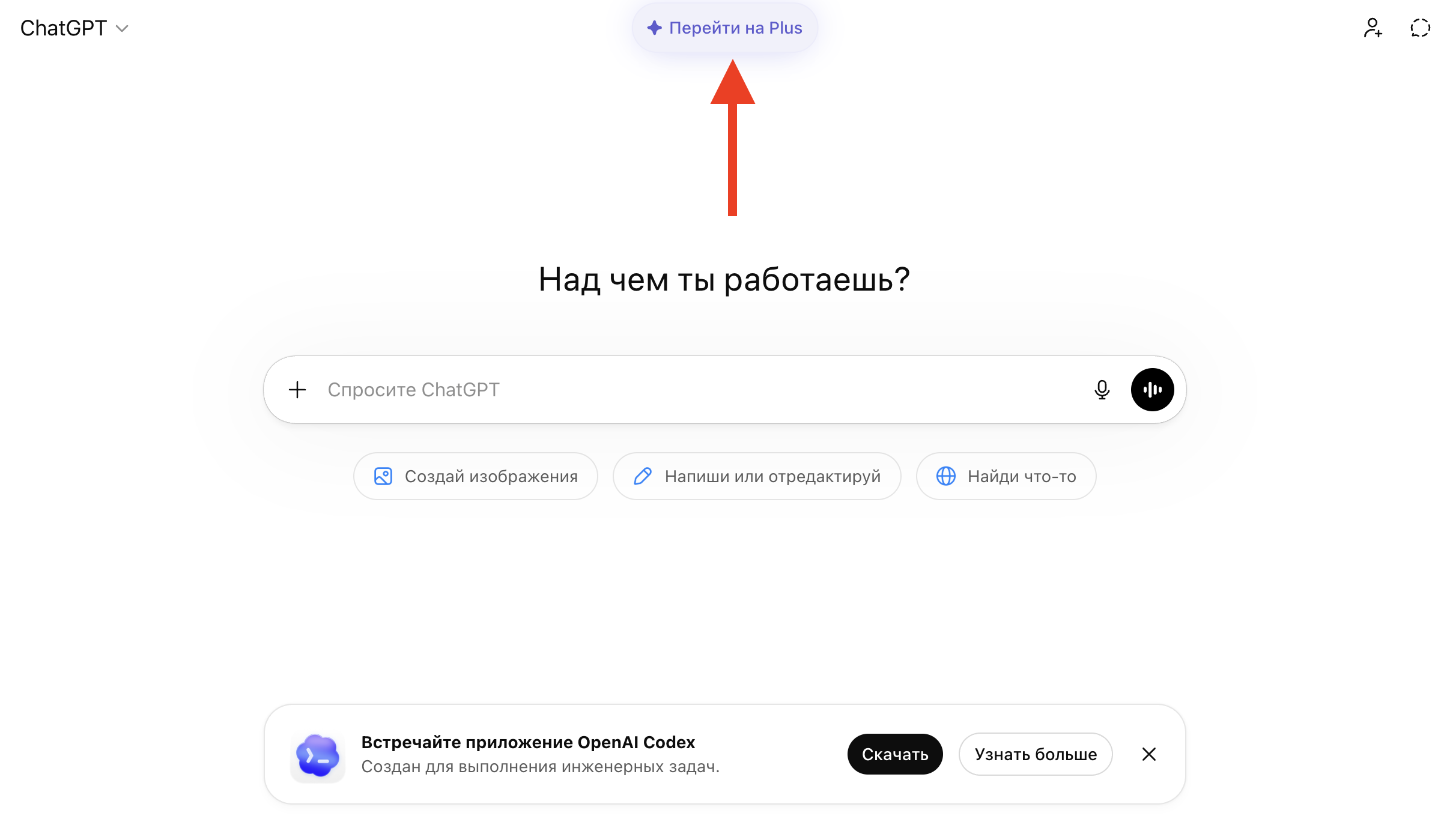
You can upgrade to Plus with one button
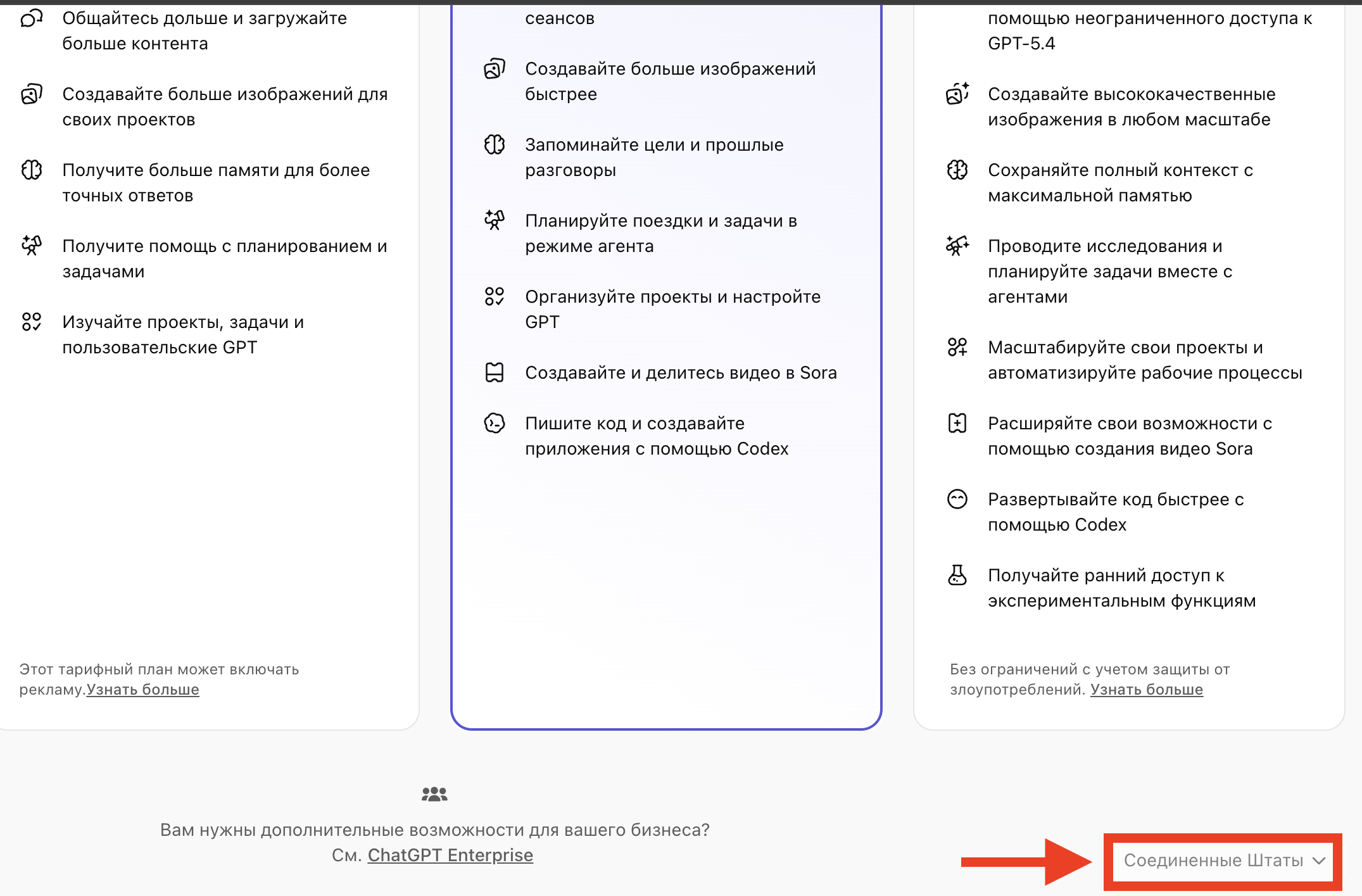
Make sure to check the region, otherwise the payment won’t go through
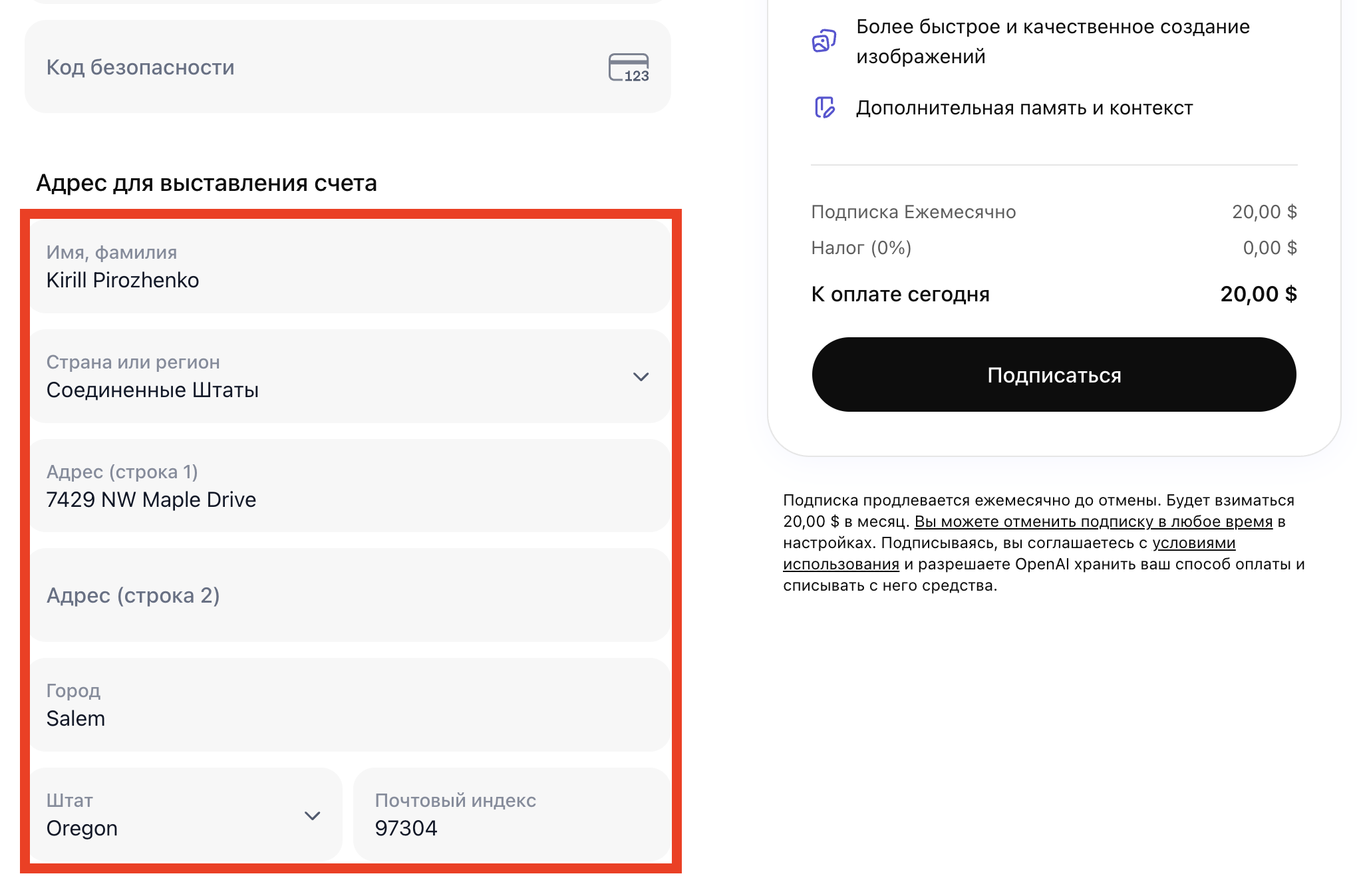
Fill in all the details and complete the payment
If something goes wrong at one of the steps, the issue is most often not with the subscription itself but with small details like a disabled VPN, an incorrectly selected region, or the wrong currency being displayed. So before trying again, it’s best to double-check that the US is selected as the country, the price is in dollars, and all entered data is correct. As a result, you get access to ChatGPT Plus, just as with a standard subscription setup.


