Just a year ago, a free neural network that works from Russia without a VPN was a rarity. Now there are nine of them — and among them are ones that write texts without limits, draw pictures in chat, and generate videos from a single phrase. No, if you want to figure out how to pay for ChatGPT or Midjourney from Russia — by all means. But this article only covers what you don’t have to pay for at all.
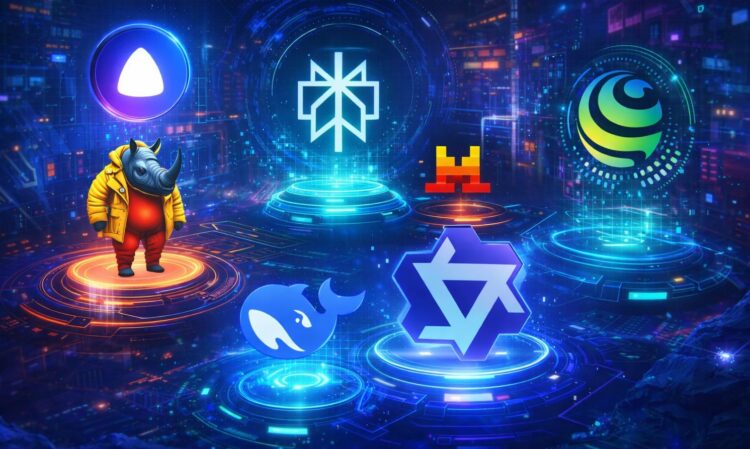
Overview of all neural networks working in Russia
An important clarification right away: each neural network in this list is tailored for specific tasks. That means one service won’t replace all nine: each has its own specialization and strengths. Let’s break down what each one is good for — with registration details, limits, and nuances that usually only become clear after the first query.
DeepSeek — A Free Neural Network With No Message Limits
In early 2025, DeepSeek shot to the top of Google Play — and the first question everyone asked was: does it work in Russia without a VPN? It does, and then some: no foreign card is needed, and — most importantly — the number of messages is unlimited. ChatGPT on the free plan cuts off access to its stronger model after a few requests. DeepSeek doesn’t do that.
How to Register on DeepSeek
Download the app from Google Play. All you need to register is an email or a Google account:
- Launch the DeepSeek app.
- Tap “Sign in with Google” or enter your email and password.
- If you chose email — confirm your address via a verification code sent to your inbox. If Google — select your account.
- Done. You’re in the chat.
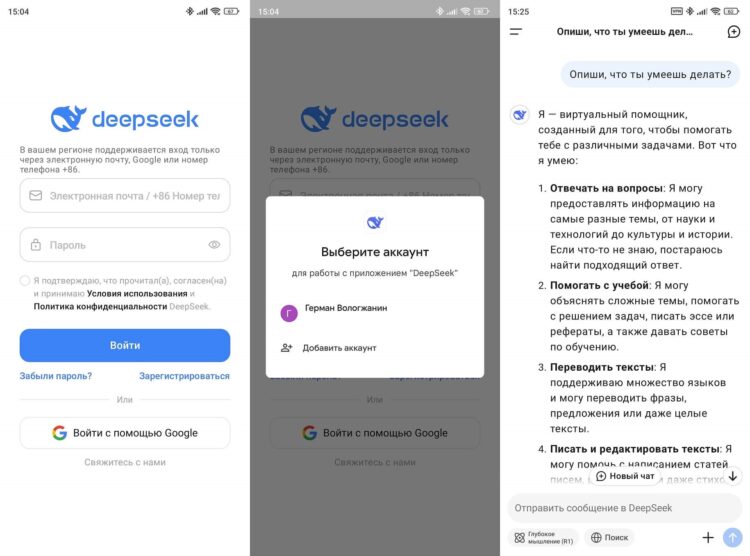
You can sign in with a Google account
DeepSeek has 3 operating modes. The standard one, which is suitable for most tasks: texts, translations, questions, document analysis. Deep thinking mode (reasoning), where the neural network explains step by step. It’s suitable for mathematical calculations, programming, and complex logical tasks. Just type your question in the chat or attach a file in PDF, Word, spreadsheet, or photo format via the paperclip icon, and it starts working. There’s also a search mode to find information online with sources.
What many chatbots offer only with a subscription, DeepSeek provides for free:
- No message limit. Neither daily nor hourly. Write as much as you want.
- Internet search. The search button switches the neural network to real-time mode: exchange rates, news, current prices.
- Web version. Don’t want to install the app? Open chat.deepseek.com in your browser: the account is shared, and history syncs.
Attach a contract PDF and write “highlight the key risks from clause 4.2”: DeepSeek will parse the content and respond specifically. For more details on how to use DeepSeek in Russia, we covered it in a separate article.
Le Chat — A Neural Network Without Registration, With Web Search and Memory
Most Western neural networks don’t open from Russia: for example, Grok has a geoblock by the company’s own decision. But Mistral took a different approach from competitors: the site works without a VPN and without changing DNS. Although the most unusual thing isn’t even that — Le Chat is the only service in this roundup that works without registration. You can use it just like that, without an account.
Just launch the LeChat app on Android or go to chat.mistral.ai and type your query: no registration or phone number required. Session history won’t be saved, but for a one-time task that’s not critical. If you want to save conversations — register with email or use a Google account. It takes less than a minute.
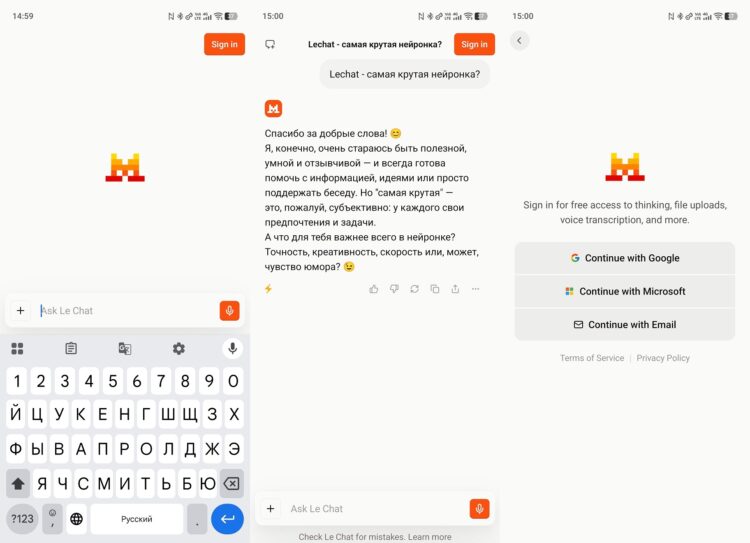
LeChat works without registration, but you can also sign in
After logging in, you’ll get access to additional features:
- Web search. Le Chat searches for current data on the internet right in the chat, with no limit on the number of queries.
- Reasoning mode. Works similarly to DeepSeek, fully illustrating its thought process.
- Image generation. Le Chat draws images from text descriptions right in the chat — in collaboration with the Black Forest Labs model. Available on the free tier.
- File upload. The neural network works with documents and other files, and also allows you to connect Google Drive, Stripe, and other services.
- Memory. Le Chat remembers your preferences between sessions and takes them into account in responses.
Le Chat’s free tier includes access to all core features, but with intensive use, daily limits on the number of messages appear. For most tasks, the allowance is still sufficient. However, the Pro version costs $15.99 per month or $154.99 per year and removes all limits.
Qwen — A Chinese Neural Network That Helps When DeepSeek Is Overloaded
DeepSeek has one downside: during peak hours, the servers get overloaded and throw a “Server Busy” error. At those moments, Qwen comes to the rescue. It’s also a Chinese development by Alibaba, which also works in Russia directly, just on different infrastructure. The site chat.qwen.ai opens without a VPN, and the Qwen Chat app is available on Google Play and RuStore.
Qwen works without registration, just like LeChat. But by signing into an account, you’ll be able to save chats, sync data across devices, and get access to all the neural network’s capabilities.
How to Register on Qwen
Registration is standard — via email, takes a couple of minutes:
- Open chat.qwen.ai or download the Qwen Chat app from Google Play.
- Tap “Sign in”, enter your email and create a password, or use a Google account.
- Confirm your address via a verification code email.
- Done. You’re in the chat.
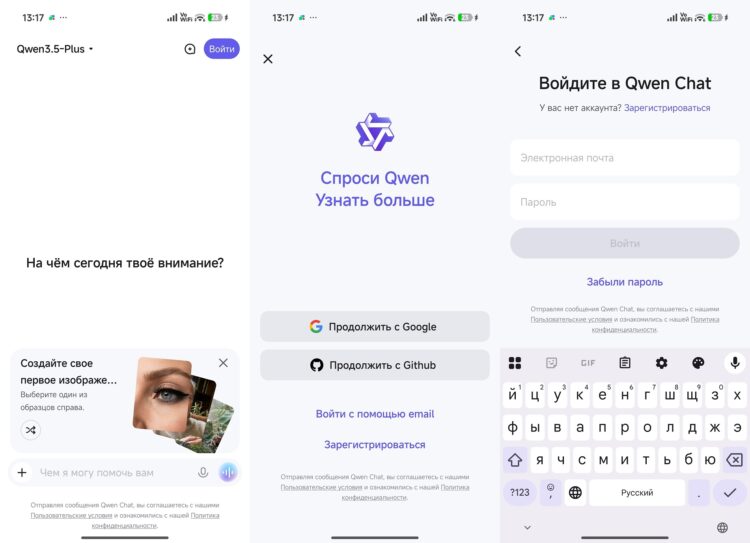
Signing in with Google is much faster
In early 2026, Alibaba released an updated version of Qwen with native multimodal support: the neural network understands text, images, and video within a single conversation. And overall, Qwen handles the Russian language confidently and responds without noticeable delays.
What sets it apart from the rest:
- Model selection. The interface offers several versions: fast ones and more powerful ones. For everyday tasks, the basic one will do.
- Image generation. Qwen can create images from text descriptions in a separate mode.
- Multimodal input. Upload a photo or video directly into the chat — the neural network will analyze the content and answer questions.
- Synchronization. The account is shared: history is saved both in the browser and in the app.
GigaChat — Sber’s Neural Network With Images Right in the Chat
All neural networks in this roundup store conversations on foreign servers. GigaChat is the only exception: the service runs entirely on Russian infrastructure. If that matters — for corporate tasks or