Finding a person is a task many people face. Now let’s look at how this can be done using a photo. You found a photo of a stranger in a chat, want to check if scammers are using your photo, or simply trying to find an old acquaintance — in all these cases, image search services can help. In this article, we’ll cover three working methods to find a person by photo on the internet, explain how to use each of them from a computer and phone, and tell you when one tool works better than another.

How to find a person by photo: three working methods. Image: iphones.ru
How Photo Search Works on the Internet
Before moving on to specific tools, it’s worth understanding the general principle. Online photo search is built on reverse image search technology. You upload a photo, and the algorithm compares it with billions of images indexed on the web. If a match is found, you get a link to the page where a similar image is posted.
There are two fundamentally different approaches:
- Image match search. The service looks for the exact same or very similar image. This is how Google Images and Yandex Images work. If a person posted the same photo on social media or a website, the search engine will find it.
- Face search (facial recognition). The service analyzes facial features in the photo and searches for other photos of the same person, even if the shots were taken at different times and under different conditions. This is the principle behind Search4Faces.
Both approaches complement each other: regular search engines cover the entire internet, while facial recognition services work more effectively with specific social networks. Therefore, for maximum results, it’s worth using multiple tools.
Photo Search on Yandex
Yandex Images is one of the best tools for photo searching on Russian-language websites. The service is free and doesn’t require registration. Yandex indexes Russian social networks and forums well, so if a person is active on the Russian internet, the chances of finding them here are higher than on Google.
How to perform a photo search on Yandex from a computer:
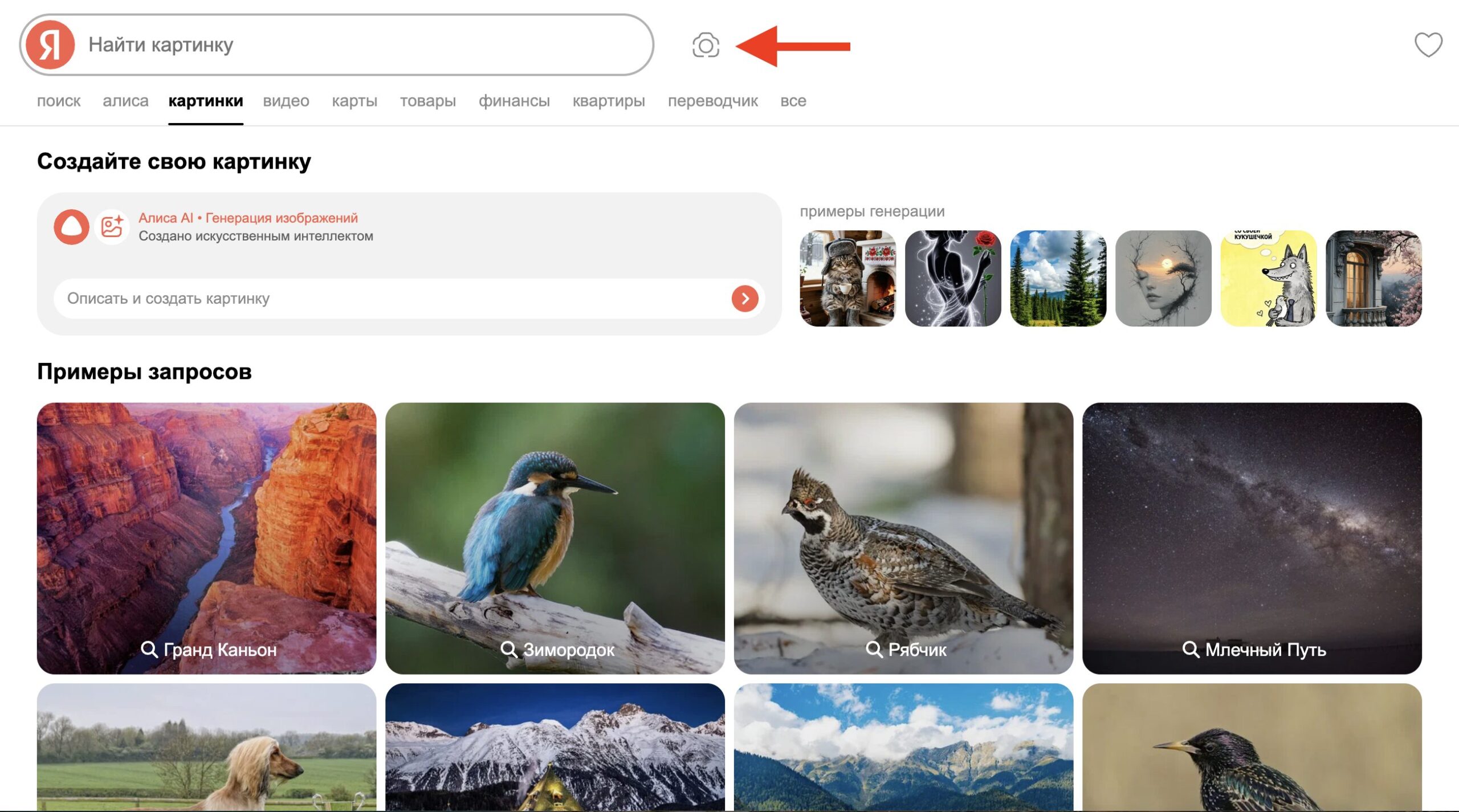
The search button is right here
- Open the Yandex Images website.
- Click on the camera icon in the search bar.
- Select the “Choose file” tab and upload the desired photo from your computer. Alternatively, you can paste a link to an image from the internet.
- Wait for the results. Yandex will show similar images as well as pages where the uploaded photo appears.
Photo search on Yandex from a phone:
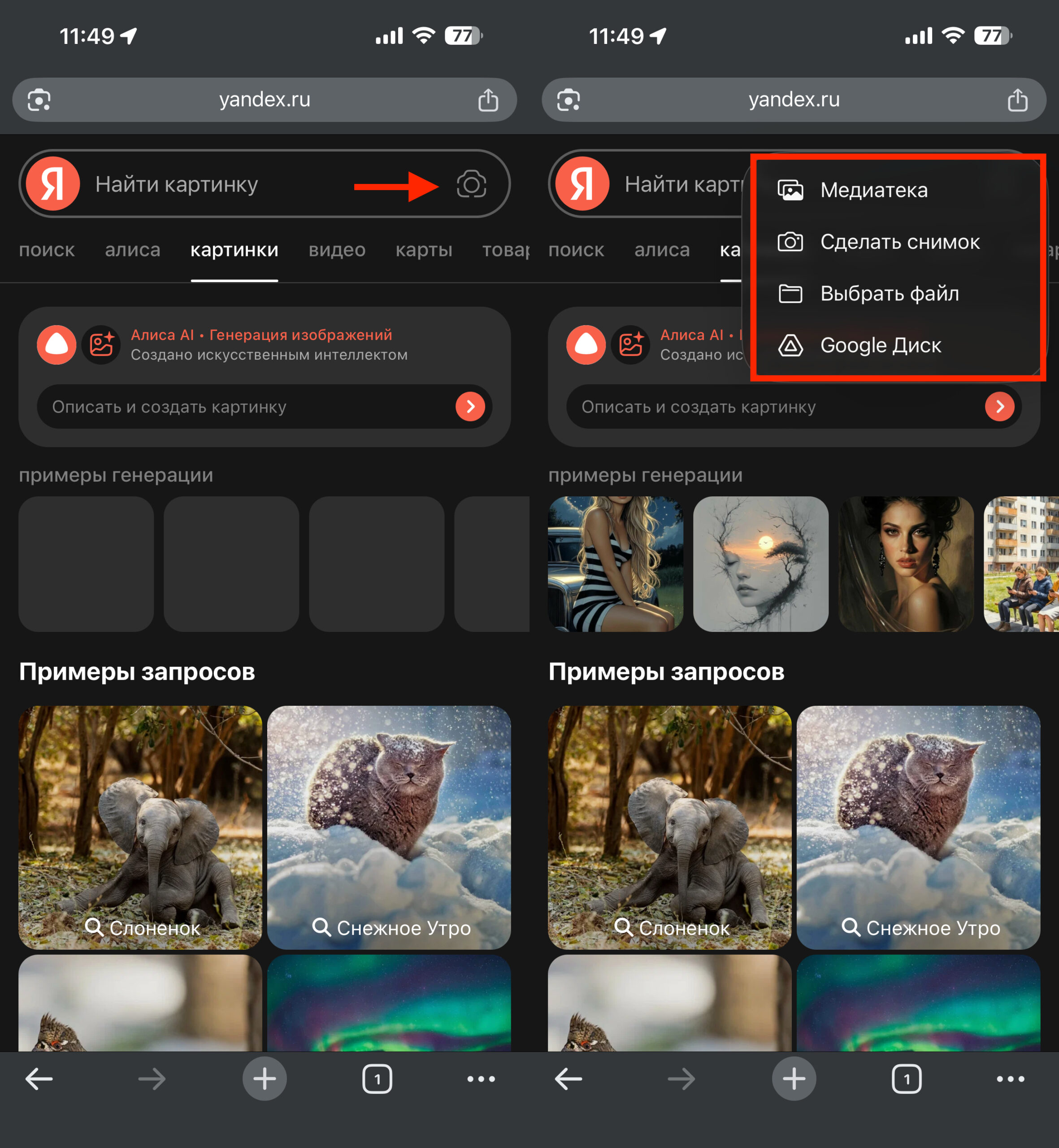
On a smartphone, everything looks roughly the same
- Open the Yandex app or browser and go to yandex.ru/images.
- Tap the camera icon in the search bar.
- Take a photo or select an existing one from your gallery.
- Review the results — Yandex will show visually similar images and links to source websites.
Yandex can also recognize objects and text in photos, but for finding a person, the most important sections are “Similar images” and “Sites where the image appears.” That’s where you can find a link to a social media profile.
Photo Search on Google
Google Images is the world’s largest reverse image search service. It indexes significantly more foreign websites than Yandex, making it especially useful if the person you’re looking for is active on international social networks: Instagram (owned by Meta, recognized as extremist and banned in Russia), Facebook (owned by Meta, recognized as extremist and banned in Russia), LinkedIn, X (Twitter), and others.
How to search for a person by photo through Google:
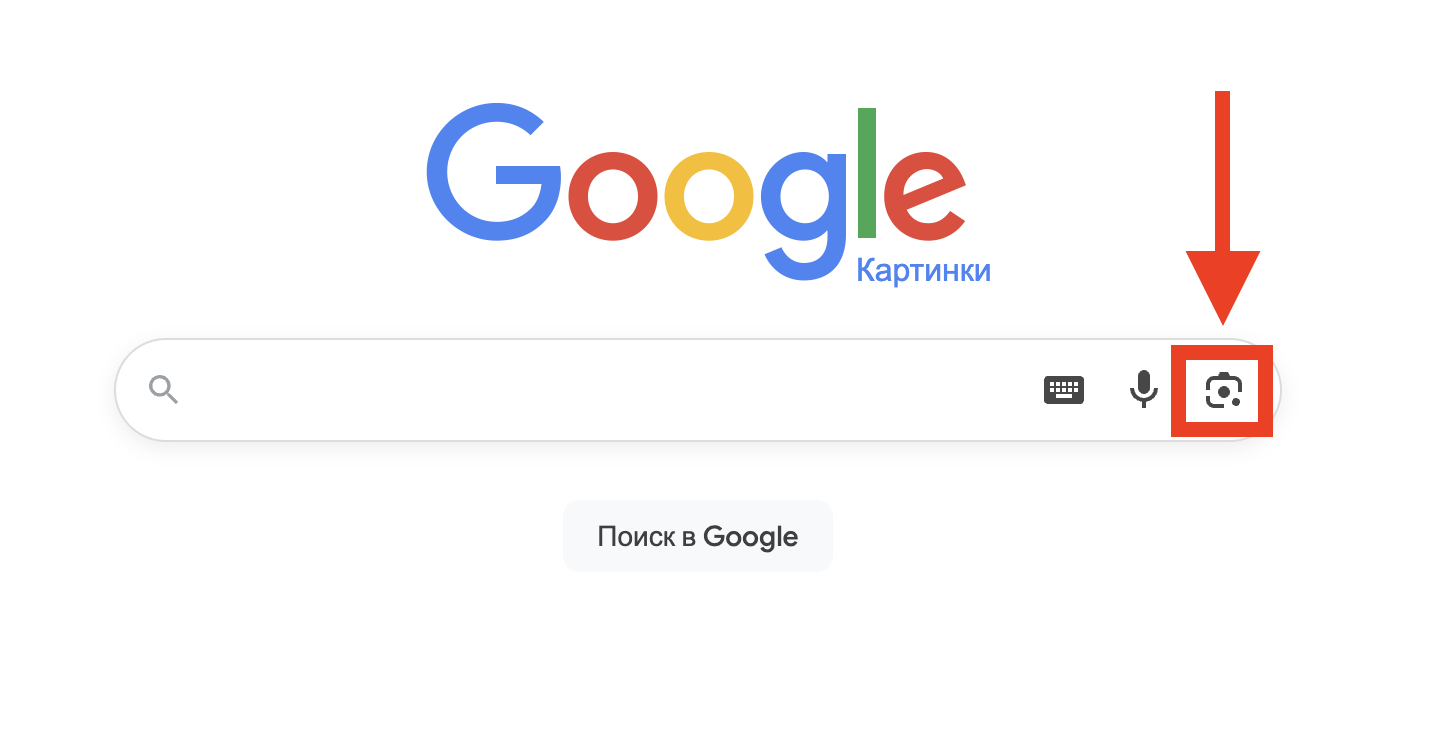
Image search in Google can be found here
- Open Google Images.
- Click on the camera icon in the search bar.
- Upload a file from your device or paste the image URL. You can also simply drag and drop the image into the search area.
- Google will show visually similar images and links to pages where this photo appears.
On a phone, the process is similar: open images.google.com in a browser, tap the camera, and upload the photo. In Chrome mobile browser, you can also press and hold any image on a web page, then select “Search with Google Lens” — this will launch a visual search.
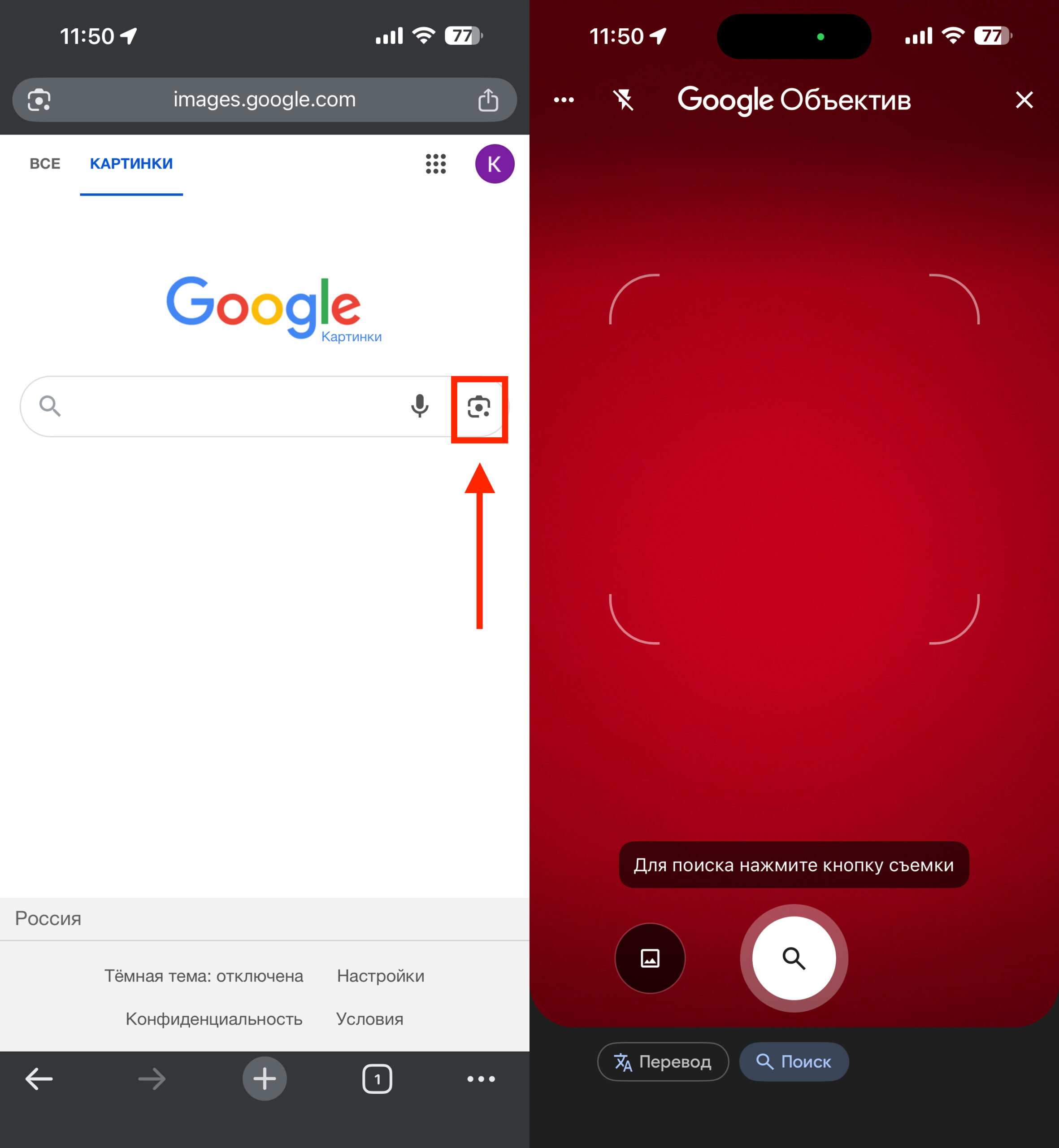
On a smartphone, everything looks roughly the same
Google Lens is an advanced visual search tool built into the search engine. It doesn’t just look for matches but also tries to recognize what exactly is shown in the photo. For searching for people, Lens can suggest a name if the person is a public figure, but for ordinary people, the results will be roughly the same as with classic image search.
When Google works better than Yandex:
- The person is active on international platforms.
- The photo was published on English-language websites, forums, or blogs.
- You need to check if an image was stolen for a fake profile (Google covers more international databases).
When Yandex works better than Google:
- The person is active on Russian social networks (VKontakte, Odnoklassniki).
- The photo was published on Russian-language websites and forums.
- You need to search the Russian internet in general — Yandex indexes the Russian segment of the internet more deeply.
The best strategy is to check the photo in both search engines. Results often differ, and a match in Yandex may not appear in Google, and vice versa.
Google Images searches for matches across the entire internet, including international social networks
Finding a Person by Photo Through Search4Faces
Search4Faces is a specialized service that is fundamentally different from Google and Yandex. It doesn’t search for image matches as such but uses facial recognition technology. This means Search4Faces can find a person even if they look different in various photos: changed their hairstyle, aged a few years, or were photographed from a different angle.
The service works with databases from four social networks:
- VKontakte — the largest database, with a match rate of about 68–69%.
- Odnoklassniki.
- TikTok.
- Clubhouse.
How to find a person by photo through Search4Faces:


