Android is an open operating system that allows you to download apps from virtually any source. You simply download an APK to your phone, then open the file to complete the installation, and you’re good to go. The game or app is installed, but after launching it, a message may appear saying “Download the app from Google Play”, which prevents you from using the software. Where does it come from, and how do you get rid of it?
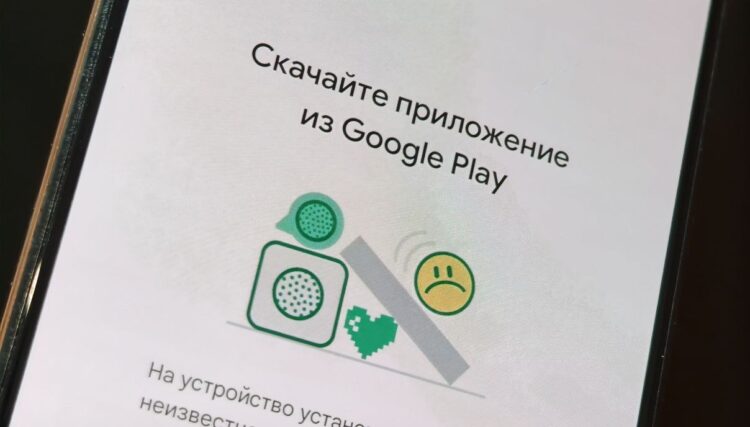
This error appears when launching apps on Android
Why an App Won’t Open on Android
The “Download the app from Google Play” error is the result of a protection mechanism used by developers of games and apps for Android. Every app officially uploaded to Google’s store has a digital signature, and if it doesn’t match, the software launch is blocked.
The app won’t launch on Android, and a message appears on the screen urging you to download the game or app exclusively from Google Play. This is how developers protect their intellectual property, preventing users from using cracked versions of their software.
How to Bypass “Download the App from Google Play”
Theoretically, it is possible to disable “Download the app from Google Play”, but to do so you would need to remove Google services from your phone. This would disrupt the stability of the device, and in the context of launching just one app, it would be an extremely irrational solution. So if possible, follow the recommendation of the protection tool and download the app through Google Play:
- Tap the “Search in Google Play” button.
- Confirm the deletion of the pirated version of the app.
- Install the legitimate version by tapping the corresponding button.
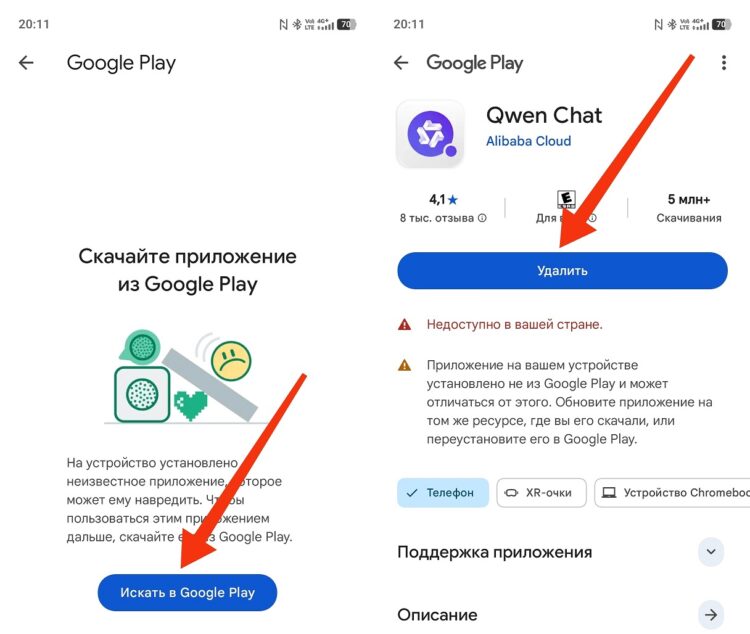
You need to delete the app and download it again through Google Play
Unfortunately, this is the only way to remove the “Download the app from Google Play” message. All other options, including clearing Google Play data, don’t help, as the AndroidInsider.ru editorial team has confirmed.
What to Do If “App Is Not Available in Your Country”
When trying to download software from Google Play, you may encounter another problem where a message appears on the screen saying “App is not available in your country”. This means that the developer has prohibited the use of their product in your region.
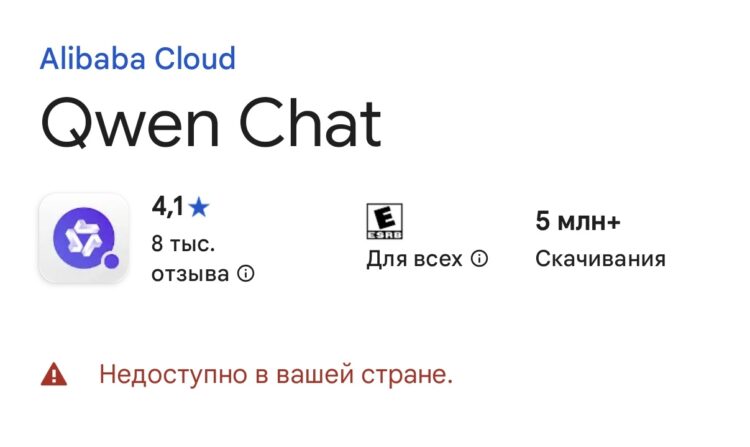
The app may be unavailable in your country
Usually, you can download unavailable apps through a foreign Google account, which you will need to create on your phone. We covered how to do this in detail in a separate article.