MacBook Neo — Apple’s most affordable laptop at $599 (approximately 65,000 ₽ in Russia) — comes with just 8 GB of RAM. Increasing this amount is impossible: neither on your own nor at the time of ordering. This isn’t a marketing restriction or Apple greed — it’s a consequence of the processor architecture. Here’s how it works and what it means in practice.
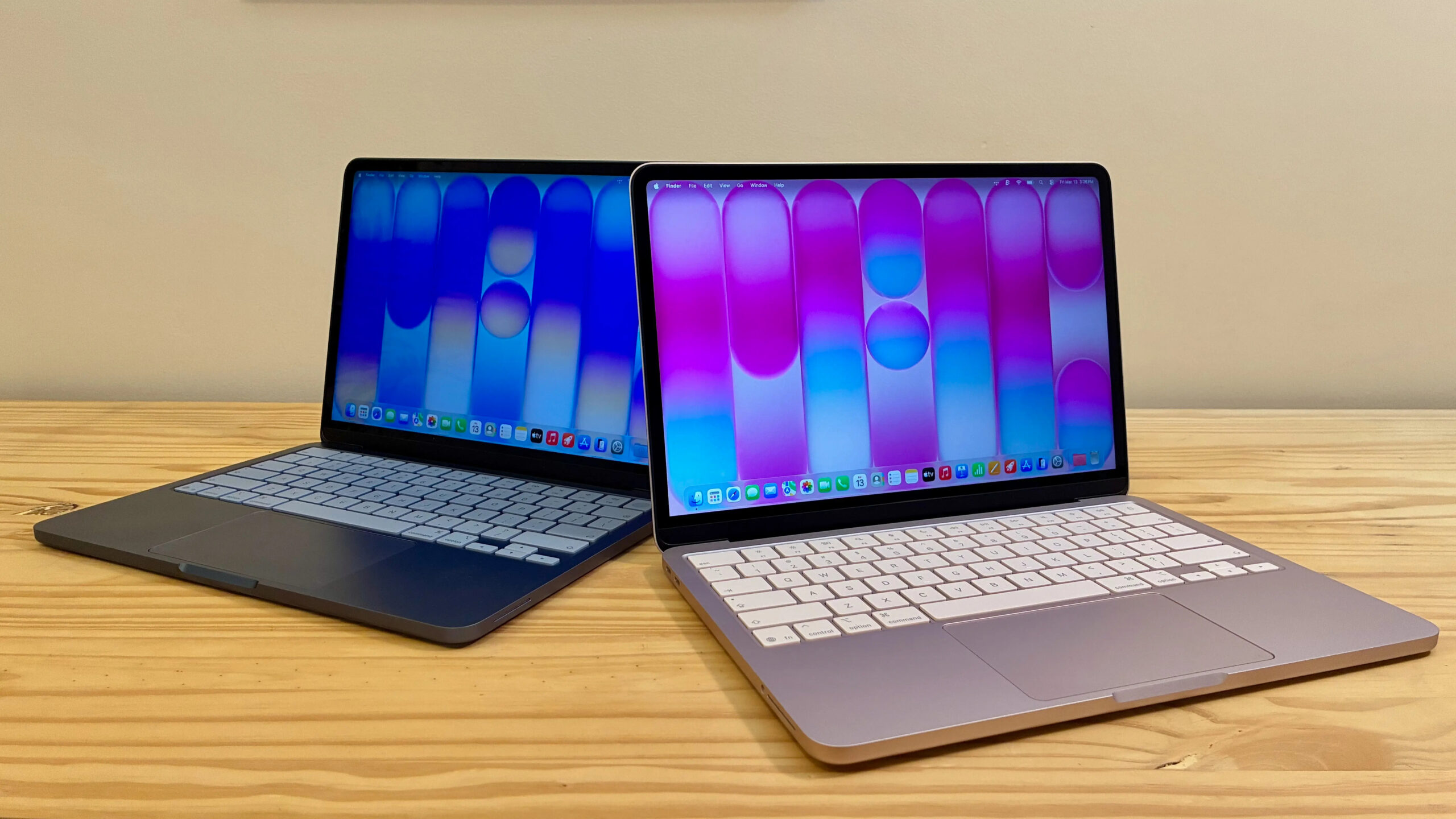
If only you could add more RAM to the Neo, it would be the ultimate computer for every occasion. Image: cultofmac.com
Why You Can’t Add RAM to MacBook Neo
In regular laptops, RAM consists of separate modules that can be removed and replaced. In MacBook Neo, everything is different: the memory is physically built into the processor chip. It’s located right inside the processor package, not next to it on the motherboard.
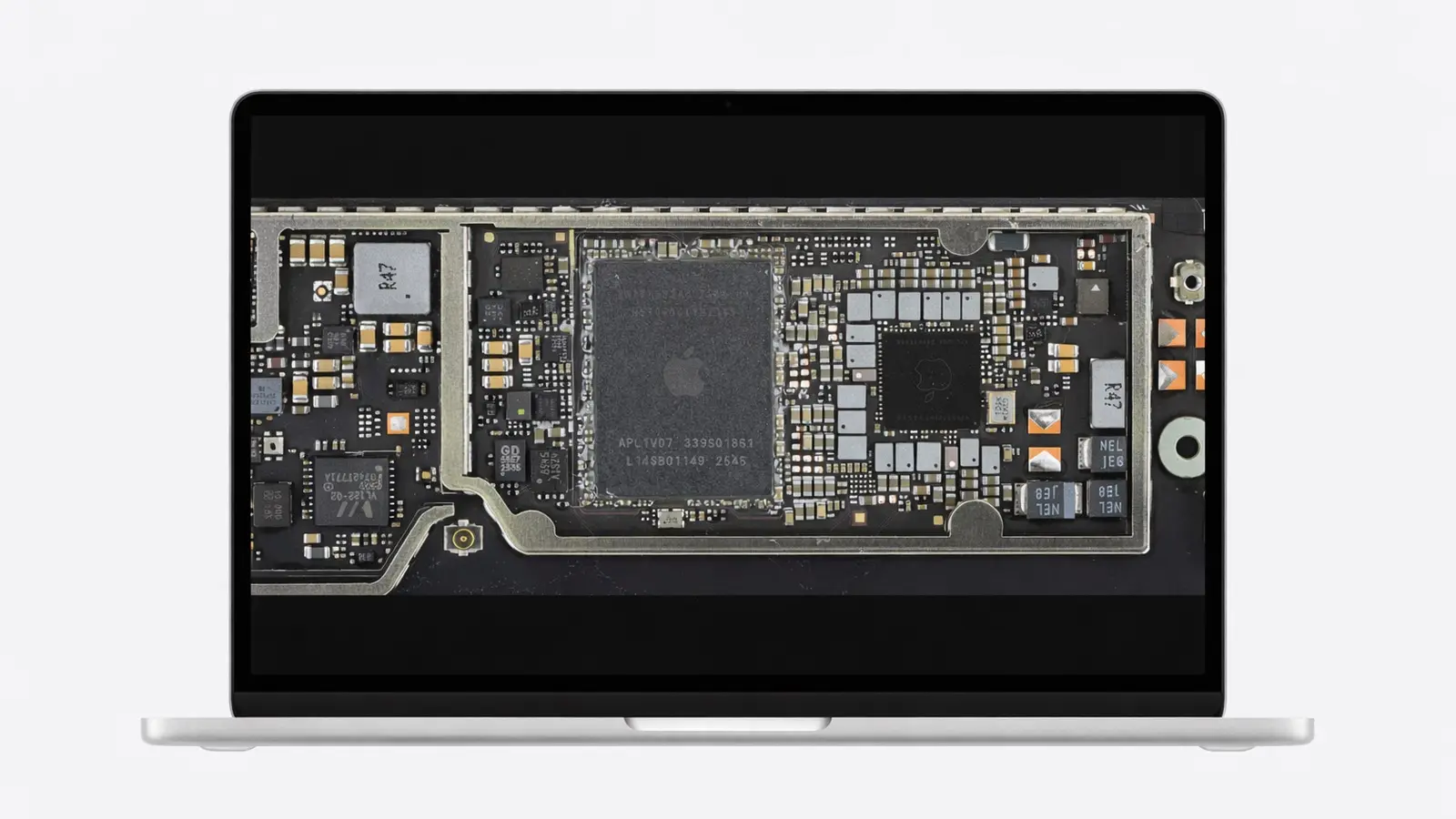
Is there any way to increase RAM in MacBook Neo? Image: cultofmac.com
This design provides a noticeable advantage in speed and energy efficiency — the processor and memory exchange data much faster than if they were separated. That’s why the MacBook Neo, according to reviews, runs smoothly even with 8 GB. But the downside is that the memory configuration is fixed at the factory once and for all.
There is simply no separate RAM slot here. And attempting to disassemble the chip and resolder memory modules is a surefire way to destroy the laptop: the memory chips are literally “stacked” on top of the processor and are extremely sensitive to heat and installation precision.
A18 Pro Processor RAM Limitations
Some might ask: why doesn’t Apple at least offer a 16 GB version as an option at purchase? The answer lies in the processor itself. MacBook Neo is built on the A18 Pro chip, which was originally designed for the iPhone 16 Pro. This allowed Apple to make the laptop cheap, but brought a hard limitation on memory.
In M-series processors (found in MacBook Air and MacBook Pro), memory is placed next to the processor core on a shared substrate. In the A-series for iPhone, a technology called Package on Package is used — memory modules are physically located directly above the processor, one layer on top of another. Everything is assembled as a single non-disassemblable unit at the TSMC factory.
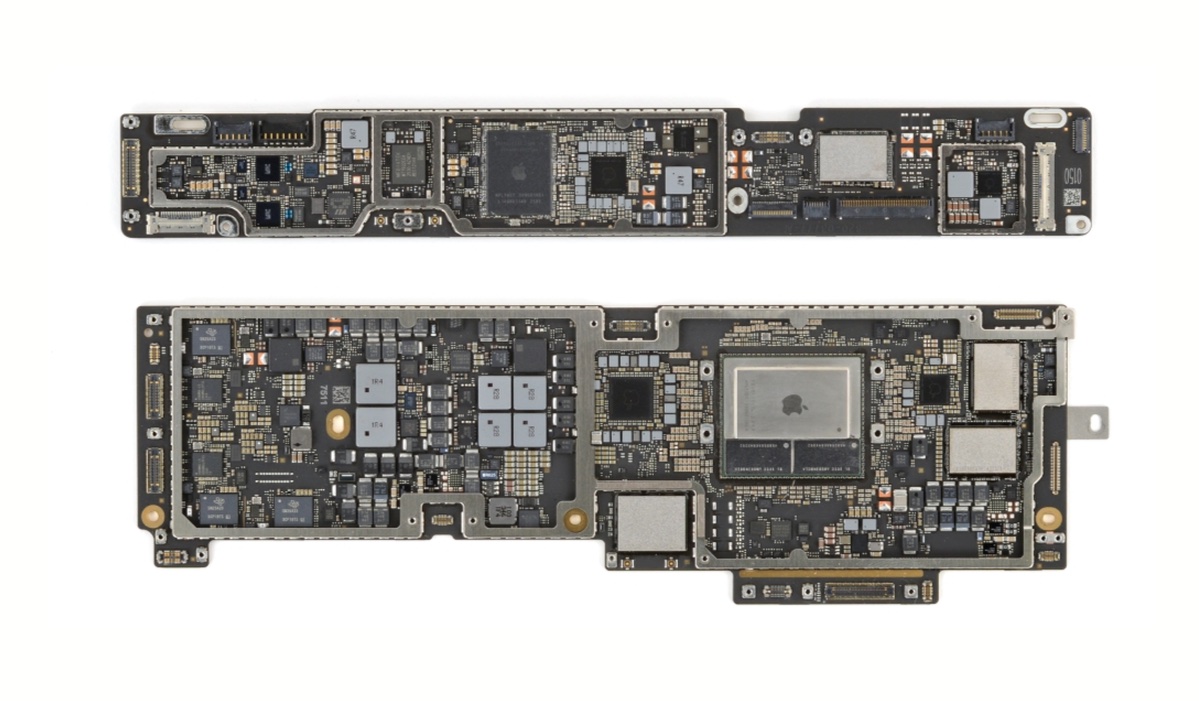
Compare the Neo motherboard (top) and Air (bottom). There’s simply nowhere to put additional RAM. Image: cultofmac.com
Every A18 Pro is manufactured with exactly 8 GB of LPDDR5X memory — and this isn’t an arbitrary decision. The chip was designed for the iPhone, where space inside the case is extremely limited, and physically fitting twice as many memory modules is impossible.
MacBook Neo with 8 GB RAM — What It Can Handle
It might seem like 8 GB is a death sentence, especially in 2026. But context matters here: thanks to the tight integration of memory and the Apple Silicon processor, these 8 GB work noticeably more efficiently than 8 GB in a typical Windows laptop. The processor, GPU, and memory share a common pool of resources and exchange data without delays.
According to Cult of Mac, MacBook Neo “completely destroys the argument that you need a MacBook Air or MacBook Pro for serious work.” For basic tasks — browser, documents, video calls, light photo editing — this amount is sufficient. But if you plan to work with heavy video editing, large Xcode projects, or keep dozens of Chrome tabs open, you should look at models with 16 GB and above.
MacBook Neo vs MacBook Air — Memory and Task Comparison
MacBook Neo is a laptop for those who need a reliable and affordable Mac for everyday tasks:
- studying, working with texts, spreadsheets, and presentations
- watching videos and browsing the internet
- video calls via FaceTime and Zoom
- light photo editing
If you need future-proofing — more memory, a more powerful M-series processor, and the ability to choose your configuration at purchase — it makes sense to pay more for the MacBook Air. There, options with 16 and even 24 GB of RAM are available.

MacBook Neo is designed for everyday tasks: studying, working with documents, and browsing
It’s important to understand: the memory limitation in MacBook Neo is not an exception but a general principle of Apple Silicon. No modern Mac allows you to add RAM after purchase. This is precisely why Apple even discontinued the Mac Pro — a professional desktop that was supposed to be modular but lost its memory upgrade capability due to the transition to proprietary chips.
If you’re considering a MacBook Neo, make your decision based on the fact that 8 GB is the ceiling for the entire lifespan of the laptop. For basic scenarios, this is sufficient. For everything else, you should look at higher-end models right away and choose a configuration with headroom.