Cloudflare — one of the largest internet providers — flagged domains belonging to the Telega app as spyware. After that, the project’s security certificate was revoked, and the app disappeared from the App Store. For iPhone users who installed Telega instead of the blocked Telegram, this is an alarming signal — and a reason to think about security.
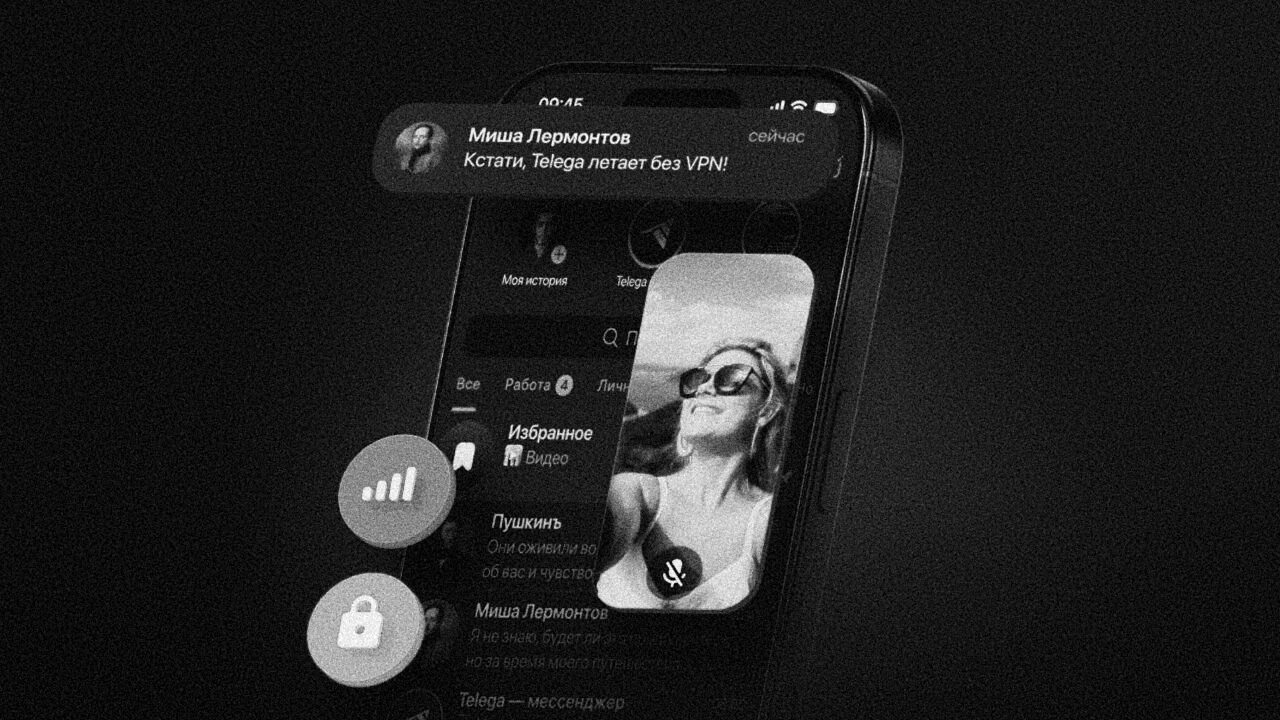
What happened with Telegram clients: why Cloudflare is blocking them and what it means for users
What Happened with Telega and What Does Cloudflare Have to Do with It
Apple removed an alternative Telegram client called Telega from the App Store — a project that allowed users to access Telegram without a VPN in Russia. The app disappeared from the store on April 9, 2026, and the reasons for its removal have not been formally announced.
According to the publication “Code of Durov,” the chain of events began with Cloudflare — a service through which a significant portion of websites on the internet operates. Cloudflare flagged two project domains — telega.me and api.telega.info — as spyware. It was found that Telega “secretly replaces Telegram’s servers with its own.”
Subsequently, the international certificate authority GlobalSign revoked the TLS certificate — a digital document that verifies a website’s authenticity and allows establishing a secure connection. Without it, the app could not pass App Store verification.
Meanwhile, Telega is still available for download on Google Play and RuStore, but iPhone owners can no longer install it — downloading the app through the client’s official website on an iPhone is also impossible.
Why Telega Was Deemed Dangerous
The removal from the App Store was not sudden. It was preceded by a serious scandal. In March 2026, researchers claimed that Telega’s creators had activated a so-called MITM attack — they replaced Telegram’s server addresses with their own and embedded their own encryption key into the client.
As it turned out, Telega is a very unsafe app
In simple terms: all traffic between the user and Telegram was routed through Telega’s servers, even though users believed they were communicating directly. This means the app’s developers could potentially:
- Read all messages, view history, replace content, and perform actions on behalf of the user’s account
- Block secret chats — the user wouldn’t even know someone was messaging them in protected mode
- Hide channels and chats based on their own lists, disguising the blocking as a Telegram decision
Independent analysis also showed that three out of eight popular alternative Telegram clients — Telega, Graph Messenger, and iMe — send data to servers in Russia. Traces of VK Group were found in two apps: Telega and iMe, and researchers called Telega “the most problematic” one.
Marking Unofficial Telegram Clients in Profiles
In parallel with Telega’s removal from the App Store, Telegram itself took action. The messenger began marking accounts that use unofficial clients — the update was rolled out in late March.
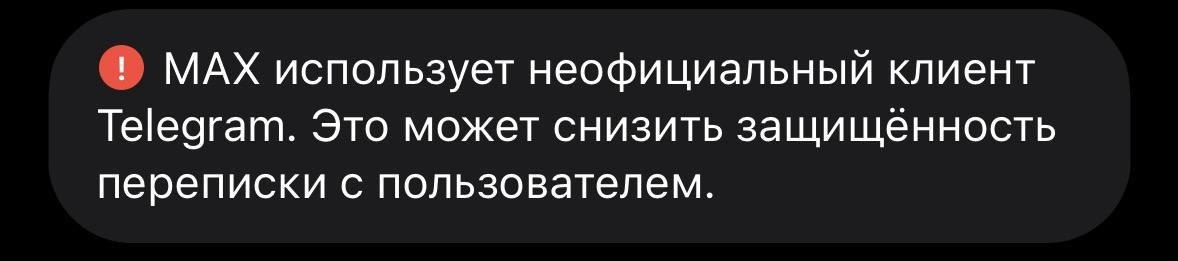
Telegram now warns about unofficial clients
Badges with a warning now appear in the profiles of such users: “Uses an unofficial Telegram client. This may reduce the security of your conversations with this user.”
For iPhone owners, this means one thing: if your contact is using a third-party client, you will see a notification about it. According to experts, messaging in such cases remains encrypted, but voice and video calls “due to implementation specifics may be unprotected — theoretically they can be intercepted and eavesdropped on.”
What to Do If You Installed Telega on Your iPhone
If you previously installed Telega on your iPhone, the app may still be on your device. Researchers recommend deleting the app and terminating the session in your Telegram account settings.
To close all extra sessions:
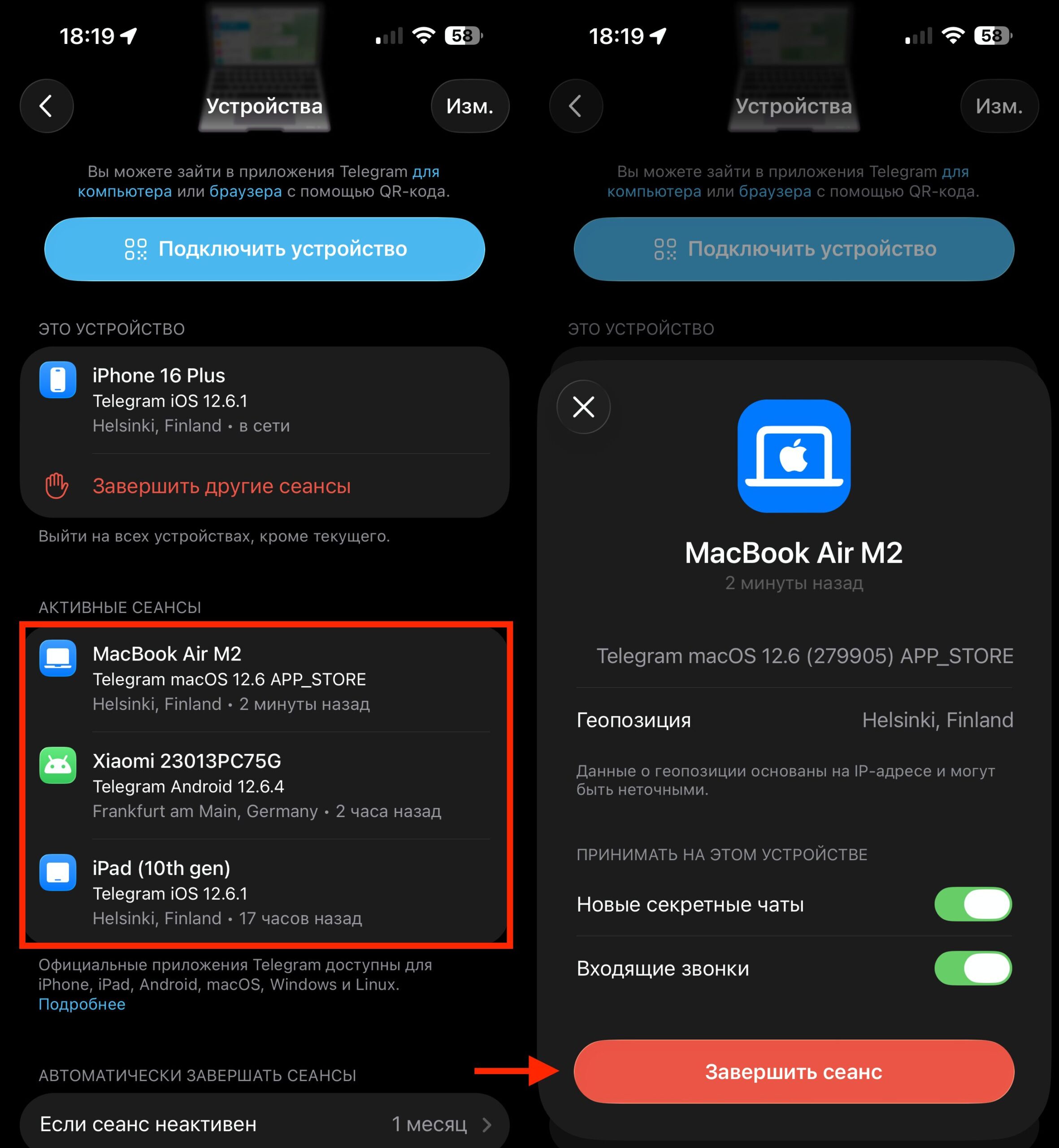
Disconnect Telega in settings and never log into it again
- Open the official Telegram client
- Go to “Settings” — “Devices”
- Find the Telega session and terminate it
- Delete the Telega app from your iPhone
Telega’s developers have not commented on the situation so far, although in March an investigation was published online with claims about hidden functionality that allegedly allowed data interception.
How to Use Telegram in Russia
Telega was gaining popularity amid problems accessing Telegram in Russia — the creators promised stable connectivity without a VPN. In February 2026, the app temporarily rose to the top of the most downloaded free social networking apps in the Russian App Store.
Now that door is closed, at least for iPhone. Telegram has begun implementing an informational label next to the names of accounts using any unofficial clients — not just Telega. This means the problem extends beyond a single app.
If you use an iPhone and are looking for a way to use Telegram in Russia, third-party clients are not the best choice from a security standpoint. They require sharing your data with unknown developers, can substitute servers, and disable built-in security features. It is safer to use a VPN or Telegram’s built-in proxies — they work with data already encrypted with the messenger’s genuine key and do not give third parties access to your traffic.