Apple has released the first Release Candidate version of iOS 26.4 — the final pre-release build, which usually matches what all users will receive. Although Cupertino typically doesn’t reveal exact release dates for system updates in advance, we already know when iOS 26.4 will come out. The update doesn’t overhaul the system but adds several notable features to Apple Music, Podcasts, security, and everyday conveniences.
iOS 26.4 RC is out: here’s what to expect in the next iPhone update
New Apple Music Features in iOS 26.4
The main new feature in iOS 26.4 is Playlist Playground. This is an AI tool powered by Apple Intelligence that generates playlists based on text prompts. You describe a mood, genre, or situation — for example, “music for morning coffee” or “70s disco hits” — and the system assembles a playlist of 25 tracks with an automatic name and cover art. The result can be refined with additional prompts, reordered, and tracks can be added or removed manually.
A similar feature has long been available on Spotify and recently appeared in YouTube Music. Apple has caught up, although Playlist Playground is still in beta status for now. In addition, Apple Music has updated the design of albums and playlists — the background now adapts to the cover art, and the user profile has been redesigned. You can also add a song to multiple playlists at once, and artist pages now show information about upcoming concerts nearby.
Stolen Device Protection on iPhone
With the release of iOS 26.4, the Stolen Device Protection feature will be enabled automatically for everyone. Previously, it had to be manually activated in Face ID and Passcode settings, and most users simply didn’t know about it.
As a reminder, here’s how it works: if the iPhone is away from familiar locations (home, work), accessing saved passwords, bank cards, disabling Find My iPhone, and changing the Apple ID password will require biometric authentication via Face ID or Touch ID — the passcode alone won’t be enough. For particularly critical actions (such as changing the Apple ID password), a one-hour delay is added between two biometric checks.
What’s new in Apple Music with iOS 26.4
This is an important change for security. The theft scheme where an attacker watches someone enter their passcode, then steals the iPhone and gains access to banking apps and passwords, is a real and widespread problem. Now protection against this is enabled for everyone, not just those who follow Apple news. The feature can be disabled in settings, but Apple recommends against doing so.
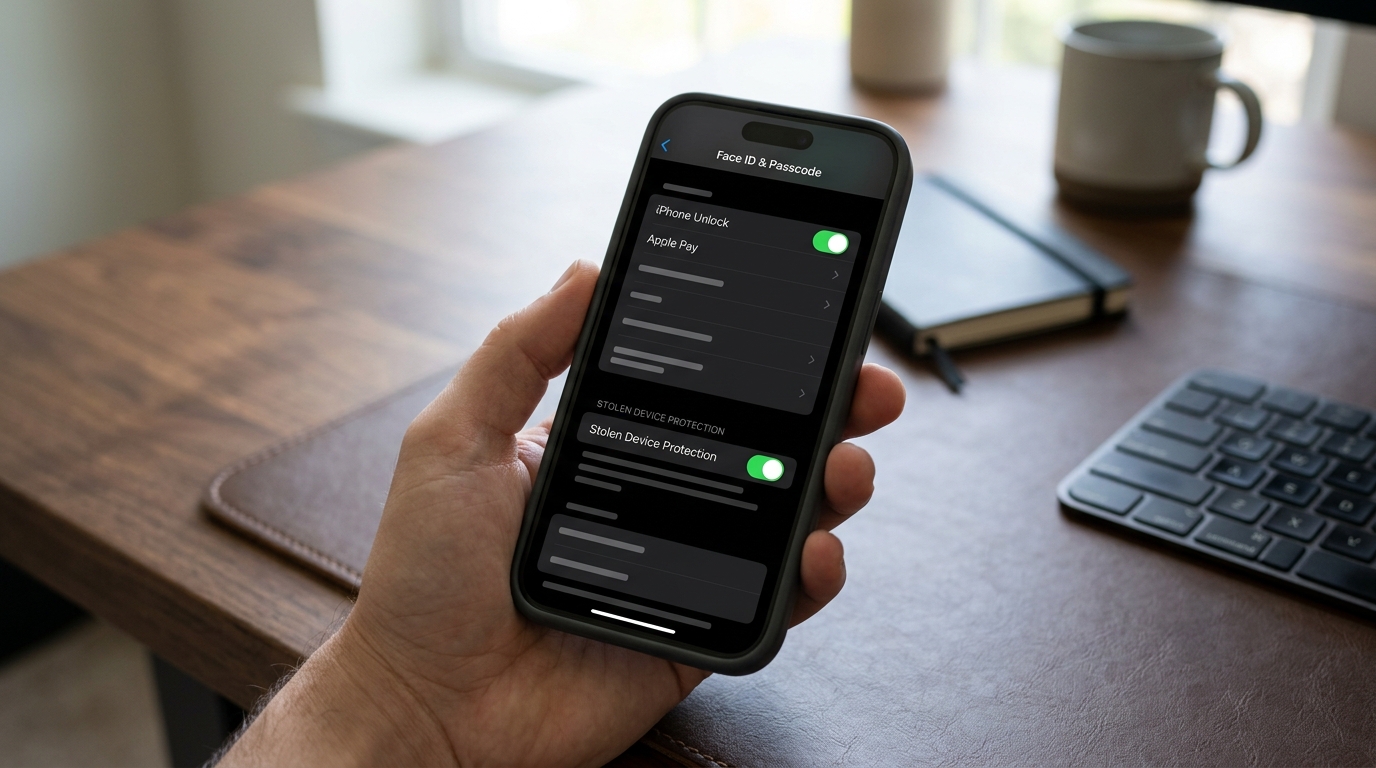
Stolen Device Protection settings in iOS 26.4
What New Emoji Will Appear in iOS 26.4
The update will include 8 new emoji from the Unicode 17.0 standard: Distorted Face, Bigfoot/Sasquatch, Fight Cloud, orca, trombone, treasure chest, landslide, and ballet dancers. Additionally, skin tone variants have been added for the “people wrestling” and “people with bunny ears” emoji, as well as a gender-neutral ballet dancer variant.
In total — 163 new emoji designs, counting all skin tone variations. This is the standard annual batch: Apple traditionally adds fresh emoji in spring x.4 updates. Unlike Genmoji (which are created through AI and only visible on Apple devices), the new emoji are cross-platform, meaning they will display correctly on Android and Windows as well.
Video Podcasts, CarPlay, and Data Usage Statistics in iOS
The Podcasts app has gained support for video episodes based on HTTP Live Streaming (HLS). You can switch between audio and video, download video episodes for offline viewing, and video quality automatically adjusts to connection speed.
CarPlay continues to see work on video playback — this capability was announced at WWDC 2025. Video will only be watchable while parked and only if the car manufacturer supports this feature. Also, CarPlay will for the first time gain access to third-party AI assistants — ChatGPT, Gemini, Claude.
What new emoji will appear in iOS 26.4
Another small but useful change: data usage statistics for Personal Hotspot have moved to a more prominent location — right in the Personal Hotspot settings. Now you can see how much data each connected device has consumed. Previously, this information was buried deep in the cellular data section. For those with limited data plans, this is a genuinely useful little detail.
Hotspot data usage statistics with per-device breakdown
When Will the Smart Siri Launch
It’s important to understand what’s not in the update: Siri 2.0 with deep app integration and contextual understanding also didn’t make it into this release — according to Bloomberg, its release has been pushed to iOS 26.5 or even iOS 27.
So iOS 26.4 is a set of targeted but meaningful improvements, not the “big update of the year.” If you were waiting for a Siri revolution or fully encrypted conversations with Android users — you’ll have to wait.
For everyone else, the update is well worth installing: default theft protection will close a security gap, Playlist Playground is a nice addition for Apple Music subscribers, and small improvements like hotspot statistics and the new podcast design will make daily iPhone use a bit more convenient. There’s no particular reason to skip iOS 26.4, but there’s also no rush to install it on day one — the RC is usually stable, but waiting for the final release is always the wiser choice.


