Today, March 23, Apple released iOS 26.4 for all users. The update doesn’t look major at first glance, but it contains several important changes that will be useful to all users. The system has improved privacy features, added new capabilities for built-in apps, and fixed a number of old issues. Let’s break down what’s new in iOS 26.4, what features have been added, and whether you should update your iPhone right now.
The new iOS is now available for everyone! Photo: macrumors
New Features in iOS 26.4
The iOS 26.4 update isn’t as massive as previous builds. No surprise there: Apple has used up nearly all of its new features. Future updates will be even less exciting, but they’ll work significantly better. Let’s look at what changed in iOS 26.4.
Apple Music Update in iOS 26.4
One of the main innovations in iOS 26.4 is the Apple Music update. The app now features Playlist Playground — a function powered by Apple Intelligence that can create playlists based on text descriptions. You can type a mood, genre, or situation, and the iPhone will select music, come up with a name, and even create a cover image.
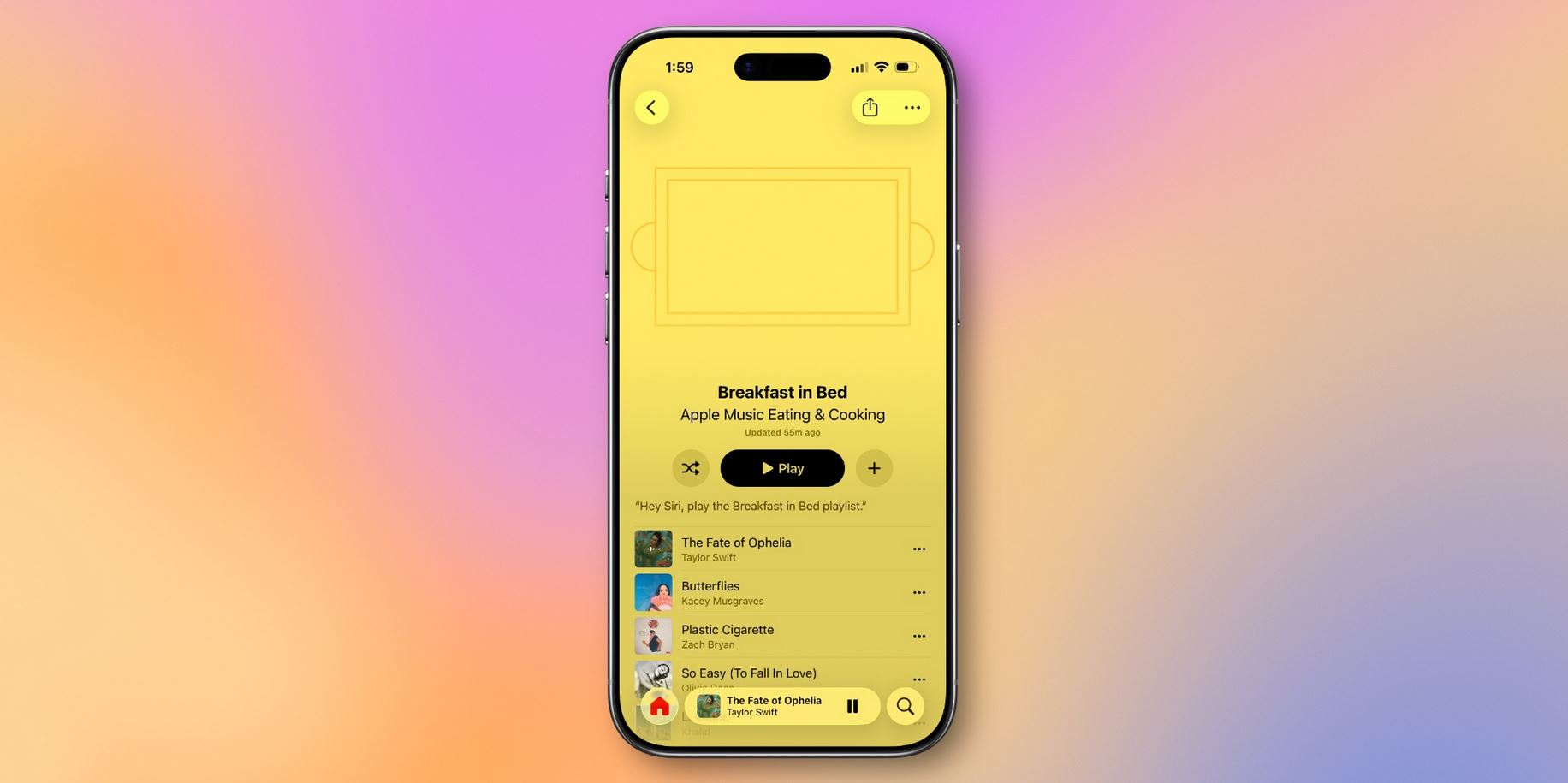
There are several improvements for Apple Music. Photo: 9to5mac
Additionally, Apple updated the album and playlist interface, added the ability to send a track to multiple playlists at once, and improved recommendations. Apple Music also now shows information about nearby concerts by artists, if available.
Stolen Device Protection on iPhone
In iOS 26.4, Apple changed how the Stolen Device Protection feature works. It is now enabled automatically for all users, not just those who activated it manually. This is an important change because the feature protects data if an iPhone ends up in the wrong hands.
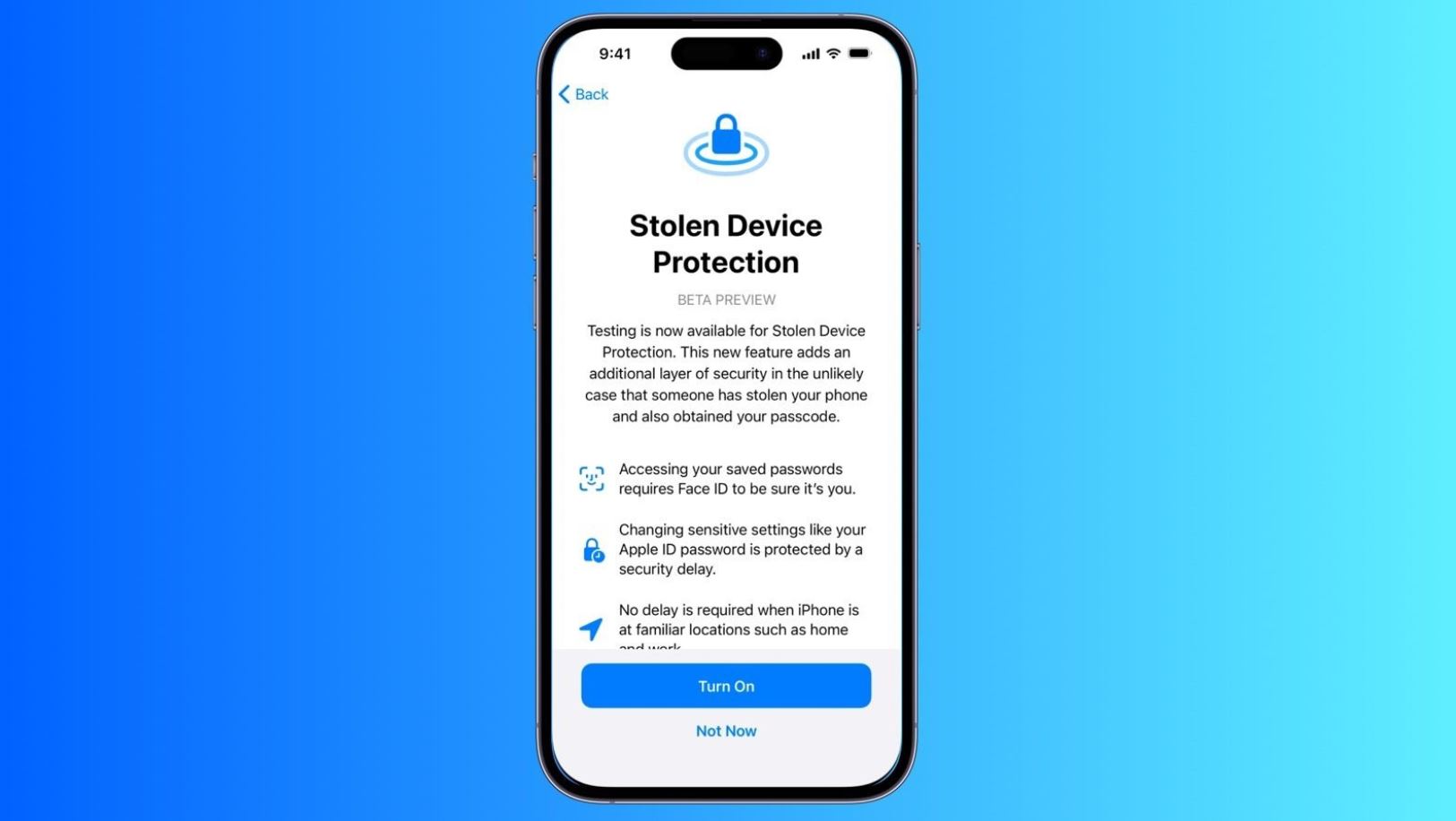
Stolen Device Protection is now active by default. Photo: macrumors.com
If the smartphone is outside a familiar location, the system requires Face ID or Touch ID to access passwords, banking data, and Apple ID settings. For some actions, a time delay is added so that an attacker cannot quickly change iPhone security settings.
New Emoji in iOS 26.4
In iOS 26.4, Apple added new emoji from the latest Unicode standard. Among them are a distorted face, an orca, a bigfoot, a treasure chest, a fight cloud, a trombone, ballet dancers, and several more symbols. Sure, it’s nothing major, but extra emojis are always welcome.
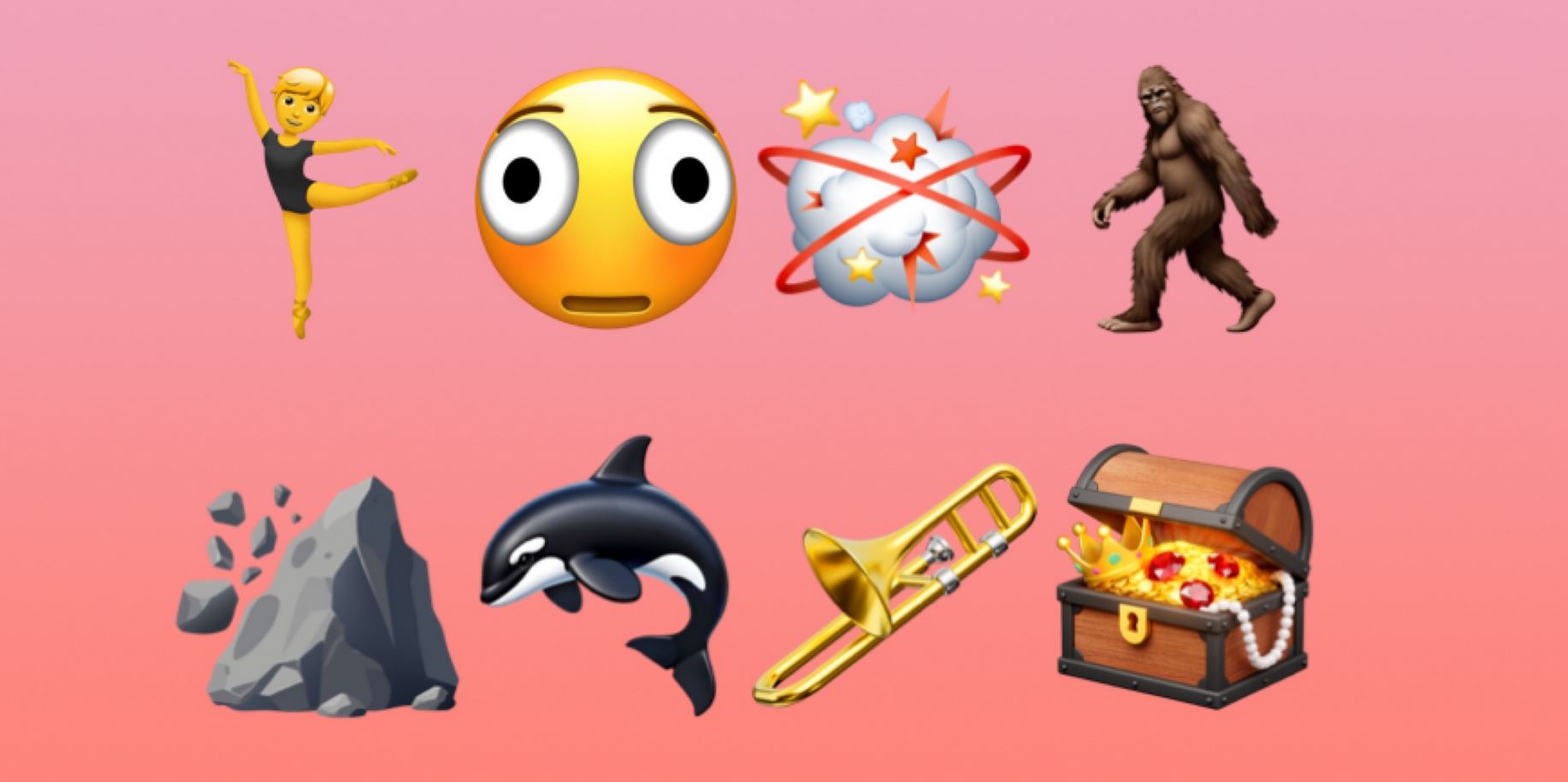
Check out the new emoji — they won’t go to waste! Photo: 9to5mac
Additional skin tone variations have also been added. The update is small, but for those who frequently use messengers, the emoji changes are immediately noticeable.
What’s New in iOS 26.4
Apple also made several changes to built-in apps in iOS 26.4. What changes if you update? For example, the Podcasts app now supports video episodes — you can now watch podcasts on iPhone with video, download them, and switch between video and audio.
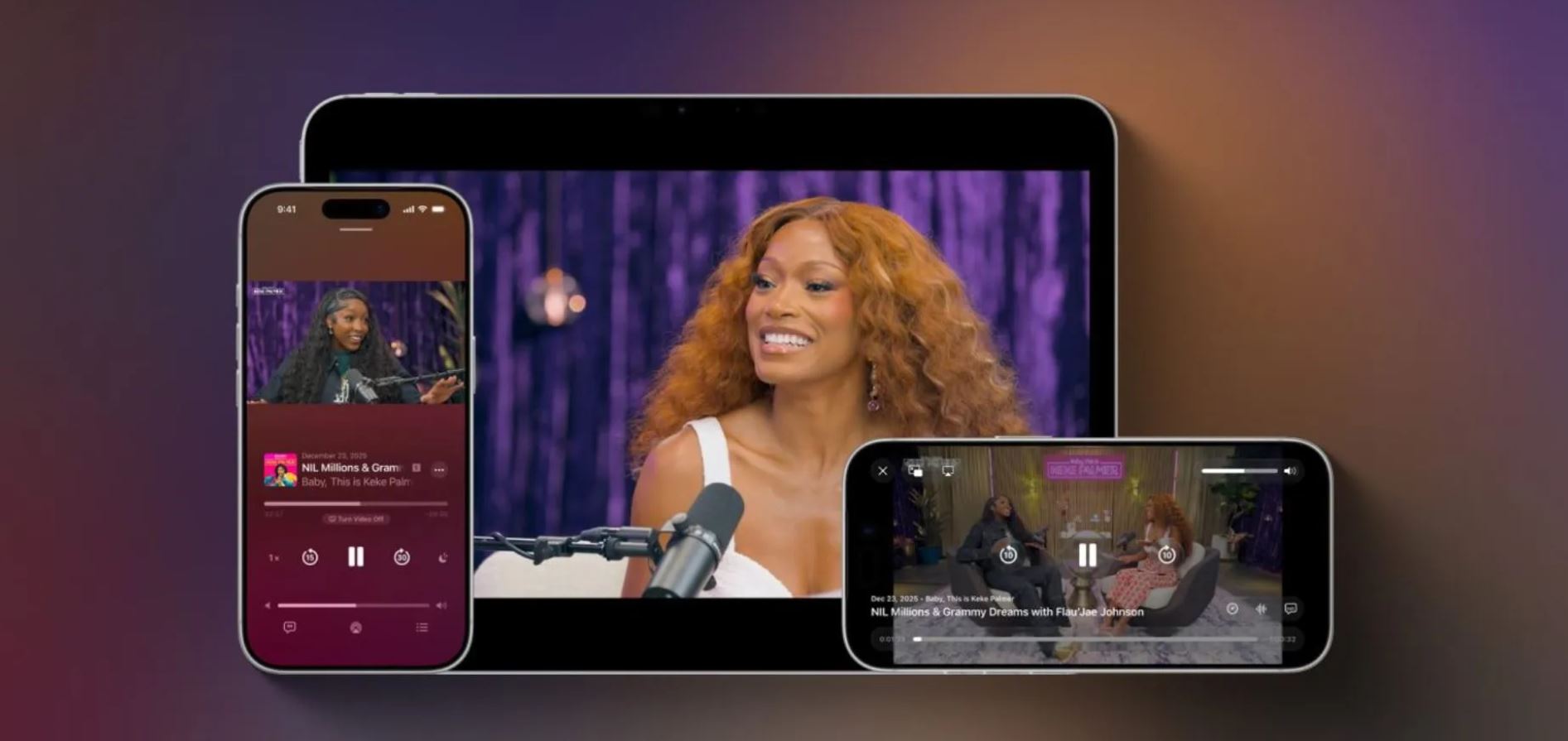
Apple boosted podcast features in iOS 26.4. Photo: 9to5mac
- In CarPlay, Apple continued adding new capabilities for future features, including video support and integration with AI assistants.
- In the hotspot mode, the traffic statistics display has been redesigned — it’s now easier to see how much data connected devices are using.
- Dim Flashing Lights has been added in iOS 26.4. It removes those bright glares and flashes that occur when tapping certain Liquid Glass interface elements. If combined with Liquid Glass tinting from iOS 26.1, the interface becomes similar to iOS 18.
- The Purchase Sharing feature now allows adult family group members to independently pay for purchases online without relying on the family organizer. Previously, all purchases went through a single card or phone number.
Apple also promised to improve keyboard accuracy in iOS 26.4. If you previously noticed typing errors despite pressing the right keys, that should no longer happen. Probably.
How to Install iOS 26.4 on iPhone
You can install iOS 26.4 directly from iPhone settings. Before updating, it’s best to follow a few simple steps to avoid download errors. First, free up as much storage as possible so the installation goes smoothly. Keep in mind that due to high demand, downloading iOS 26.4 may be slow. In some cases, it’s better to wait a bit.
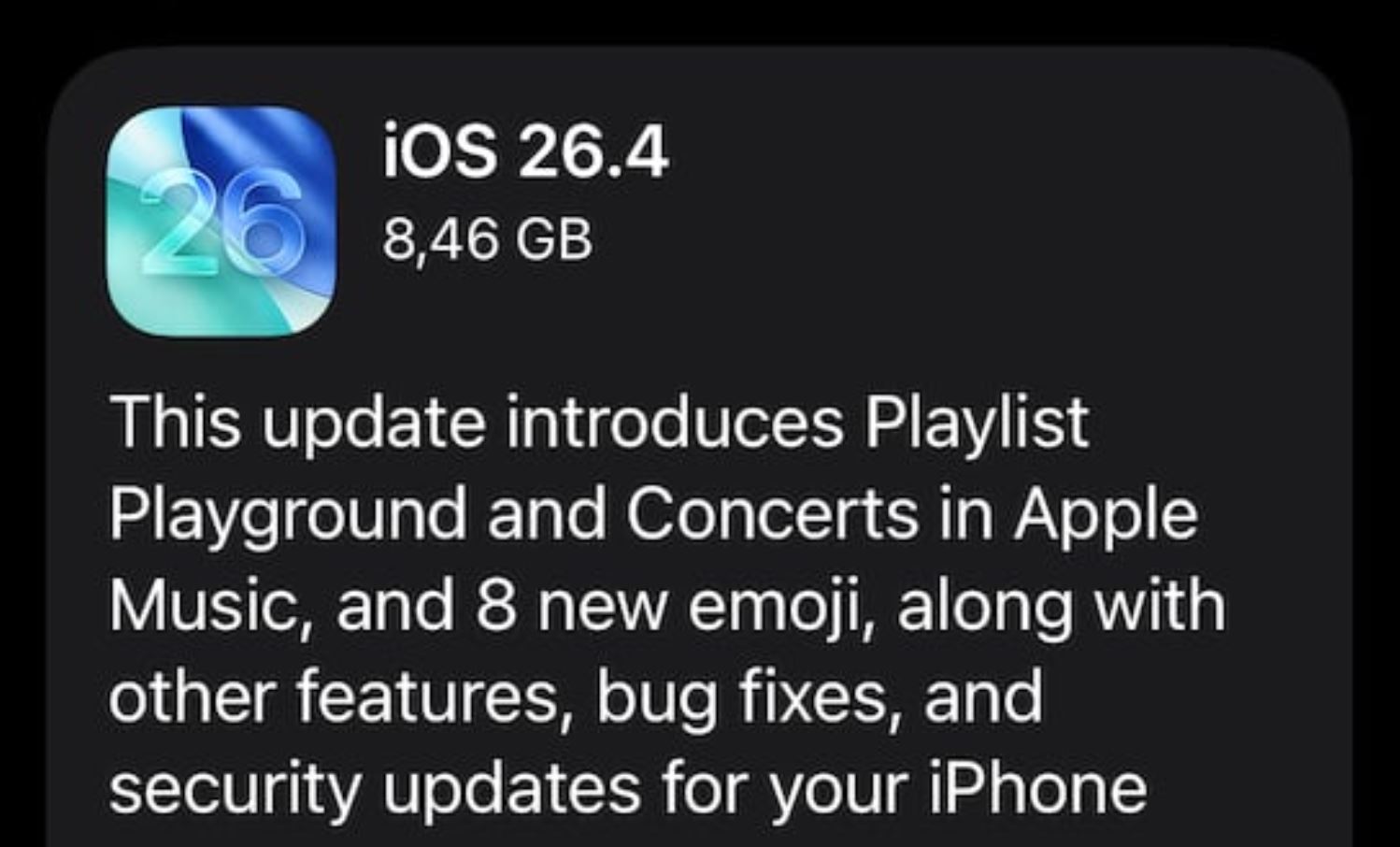
The download may be slow. But that’s normal!
- Open Settings and go to “General.”
- Select “Software Update” and disable beta version search.
- Search for updates, and once iOS 26.4 appears, tap “Download Now.” You can also install the new version by tapping “Download Tonight.”
Connect to a stable Wi-Fi network and disable VPN if it’s enabled so that the download proceeds at maximum speed. If the update doesn’t appear, try restarting your iPhone or checking for updates again.
Should You Update Your iPhone to iOS 26.4
The new iOS 26.4 isn’t a major update with a new design, but it’s an important release with numerous fixes and stability improvements. If you haven’t updated your iPhone in a while or have skipped several iOS 26 versions, it’s definitely worth installing the update.


