Download APKPure — people want it for one reason: the app or game they need is unavailable on Google Play due to regional restrictions. In 2026, this is a regular occurrence in Russia. Some international services have left the market, others have stopped updating through the official store. APKPure solves this problem: it’s a catalog of APK files that works regardless of region and doesn’t require a Google account. If you roughly understand how to install an APK on Android, you’ll get along with APKPure very quickly.
Getting to know the APKPure app store on Android
What Is APKPure
The APKPure app is an alternative app and game store for Android, based on an open catalog of APK files. Unlike Google Play, it’s not tied to your account’s region: you can download any version of any app — whether it’s the latest one or a specific older build.
Why this matters in 2026:
- apps that Google Play doesn’t show in Russia due to developer restrictions;
- older versions of apps (when a new update broke something);
- games unavailable in the Russian Google Play region (Brawl Stars on APKPure is downloaded for exactly this reason);
- apps without a Google account for smartphones where Google Play isn’t installed or doesn’t work.
APKPure doesn’t develop or modify apps. It only stores and distributes original APK files from developers. A Russian version of APKPure doesn’t exist as a separate thing: the app interface is multilingual, and Russian can be configured from within.
How to Download APKPure on Android for Free
The APKPure website (apkpure.com) is the only official source for downloading. No third-party APK collections are official, and you shouldn’t download from them. APKPure is free in its entirety with no paid features whatsoever.
Steps to follow:
- Open the browser on your smartphone and go to apkpure.com.
- On the main page, find the “Download APKPure App” button.
- Tap the button, and the APKPure APK file will begin downloading.
- Wait for the download to complete — the file will appear in the “Downloads” folder.
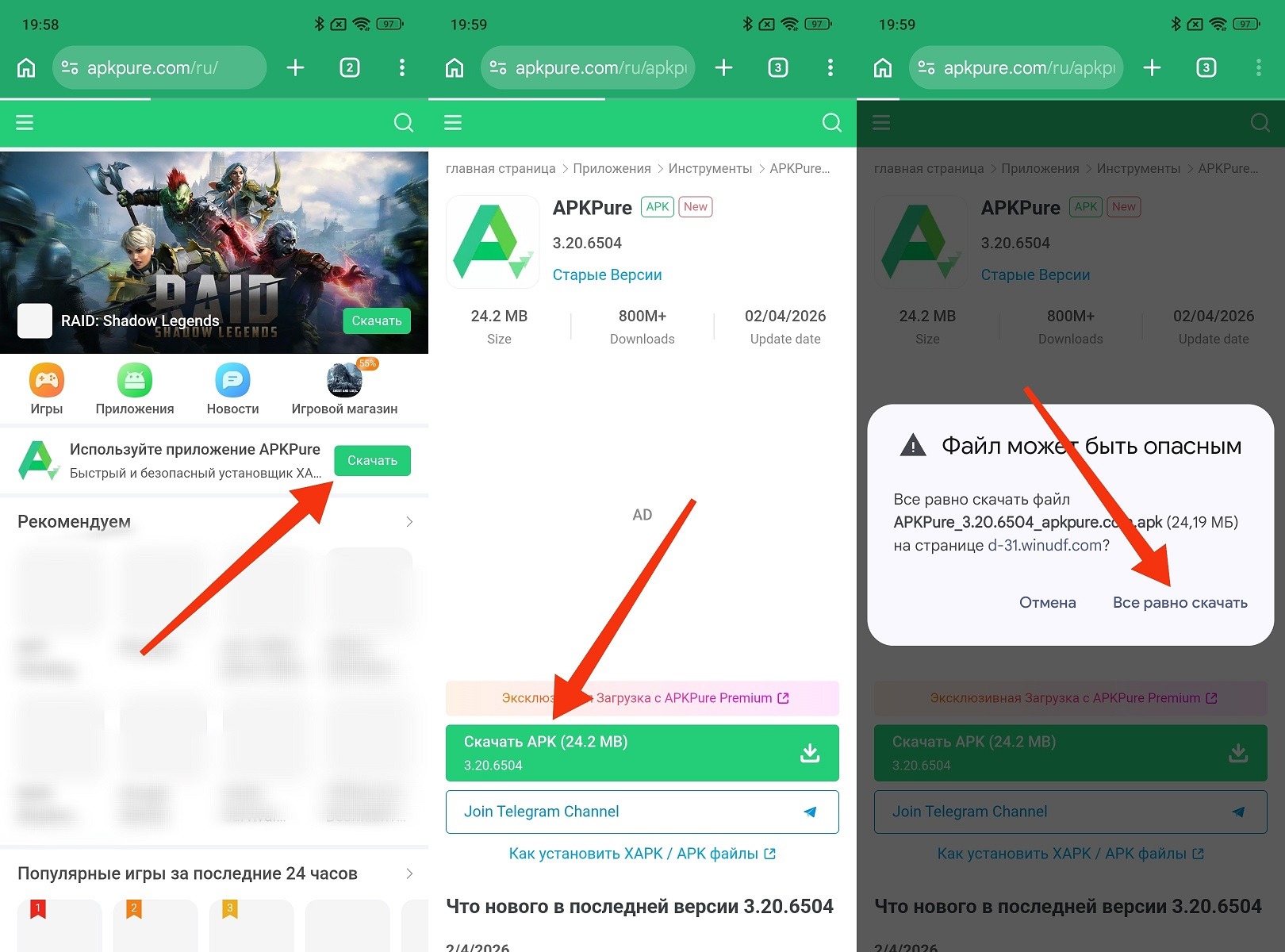
First, download the APK file of the store itself
After downloading — installation. More details in the next section. Note: the official APKPure app is not available on Google Play. So the only working method is downloading the APK from the official website.
Installing APKPure on Android
APKPure for Android is installed via the standard APK installation mechanism, but recent Android versions have added extra confirmation steps that might be confusing:
- Open your file manager and go to the “Downloads” folder.
- Tap the downloaded APKPure APK file.
- The system will show an extended security warning describing the risks of installing from unknown sources. Read it and tap “Continue.”
- A permission request to install from this source will appear. Tap “Settings.”
- In the menu that opens, enable the “Allow installation from this source” toggle.
- Go back using the “Back” button — the installation will continue automatically.
- Tap “Install” and wait for the process to complete.
- After installation, tap “Open.”
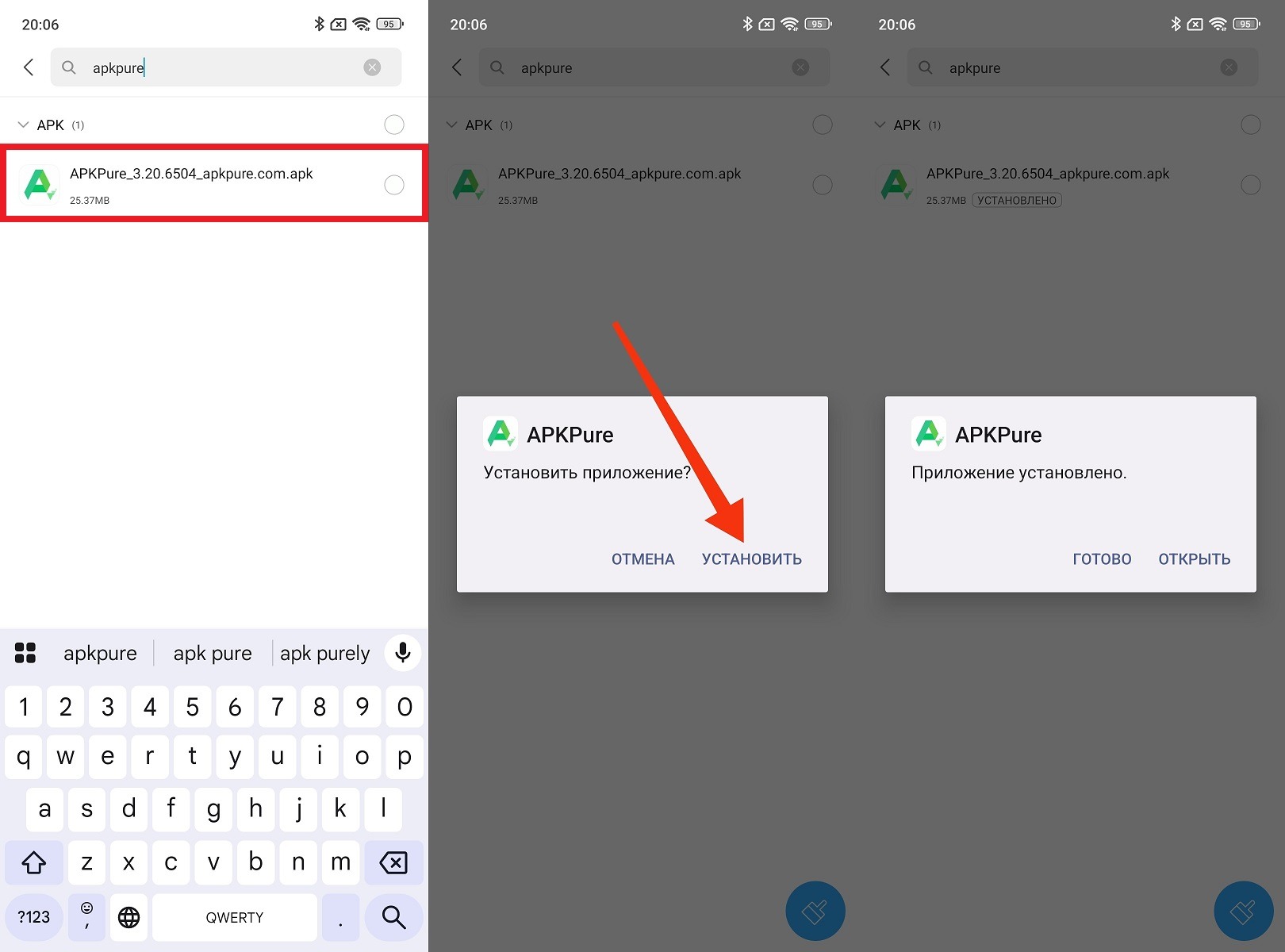
The store installs like a regular APK
On the first launch, APKPure will ask for storage access permission — grant it, otherwise files downloaded through the app won’t be saved to the correct folder.
Setting up Russian language: on the first launch, the app will most likely automatically detect the system language and switch to Russian. If that doesn’t happen: tap the profile icon in the bottom right corner — “Settings” — “Language” — select “Русский.”
APKPure App Features
Downloading the latest version of APKPure is worth it just to explore the key features that aren’t available in the standard Google Play. What APKPure can do:
- download apps and games without a Google account and without regional restrictions;
- archive of all app versions (you can roll back to any build);
- batch update of installed apps;
- download OBB files for large games (they’re pulled along with the APK);
- notifications about updates for apps that aren’t on Google Play;
- search by name, genre, and rating.
Games on APKPure are a major separate section. Nearly all popular mobile games are available here, including those temporarily unavailable in the Russian Play Store region. The “Top” and “Recommendations” sections help you discover something interesting without a specific query.
Is It Safe to Use APKPure on Android
The question everyone asks. In short: relatively safe, but with caveats. APKPure is safe to the extent that the apps in its catalog are safe. What you need to understand:
- APKPure doesn’t modify APK files — it distributes original packages from developers and verifies their digital signatures;
- signature verification means the file hasn’t been altered after publication (this is an important integrity guarantee);
- however, APKPure is not responsible for the content of the apps themselves (if an app on Google Play contains unwanted code, it will be the same on APKPure);
- you should only download well-known apps from well-known developers (installing apps through APKPure that you know nothing about is not recommended).
The main rule when using APKPure and any other alternative sources: only download what you already know. Using APKPure to download Brawl Stars or Spotify — reasonable. Using APKPure to download a “special banking app APK” from an unknown source — not so much.
APKPure Alternatives for Downloading APKs on Android
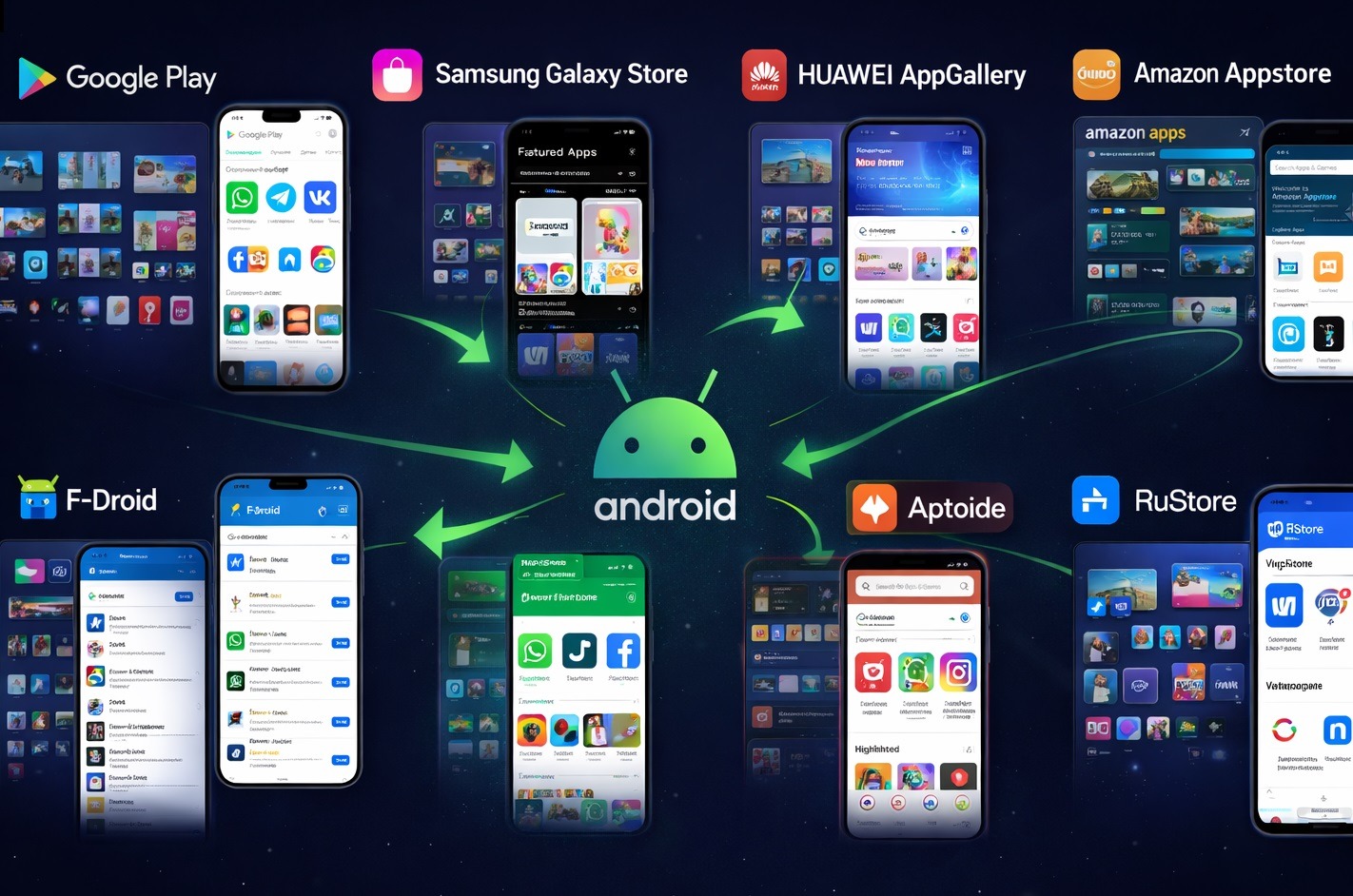
There are tons of app stores on Android
APKPure isn’t the only option. Depending on your needs, there are several alternatives:
- RuStore — a Russian app store by VKontakte. Official, safe, with developer verification. The best choice for installing Russian apps and games without Google Play. The downside: few international apps are available.


