Exactly four weeks after the previous build, Google has released Android 17 Beta 3 — the third public beta version of the operating system. This isn’t just another update with bug fixes: the third beta marks the Platform Stability stage, after which Google locks in the final APIs and stops making changes that affect app functionality. In other words, Android 17 beta is now as close as possible to what users will receive in the stable release. The system has noticeably stabilized, and the third beta continues this course.
The third beta version of Android 17 is already out. Image: 9to5google.com
What’s New in Android 17 Beta 3
Let’s start our Android 17 Beta 3 overview with the most noticeable changes for users. This build includes several changes that immediately catch the eye.
First — bubbles for any app. The Bubbles feature, which allows you to minimize apps into a floating mini-window, appeared back in Beta 2 but was limited. Now it’s fully enabled and available for any app — not just messengers.
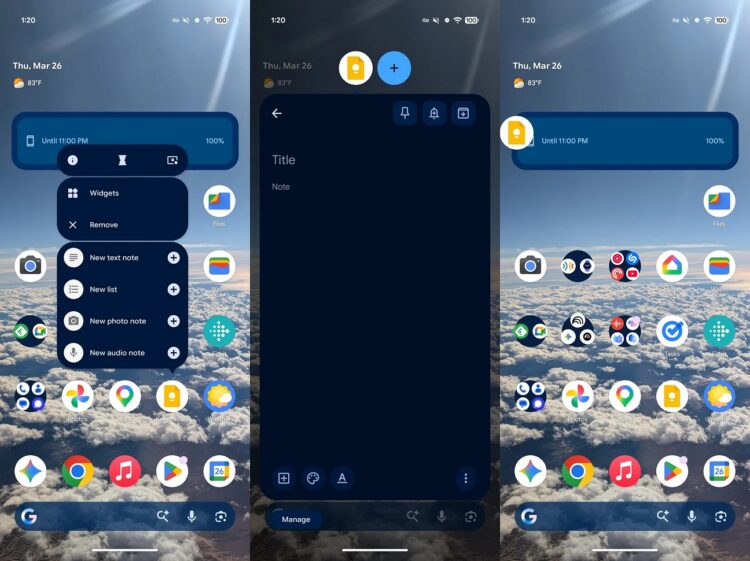
Now any apps can be opened in bubbles
Second — an updated screen recording control panel. The interface has become floating and more convenient: the new panel is automatically excluded from the final recording, so it doesn’t appear in the video.
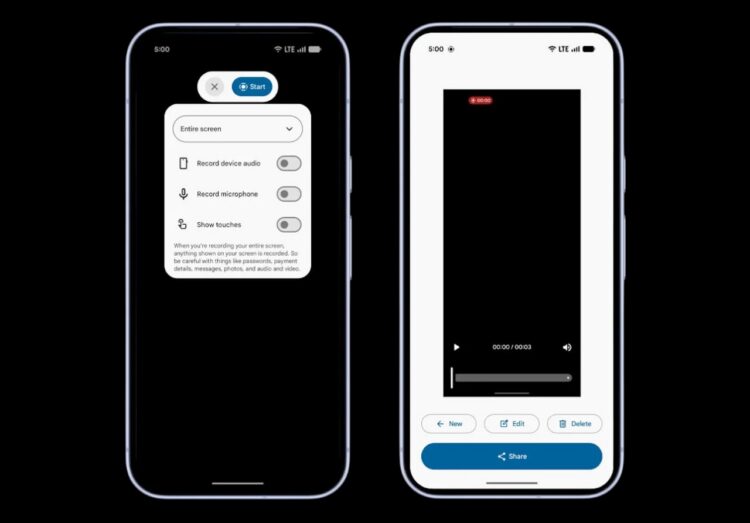
This is what screen recording looks like now
Third — the ability to hide icon labels on the home screen. Now in wallpaper and customization settings, you can remove app names under icons. Useful for those who want a cleaner and more minimalist screen look.
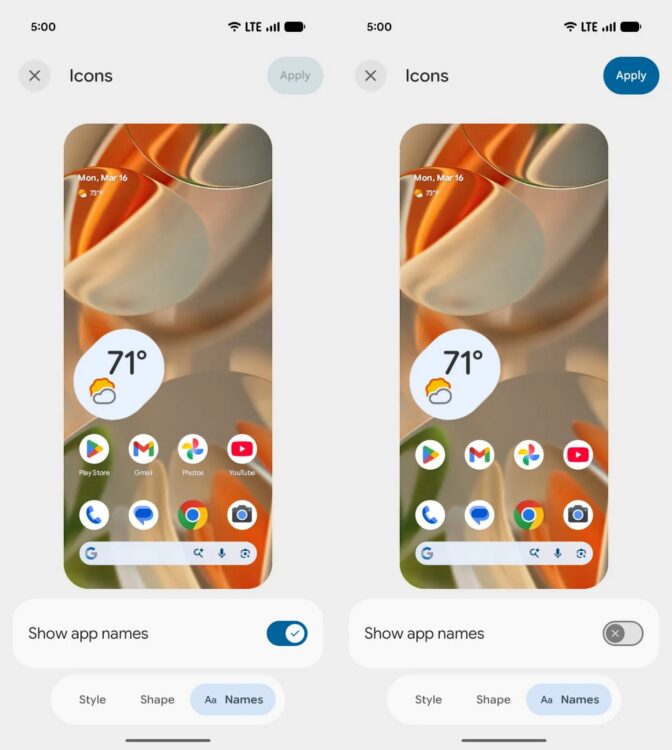
Finally, Android lets you hide app names
Beyond visual changes, the technical innovations in Beta 3 give a good indication of what Android 17 will be like in its final form:
- RAW14 format support for professional photography — the camera can now write 14-bit RAW files with maximum detail;
- separate password visibility settings for touchscreen input and physical keyboards;
- Post-Quantum Cryptography support — preparation for quantum computing at the APK signature level;
- widgets on external displays now work more correctly at different pixel densities;
- separation of Wi-Fi and mobile data in the quick settings panel into individual tiles;
- dynamic font updates without rebooting the system — new emoji can arrive without an OS update.
All these changes primarily concern developers and smartphone manufacturers, but ultimately affect how a phone running Android 17 will behave in everyday life.
Which Phones Will Get Android 17 Beta 3
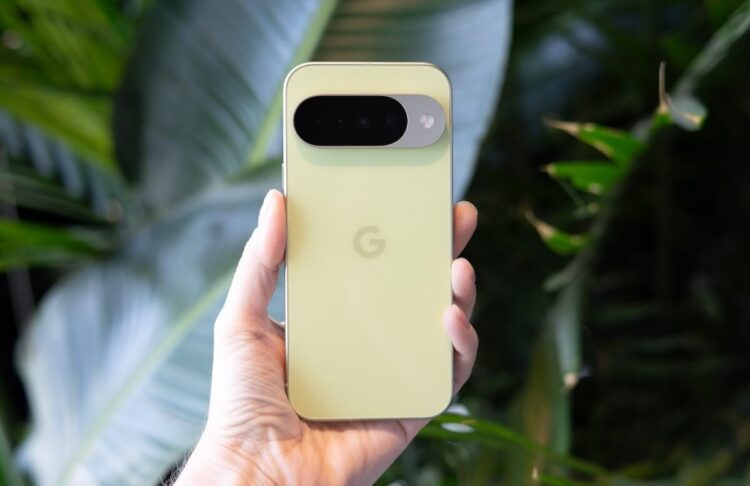
The update is available for Google Pixel owners. Image: iphones.ru
Which phones will get Android 17 Beta 3 right now — primarily Google Pixel devices. Here’s the full list of supported models:
- Pixel 6, Pixel 6 Pro, Pixel 6a;
- Pixel 7, Pixel 7 Pro, Pixel 7a;
- Pixel 8, Pixel 8 Pro, Pixel 8a;
- Pixel 9, Pixel 9 Pro, Pixel 9 Pro XL, Pixel 9 Pro Fold, Pixel 9a;
- Pixel 10, Pixel 10 Pro, Pixel 10 Pro XL, Pixel 10 Pro Fold;
- Pixel Tablet, Pixel Fold.
Besides Google, Android 17 beta is also available on smartphones from other manufacturers. The full list of devices, including models from Motorola, OnePlus, Oppo, and Realme, continues to expand. In the coming weeks, Samsung and Xiaomi smartphones may join the program.
When Will Android 17 Be Released
The official Android 17 release date for the stable version hasn’t been announced, but the roadmap is already clear. Reaching Platform Stability in Beta 3 is a key signal: Google locks in the final APIs and prepares for release. Historically, after this stage, about two to three months remain until the stable launch.
The release of Android 17 for Pixel is expected in June 2026 — roughly the same timeframe as previous versions of the system. When Android 17 will be released for other manufacturers is a separate question. Samsung, Xiaomi, and other brands adapt the system to their custom skins, which takes additional time. A realistic timeline for most third-party flagship devices is the third quarter of 2026.
How to Install Android 17 Beta 3
The easiest way to install Android 17 Beta 3 is through Google’s official beta testing program. If you’re already enrolled in the program and installed Beta 2 — the update will arrive automatically through the system updates section. If you’re joining the program for the first time, follow these steps:
- Open the beta testing program website at google.com/android/beta.
- Sign in with the Google account linked to your smartphone.
- Find your device in the list and click “Opt in.”
- Accept the program terms and conditions.
- Open “Settings” on your smartphone and navigate to “System” — “Software update.”
- Tap “Check for updates” and wait for the build to download.
After downloading and installing, your smartphone will reboot with Android 17 beta on board. Important note: beta versions contain bugs and unstable features. You should only install it on your main smartphone if you’re prepared to deal with potential issues. If your phone isn’t on the list of supported devices, you won’t be able to download Android 17 just yet — you’ll need to wait for the stable release or for the beta program’s device list to expand.


