If you ever thought: “I wish my smartphone could handle ordering pizza while I’m busy with something important” — it seems that moment has arrived. Google rolled out the March Feature Drop for Android 16, and this time the update stands out significantly from the usual lineup of cosmetic tweaks. There are many features, they’re diverse, and some of them genuinely change how you interact with your phone. Let’s break down what exactly appeared and who has access to all of this.
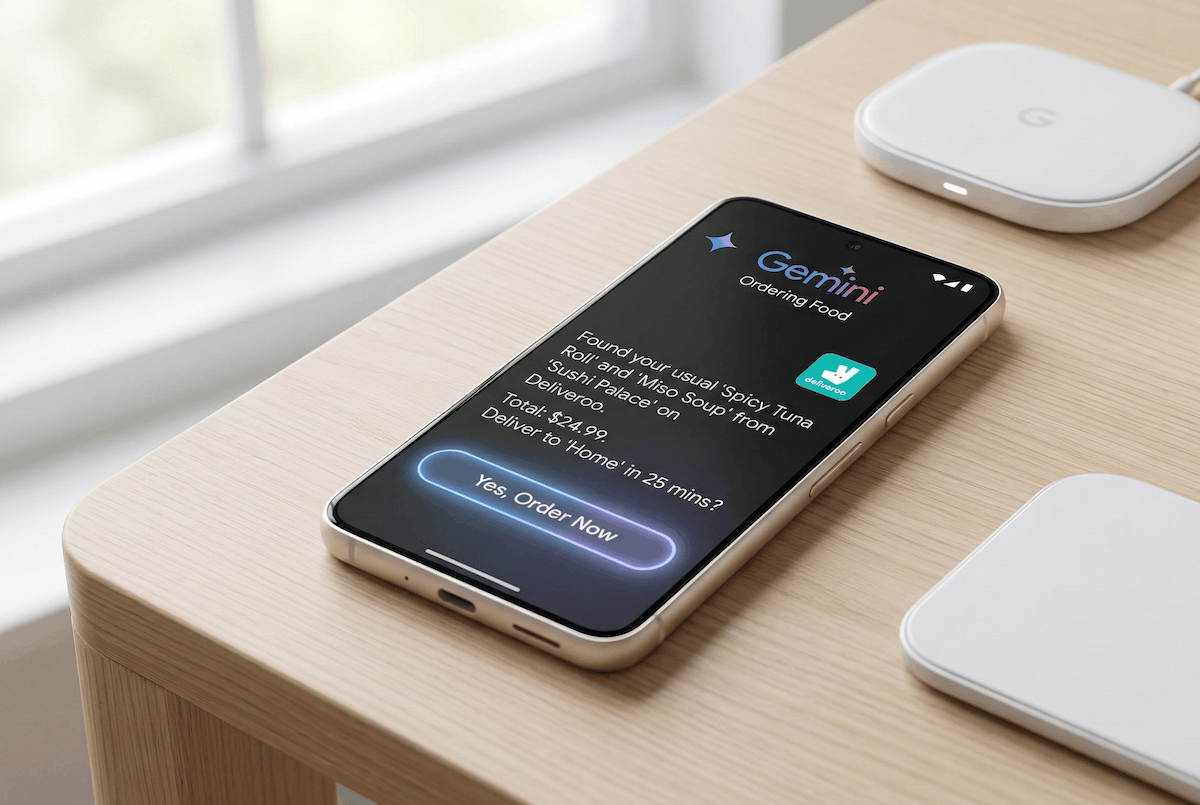
Smartphones have become not just a means of communication, but a full-fledged AI tool.
How Gemini Automation Works on Android
The main novelty of the March drop is what Google calls Gemini Automation. It works like this: you press and hold the power button, say something like “order me a coffee as usual” or “call a taxi to work” — and Gemini gets to work. No copying links, switching between apps, or manually entering addresses. The assistant opens the needed app in a secure window on its own, scrolls through screens, presses buttons, and fills in fields.
The most interesting part is this: you can watch it happen in real time or simply receive a notification when everything is ready. There’s no need to worry that your phone will freak out and charge all the money from your card. You remain in control — you can stop the process at any moment, and the final confirmation of a purchase or booking always stays with you. In other words, Gemini won’t charge money without your knowledge, which is quite reasonable.
For now, the beta supports apps in the food delivery, grocery, and ride-hailing categories. The catch is that the feature only works in the US and is exclusively available on the Pixel 10, Pixel 10 Pro, and Pixel 10 Pro XL. These models received it first — exactly as was announced for the Samsung Galaxy S26 a week earlier. In other regions and on other smartphones, we’re still waiting for expanded support.
Related to this is Magic Cue — a feature that monitors your chats. If you’re texting with a friend and the conversation turns to a café or restaurant, Pixel will suggest a selection of places through Gemini — right inside the messenger, without needing to switch to a browser. Convenient, though it does somewhat feel like your phone is eavesdropping on you.
AI Icons on Android, Pixel Desktop Mode, and Circle to Search
Besides automation, the March drop brought several noteworthy things. Let’s start with the most obvious — AI icons. Now on all Pixels starting from the sixth generation, you can completely redesign your home screen appearance using a neural network. Five styles are available: Scribbles (something like hand-drawn sketches), Cookies (rounded and soft), Easel (artistic brushstroke), Treasure (pirate-chest motif), and Stardust (space and stars). This isn’t just a set of ready-made icons — the system regenerates the design of each app according to the chosen style.
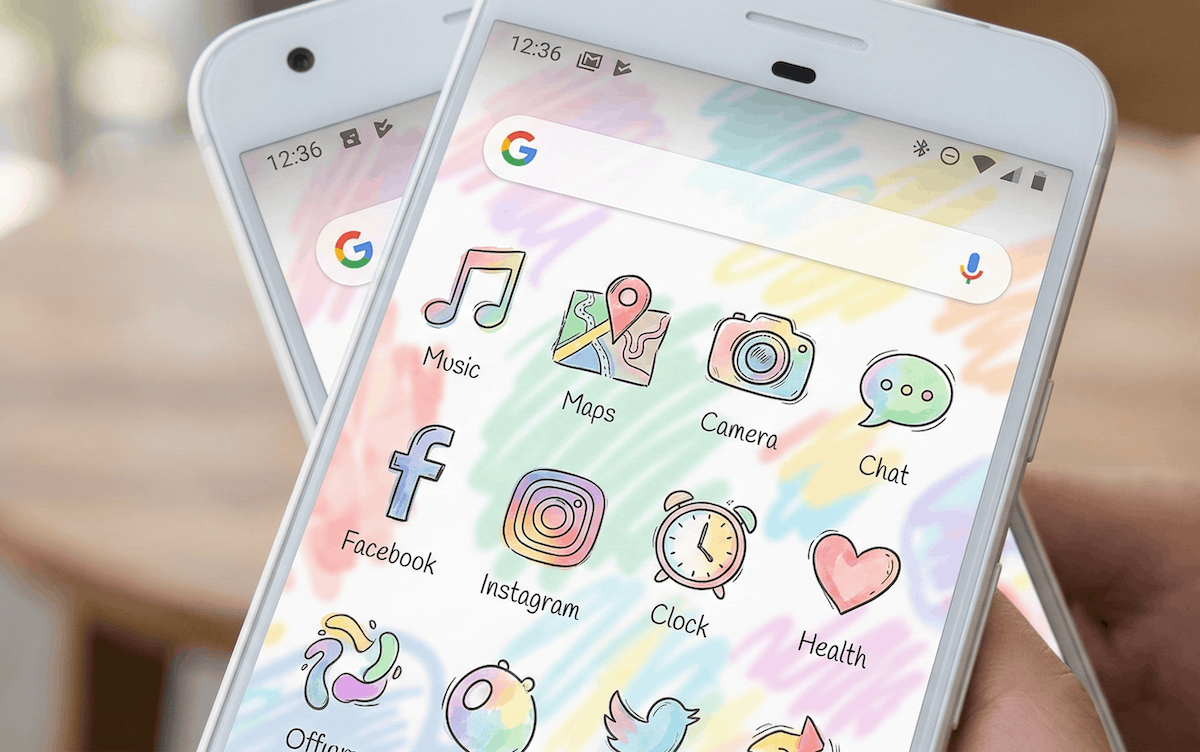
Want icons like these? Now Gemini can draw them.
Owners of the Pixel 10 lineup also received Comfort View mode — a special display filter for those who are sensitive to bright or saturated colors. This isn’t just a warm night mode: the technology specifically reduces visual strain by muting particularly aggressive hues without turning the screen into a pumpkin.
Circle to Search has also been updated with Gemini 3 on board. It can now recognize multiple objects in a single image simultaneously. Circle a screenshot from a video showing someone’s outfit — and the service will find all clothing items at once: jacket, jeans, sneakers, bag. Previously, you had to circle each item separately.
Additionally, Pixel 8 and newer received desktop mode. Connect your phone via USB-C to a monitor, add a keyboard and mouse — and you get something similar to Samsung DeX. A full multi-window interface with resizable windows. A long-awaited feature that Pixel had been putting off for a very long time for some reason.
Why Google Made Now Playing a Separate Android App
Among the less prominent but pleasant changes — Now Playing has moved to a separate app. Previously, this feature simply silently recorded recognized tracks somewhere in the settings, and getting to your listening history wasn’t the most obvious quest. Now it’s a standalone app with a history that’s convenient to browse and syncs with what you listened to long ago.
The At a Glance widget has also grown. On Pixel 7 and newer, it now shows live match scores for teams the user follows in Google Search, stock quote updates from the watchlist in Google Finance, and traffic status on the regular commute route. In other words, it’s becoming a truly personalized information feed, not just a date and weather display.
Along with this, scam call detection has been expanded: it now works in France, Italy, Spain, Mexico, Germany, and Japan. There’s no support for Russia yet, but it’s movement in the right direction.
If you look at the March Feature Drop as a whole — it’s one of the most packed drops in recent times. Automation through Gemini is something that currently only works in the US and only on the Pixel 10, but it’s just a matter of time. Once the feature expands beyond one market and one device lineup, it will change the habits of a great many users. The other innovations aren’t as revolutionary, but each of them makes the phone a little more pleasant in daily use, and that’s exactly what you expect from updates.


