The MAX app, while being a messenger, operates by its own rules. Many people don’t even realize what happens when they install MAX. And we know: there will be many problems, even in places you wouldn’t expect them. With competitors being blocked, the national messenger is practically the only means of communication in Russia, but when trying to call someone you may see the message “Accepts calls only from contacts” in MAX, and the call simply won’t go through. So what are you supposed to do?
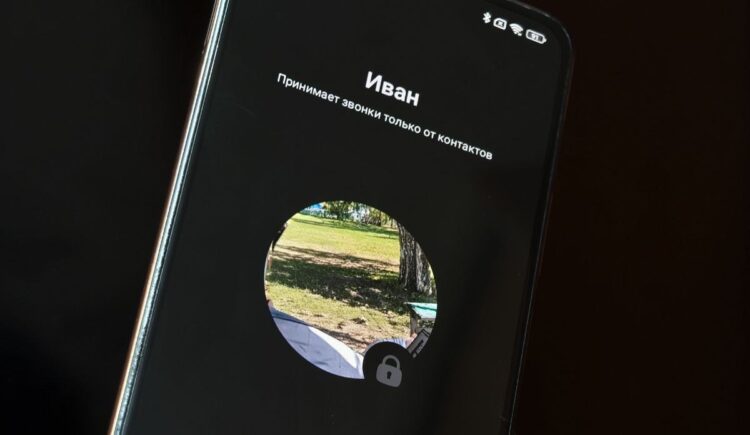
Solving the main problem with calls in MAX
What Does “Accepts Calls Only from Contacts” Mean in MAX
“Accepts calls only from contacts” — this message indicates that your contact has restricted calls. This could have happened for two reasons:
- either in the MAX security settings under “Call” they have the value set to “Contacts,” and you are not on their list;
- or you have been blocked in MAX and are on their blacklist.
You won’t be able to get through, and your contact won’t even see a notification about the incoming call. But we know what needs to be done to solve the problem.
What to Do If a Person Accepts Calls Only from Contacts
The problem needs to be solved step by step. First, ask your contact whether they have added you to the MAX blacklist. If you’re not there — the message will be delivered, and you will see two checkmarks in MAX.
If you’re not on the blacklist, but the person in MAX accepts calls only from contacts, ask them to add you to their phone book using these instructions:
- Open the chat.
- Tap on the profile icon, then tap “To contacts.”
- Enter the first and last name, then tap “Save.”
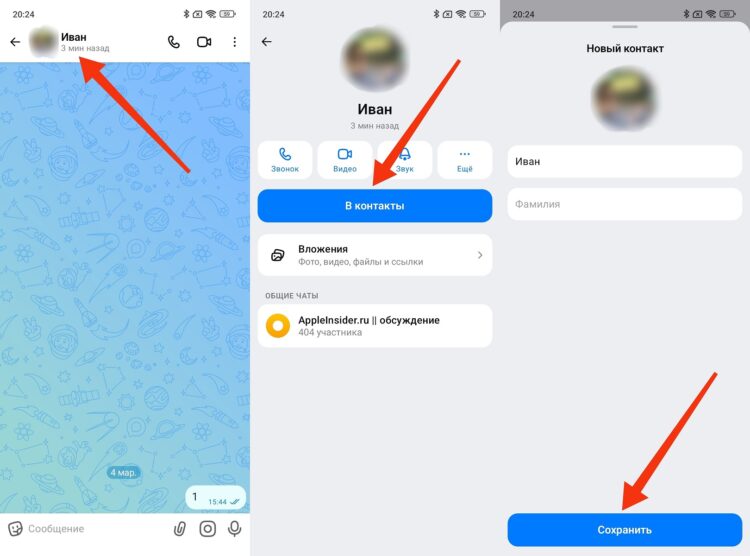
If they add you to contacts, the call should go through
The second option for them is to allow calls in MAX from all users:
- Open the “Profile” tab.
- Go to the “Security” section, then tap “Call.”
- Set the value to “Everyone.”
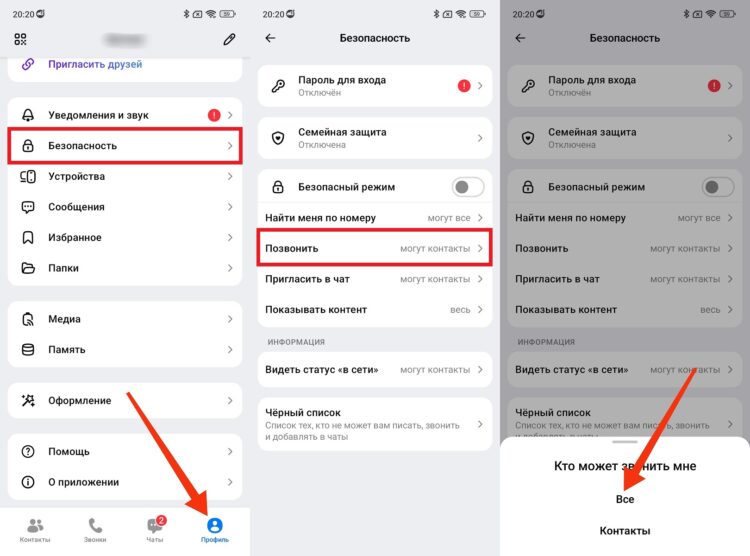
Your contact can allow all incoming calls
Once again: these actions must be performed by your contact. Otherwise, you will continue to see the message “Accepts calls only from contacts” in MAX.
How to Properly Make Calls in the MAX Messenger
If your contact has fulfilled any of the suggested conditions, you will be able to make a call in MAX by simply tapping the “handset” icon (audio call) or the camera icon (video call) in the chat.
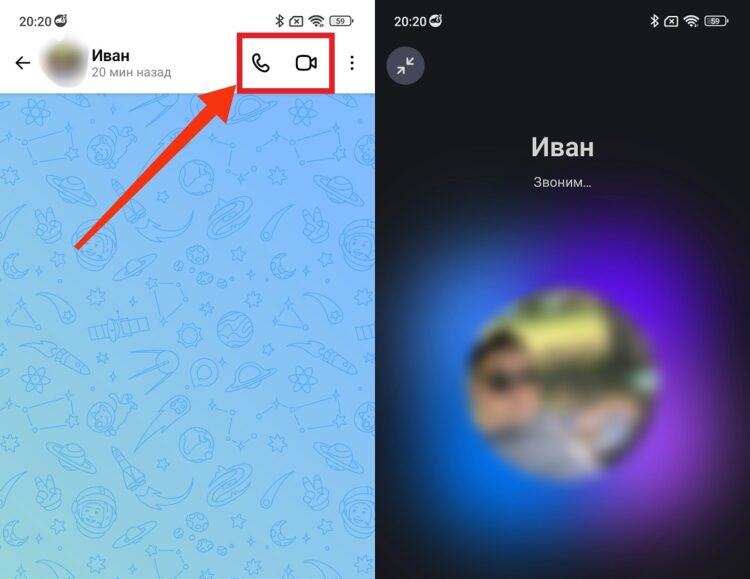
You can make both audio and video calls
Instead of the message “Accepts calls only from contacts,” under the contact’s name it will say “Calling…,” and if they choose to answer the incoming call, you will be able to talk to them.


