
You can work at a computer without back pain if you follow a few rules
Sitting at a computer seems like the most harmless activity in the world — but it’s precisely what causes chronic back, neck, and lower back pain in millions of people. Specialists in movement biomechanics say that sitting correctly is one of the most technically difficult things we do. And most of us have no idea how to do it. Does your back hurt too? Mine does as well, so let’s figure this out.
The Harm of a Sedentary Lifestyle
When we sit hunched over a keyboard, the muscles of the back and core gradually shorten and weaken. The body gets used to the rounded position, and over time this turns into a chronic problem: tightness, pain, and quick fatigue. But the consequences extend far beyond lower back discomfort.
Research shows that a sedentary lifestyle increases the risk of developing diabetes, vascular diseases, weight gain, depression, dementia, and even a number of cancers. Of course, proper computer posture alone won’t solve all these problems, but it’s an important part of the equation.
The problem is that sitting is an inevitable part of modern life. We can’t give it up, but we can learn to do it properly.
Proper Posture at the Computer
The authors at 9to5mac suggest a simple four-step sequence that helps establish a neutral spinal position with active core muscle support. The technique starts from a standing position, and that’s the whole point: first you build the correct posture, and then you sit down while maintaining it.
- Stand up and strongly squeeze your glutes. This helps align the pelvis — the foundation of the entire spinal structure;
- Pull your ribs down, aligning the ribcage relative to the pelvis, and engage your abs at about 20%. You don’t need to turn to stone — a light stabilizing tension in the abdomen is enough.
- Set your head in a neutral position and rotate your shoulders into a stable position — not raising them toward your ears and not pulling your shoulder blades too far back.
- While maintaining all of this, sit down.
An important nuance: proper posture doesn’t mean sitting rigidly upright as if you swallowed a pole. You can lean forward or recline back — the key is that the spine remains in a neutral position with core muscle support.
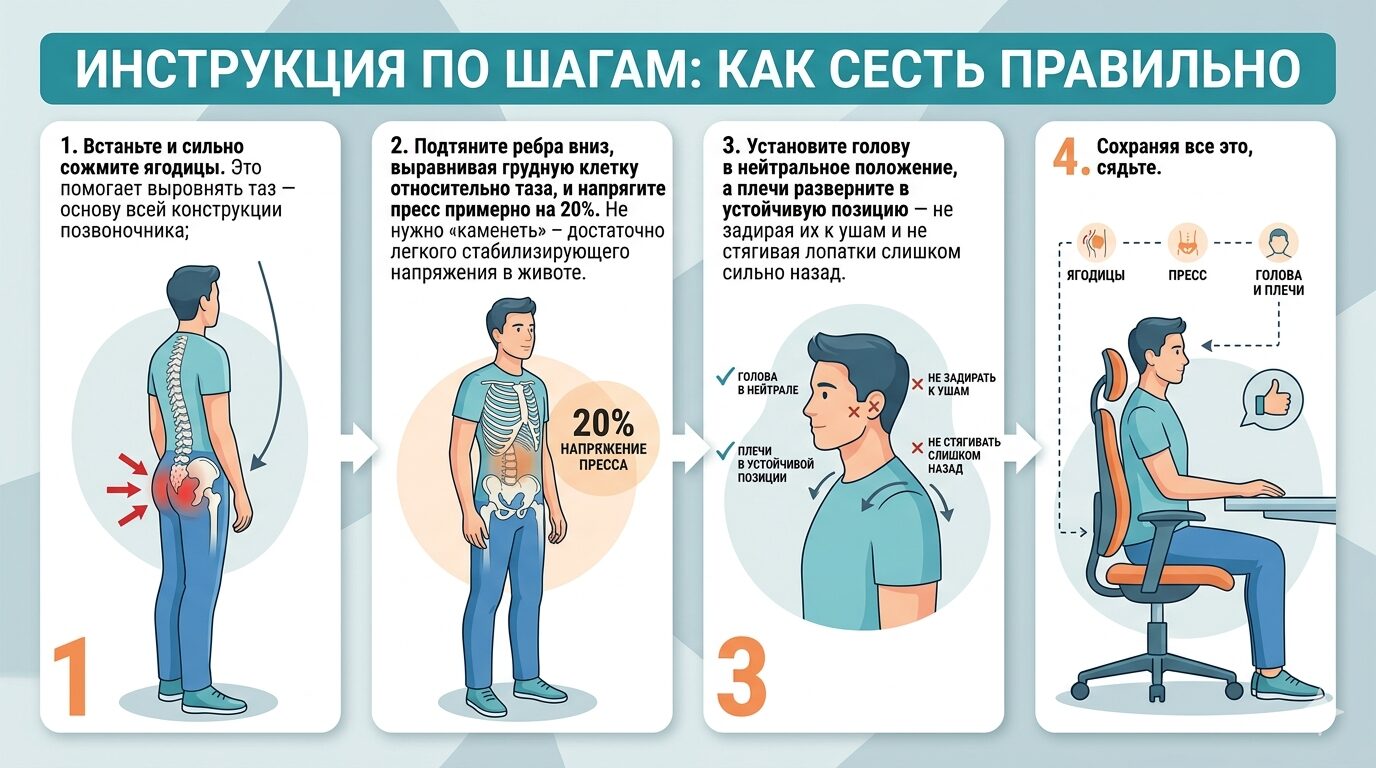
The same instructions, but visual
How to Sit at a Computer All Day
Building your posture once in the morning and forgetting about it won’t work. The authors of the recommendation warn that maintaining the correct position for longer than 10–15 minutes is practically impossible. The body inevitably “slides” back into its habitual rounded pose. Therefore, the key to success is not perfect discipline, but regular resetting.
- Every 10–15 minutes, stand up and rebuild your posture using the four steps described above;
- Change your position as often as possible: sitting, standing, working on your knees, stretching, taking a short walk;
- Develop awareness — notice when your back starts to round or, conversely, excessively arch in the lower back.
You might notice that standing up every 10–15 minutes is quite a hassle and isn’t always possible. But if your goal is to get rid of pain and keep your body in working condition, you can’t do without this effort.
Is It Worth Buying a Standing Desk
One practical way to change positions more often is to use a height-adjustable desk. Alternating between 30 minutes sitting and 30 minutes standing helps relieve muscles and prevents the body from freezing in one position for hours.
Another interesting option is to replace a regular chair with a fitness ball, a large exercise ball. The ball doesn’t let you lean back and relax your core, so the muscles are constantly working. Additionally, it’s easier to make micro-movements on the ball, rock back and forth, and change the tilt angle of the pelvis, which reduces static load.
Of course, neither a standing desk nor a ball is a magic solution on its own. Standing all day is harmful too. The main principle is variety of positions and regular posture changes.
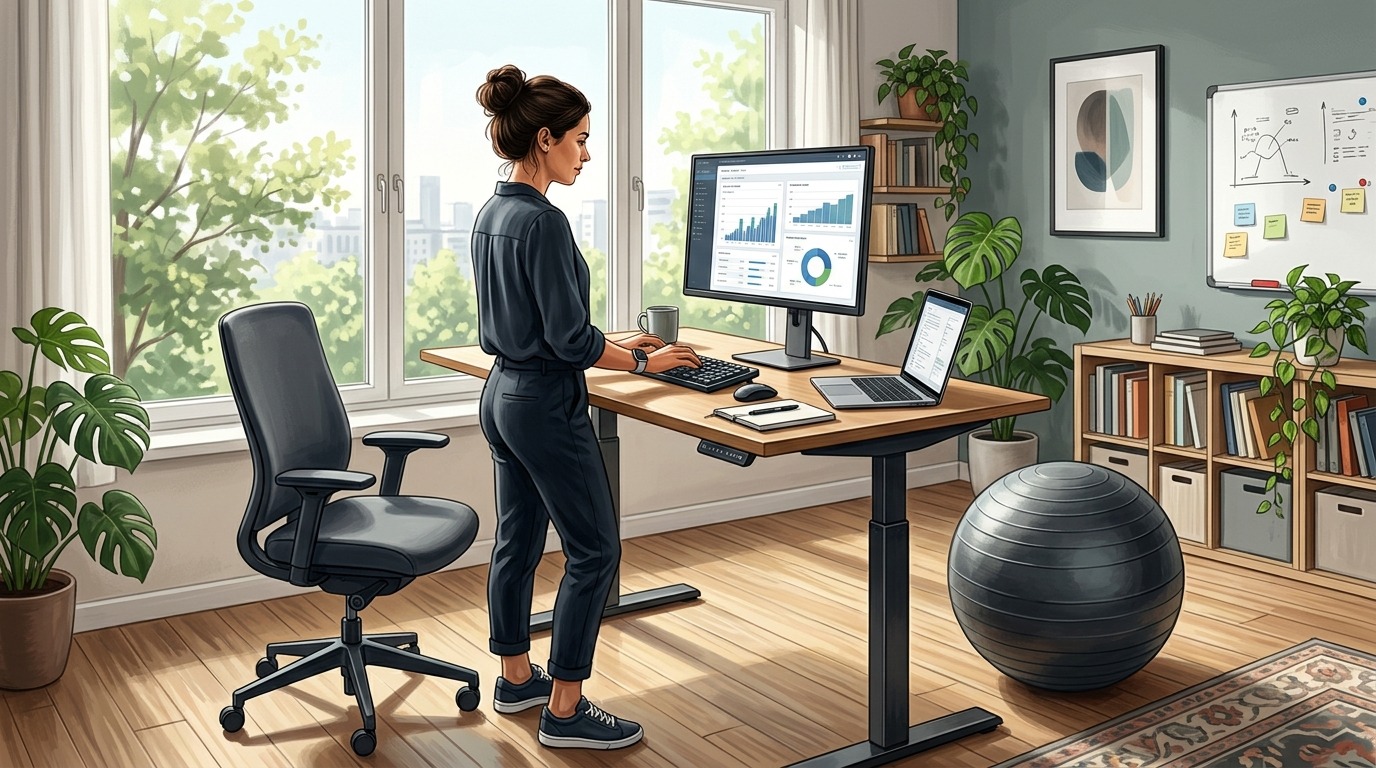
A standing desk and a fitness ball — two simple tools for back health
Incorrect Posture at the Computer
Three typical back positions while sitting can be identified:
- Neutral (correct) — the spine maintains its natural curves, the ribcage is positioned above the pelvis, the core is slightly engaged.
- Excessive rounding — the back is hunched, shoulders have moved forward, the head is stretched toward the monitor. The most common mistake.
- Excessive arching — the lower back is arched too much, the ribcage is pushed upward. Often seen in those who “try to sit straight” but overdo it.
Both incorrect variants create uneven load on the intervertebral discs and ligaments. If you catch yourself in one of these positions — it’s time to stand up and rebuild your posture using the four steps.
Back and spine health is not the result of one correct action, but a habit that forms through repetition. The four steps mentioned above require no special equipment or a gym membership — just the willingness to take a break every 10–15 minutes and rebuild your posture. It sounds simple, but it’s precisely the regularity that turns knowledge into real protection from pain and fatigue. Try starting with one workday and pay attention to how your back feels by evening.